


General
Best Transportation Scheduling Software in 2026
Key Takeaways
- Transportation scheduling breaks at scale when planning can’t translate into execution fast enough—the gap between what’s scheduled and what actually happens widens with volume.
- Execution-led platforms connect routing directly to dispatch and mid-shift adjustments, while scheduling-led tools focus on generating plans that require manual intervention to implement.
- Multi-region operations need platforms that maintain routing quality as networks grow, not tools that degrade performance when stop density increases, or constraint complexity rises.
- Implementation typically takes 2-8 weeks for lightweight platforms or 3-6 months for enterprise orchestration, depending on integration depth and workflow alignment required.
- Locus processes 650 million orders annually with 99.5% on-time delivery rates and 25% efficiency gains by treating last-mile delivery as an orchestration problem rather than just a routing exercise.
There is a difference between scheduling a same-city, single-stop delivery and managing a multi-stop intercity operation. While the first needs fast dispatching with clear time-slot control, the latter requires route optimization, capacity planning, and real-time adjustments across longer distances.
Doing this through spreadsheets or lightweight tools often leads to mismatched routes, delayed updates to drivers, and planning decisions based on outdated information.
What you really need is a comprehensive transportation scheduling platform that supports complex planning logic and gives planners the structure to manage daily decisions with clarity.
This guide compares the eight best transportation scheduling software platforms in 2026. We analyze their operational fit with a focus on multi-region coordination, constraint handling, and performance at scale.
Why Look for Advanced Transportation Scheduling Software?

A logistics operation with 5–10 vehicles can indeed run on a spreadsheet and a few reliable people. But once you plan to scale, that setup starts to break. For instance, you need one place where orders, vehicles, routes, inventory, and costs stay updated, so teams are not chasing manual updates or guessing what changed.
When you scale operations from one location to say, six cities, your dispatcher, manager, drivers, and other teams cannot rely on memory only. They need a system to tell them about which cities they need to visit, what restrictions or local traffic laws they need to know about. They also need to know the best route to take to deliver goods to multiple locations.
- Mid-shift volatility: The real problem shows up mid-shift. New orders come in, customers cancel, traffic builds up, and a “final plan” stops being final. If your team has to rebuild routes multiple times before lunch, scheduling becomes the bottleneck.
- High-stop routes: This makes things worse. With 20-plus stops on a route, one missed time window can push three deliveries late. A dispatcher can fix a few routes by hand, but not dozens at once, especially when the right answer changes every time an order shifts or a driver falls behind.
- Constraint complexity: Then, there are constraints that basic tools struggle to enforce automatically. Different vehicle types, driver skills, product-handling rules, customer delivery restrictions, and site-specific requirements all need to be applied every time the plan updates.
Territory Planning and Scenario Modeling: Two Capabilities Worth Asking About
Beyond the constraints already covered above, two other capabilities separate platforms that scale cleanly from those that don’t, even though neither shows up explicitly in most vendor comparisons.
Territory planning is the process of dividing a delivery network into zones — by geography, driver assignment, or depot — and deciding which vehicles or drivers own which zone on which day. Static territory assignments are simple to set up but degrade as demand shifts: a zone that made sense at last year’s order volume can become badly imbalanced once density doubles in one area and drops in another. Platforms built for multi-region orchestration typically let territories be redrawn dynamically as demand data changes, rather than requiring a manual re-zoning exercise.
Scenario modeling is the ability to test a change — adding a depot, shifting to a different fleet mix, absorbing a new region — against historical or simulated order data before committing to it operationally. This matters most for the kind of scaling decisions this guide’s implementation section touches on: a platform that can only tell you how today’s plan looks, rather than how a hypothetical future network would perform, leaves scaling decisions to guesswork rather than data.
Neither capability is called out explicitly for most platforms in this comparison, so if territory rebalancing or pre-commitment scenario testing matters for your operation, it’s worth confirming directly with each vendor rather than assuming it’s included.
That is the main difference between scheduling-led tools and execution-led platforms. Scheduling-led tools assume a neat, predictable day. Execution-led platforms are built for the day you actually get, updating routes as conditions change. Once you cross 500-plus deliveries a day, the gap becomes obvious.
On the flip side, lightweight tools demand more manual work, while execution-led platforms keep optimization running in the background.
Common Mistakes When Moving From Spreadsheets or Google Maps
Moving from spreadsheets, WhatsApp groups, or Google Maps to transportation scheduling software is often less about replacing a tool and more about changing the operating model. The most common implementation issues are avoidable if teams define their data, constraints, and success benchmarks before vendor selection.
- Migrating dirty address data: Poorly formatted addresses, missing landmarks, duplicate customer records, and inconsistent geocodes will weaken even strong routing engines. Address clean-up should happen before pilot testing, not after go-live.
- Ignoring driver adoption: A technically sound schedule fails if drivers cannot use the mobile app comfortably. Evaluate driver workflows for navigation, task updates, proof of delivery, exception reporting, and language or device constraints.
- Underestimating integrations: Scheduling performance depends on live order, inventory, vehicle, and status data. If ERP, WMS, OMS, telematics, or carrier feeds are delayed or incomplete, dispatch teams will still fall back on manual updates.
- Choosing only on price: Lower-cost tools may work for stable, low-volume routes, but they can become expensive when dispatchers spend hours rebuilding plans manually or when SLA failures rise.
- Failing to define constraints: Vehicle capacity, driver skills, customer time windows, loading dock rules, product handling needs, service territories, and regional restrictions should be documented before configuration.
- Skipping pilot benchmarks: A pilot should compare baseline and target metrics such as route distance, vehicle utilisation, failed deliveries, dispatcher effort, SLA adherence, and exception frequency. Without a benchmark, it is hard to prove operational improvement.
- Treating scheduling as a one-time plan: Enterprise logistics networks change throughout the day. If the business relies on mid-shift order insertion, dynamic rerouting, or multi-region dispatch, evaluate whether the platform can support execution, not just pre-shift planning.
Top 8 Transportation Scheduling Software Platforms in 2026
If your scheduling breaks the moment the day changes, the tool is not built for your operation. The platforms we have handpicked are not ranked by popularity or feature counts. They are stacked by how they handle real scheduling pressure, like multi-city planning, mid-shift changes, dense routes, and constraint-heavy delivery networks. Shortlist what actually fits your scale and complexity:
| Platform | Approach | Best For | Starting Price |
|---|---|---|---|
| Locus | Execution-led orchestration | Multi-region, high-volume operations (500+ daily deliveries) needing AI routing that maintains performance at scale. 99.5% on-time delivery across 650M+ annual orders. | Custom (volume-based) |
| Routematic | Scheduling-led with safety focus | Corporate employee transport with shift-based needs and compliance requirements | Custom (per trip/km) |
| Routific | Scheduling-led lightweight | Local delivery teams wanting quick deployment and simple drag-and-drop editing | $150/month (1000 stops) |
| Onfleet | Execution-led lightweight | Same-day and on-demand delivery prioritizing ease of use over deep optimization | Tiered (task volume) |
| Optibus | Scheduling-led AI | Public transit agencies managing large-scale passenger transport with demand forecasting | Custom (fleet-specific) |
| Samsara | Fleet monitoring with routing | Operations prioritizing vehicle telematics, compliance, and safety over pure routing depth | Custom (hardware + SaaS) |
| Upper | Scheduling-led basic | Small fleets needing affordable multi-stop routing without enterprise features | Budget-friendly tiers |
| Spoke (Circuit) | Scheduling-led mobile | Field service and micro-fleet operations want immediate smartphone-based dispatch | Entry-level pricing |
How We Evaluated These Platforms
Rather than scoring by feature count, this comparison weighs each platform against the specific pressures described above: how well it holds up when routes need rebuilding mid-shift, how it performs on high-stop routes where one missed time window cascades into several, how many real-world constraints it can enforce automatically rather than through manual override, and whether it’s built as a scheduling-led tool (generates a plan, hands it off) or an execution-led platform (keeps optimizing as the day unfolds). Implementation timeline and operational fit — covered in detail further down this guide — round out the comparison.
How to Choose Transportation Scheduling Software for Enterprise Logistics
Enterprise buyers should evaluate transportation scheduling software against the structure of the logistics network, not only against a feature list. The right platform for a 40-stop local fleet may not hold up for a 5,000-order, multi-region network with mixed fleets, customer-specific SLAs, and live dispatch changes.
Use these criteria before shortlisting vendors:
| Evaluation Area | What to Assess | Why It Matters |
| Daily order volume | Average and peak daily orders, stop density, route length, and batch frequency | Volume determines whether a scheduling-led tool is enough or whether execution-led orchestration is needed |
| Number of regions | Cities, depots, fulfilment centres, service territories, and cross-border requirements | Multi-region networks need consistent optimisation quality and local rule handling |
| Fleet mix | Owned vehicles, contracted fleets, 3PL partners, gig drivers, EVs, two-wheelers, vans, and trucks | Fleet scheduling software overlaps here by assigning vehicles, drivers, shifts, capacity, and routes to demand |
| Dispatch volatility | Same-day orders, cancellations, failed deliveries, returns, priority inserts, and traffic disruption | Dispatch scheduling software should support driver assignment, live route changes, exception handling, and dispatcher workflows |
| Constraint complexity | Time windows, capacity, product compatibility, driver certifications, site access, loading slots, and customer rules | Constraint depth determines whether plans can be enforced automatically or require manual dispatcher intervention |
| Integration depth | ERP, WMS, OMS, TMS, telematics, carrier systems, customer communications, billing, and analytics | Scheduling accuracy depends on timely data flowing into and out of the platform |
| Support needs | Implementation support, workflow design, training, regional rollouts, support SLAs, and change management | Enterprise deployments usually require operational alignment, not just software activation |
| Growth roadmap | New regions, new fleet models, new service levels, reverse logistics, and omnichannel fulfilment | The platform should scale with network complexity rather than force a migration later |
A practical buying question is: “What breaks first if our daily order volume doubles?” If the answer is dispatcher capacity, route rebuild time, constraint enforcement, or data latency, a lightweight planning tool may not be enough. If the answer is simply “we need faster route creation,” a simpler platform may be sufficient.
Transportation Scheduling Software Feature Checklist
Use this checklist to separate must-have execution capabilities from features that are useful but less critical in simpler operating models.
| Feature | Must-Have for Enterprise Logistics | Nice-to-Have or Context-Specific | What to Validate |
| Route optimisation | Yes | Multi-stop sequencing, time-window handling, distance reduction, and route quality at peak volume | |
| Dispatch management | Yes | Driver assignment, route release, live route edits, dispatcher workflows, and escalation handling | |
| Live tracking | Yes | Vehicle and order-level visibility, ETA updates, and control tower views | |
| Proof of delivery | Yes | Photo, signature, barcode, OTP, notes, failed-delivery reasons, and timestamp capture | |
| Driver mobile app | Yes | Navigation, task flow, offline support, exception reporting, and ease of adoption | |
| Customer notifications | Yes | SMS, email, WhatsApp, tracking links, ETA changes, and delivery completion alerts | |
| Capacity planning | Yes | Vehicle capacity, shift capacity, depot capacity, loading constraints, and demand spikes | |
| Constraint handling | Yes | Customer rules, vehicle types, driver skills, site restrictions, product compatibility, and time windows | |
| API integrations | Yes | API availability, webhook support, data latency, documentation quality, sandbox access, and integration support | |
| Analytics and reporting | Yes | SLA adherence, cost per order, route efficiency, fleet utilisation, exception trends, and dispatcher productivity | |
| Exception management | Yes | Failed delivery, driver delay, customer unavailable, route deviation, late dispatch, and proactive SLA risk alerts | |
| Territory planning | Context-specific | Yes | Dynamic zone design, driver territory ownership, depot assignment, and demand balancing |
| Scenario modelling | Context-specific | Yes | Testing new depots, fleet mix changes, regional expansion, and service-level changes before rollout |
| Telematics integration | Context-specific | Yes | Vehicle location, driver behaviour, fuel, maintenance, and compliance feeds |
| Carrier allocation | Context-specific | Yes | 3PL partner selection, carrier performance rules, capacity availability, and service-level matching |
For enterprise teams, the biggest risk is not missing a single feature. It is selecting a platform where routing, dispatch, tracking, proof of delivery, and analytics operate as disconnected workflows.
Scoring Methodology: How These Platforms Were Compared
The platforms in this guide were compared using operational fit rather than a universal numerical rating. Transportation scheduling software is not one category with one winner for every buyer; the best fit depends on network scale, execution volatility, and how deeply scheduling must connect with live logistics operations.
The comparison prioritised the following categories:
| Scoring Category | What Was Considered |
| Routing depth | Ability to optimise dense, multi-stop routes while respecting time windows, capacity, territories, and service constraints |
| Dispatch execution | Support for driver assignment, live route changes, dispatcher workflows, and mid-shift re-optimisation |
| Real-time visibility | Tracking depth across orders, drivers, vehicles, exceptions, ETAs, and customer-facing status updates |
| Constraint handling | Ability to enforce vehicle, driver, customer, product, site, compliance, and regional rules automatically |
| Integrations | Connectivity with ERP, WMS, OMS, TMS, telematics, carrier platforms, customer communications, and analytics systems |
| Implementation effort | Likely time, data preparation, workflow alignment, training, and change management required |
| Scalability | Fit for higher order volumes, additional regions, mixed fleets, multiple hubs, and more complex service levels |
| Best-fit use case | The operational environment where the platform is most likely to perform well |
This methodology explains why execution-led orchestration is weighted heavily for enterprise last-mile and multi-region logistics, while scheduling-led tools remain appropriate for stable, smaller, or more specialised use cases.
Scheduling-Led vs. Execution-Led: Why This Guide Uses This Distinction as the Primary Filter
This guide leans on one distinction more than any other because it’s the one that determines whether a platform survives contact with a real operating day: scheduling-led vs. execution-led.
A scheduling-led platform’s job ends once it produces a plan — an optimized set of routes, assigned to vehicles and drivers, ready to hand off. What happens after handoff is largely outside the tool’s control: if an order is cancelled, a driver falls behind, or three deliveries in a row miss their time window, a human has to notice, decide, and manually rebuild the affected part of the plan. This works fine when the day is genuinely predictable — a fixed set of stops, generated once, executed largely as planned — which is why several platforms in this guide, Routific’s next-day planning model among them, are explicitly built around that assumption.
An execution-led platform treats the plan as a starting position, not a finished product. It keeps a live model of the network — where every vehicle actually is, what’s actually been delivered, what’s just come in — and re-solves the routing problem continuously as that model changes, without waiting for a dispatcher to notice something has drifted. The trade-off is that this requires more computational overhead, more real-time data flowing in, and, as this guide’s implementation section covers, more integration work to set up.
Neither approach is wrong; they solve different problems. The practical test, as this guide notes elsewhere, is volume and volatility: below a few hundred deliveries a day with fairly stable routes, a scheduling-led tool’s manual rebuild step is a minor inconvenience. Past that point — especially past the 500-plus-deliveries threshold this guide references for Locus — the manual rebuild step becomes the bottleneck itself, which is the core argument for execution-led orchestration at scale.
Top 8 Transportation Scheduling Software Platforms – Detailed Comparison
Of the eight software on this list, three stand out. Locus is built for execution-led scheduling in high-volume networks where routes need to adapt mid-shift. Onfleet is a strong pick when you want quick rollout, clean dispatch workflows, and reliable last-mile visibility.
Samsara stands out when telematics-led visibility, safety, and compliance are the priority. The remaining platforms in this list fit more specific needs, like employee transportation, small-fleet route planning, or transit-style scheduling, depending on how complex your routes and constraints get.
1. Locus
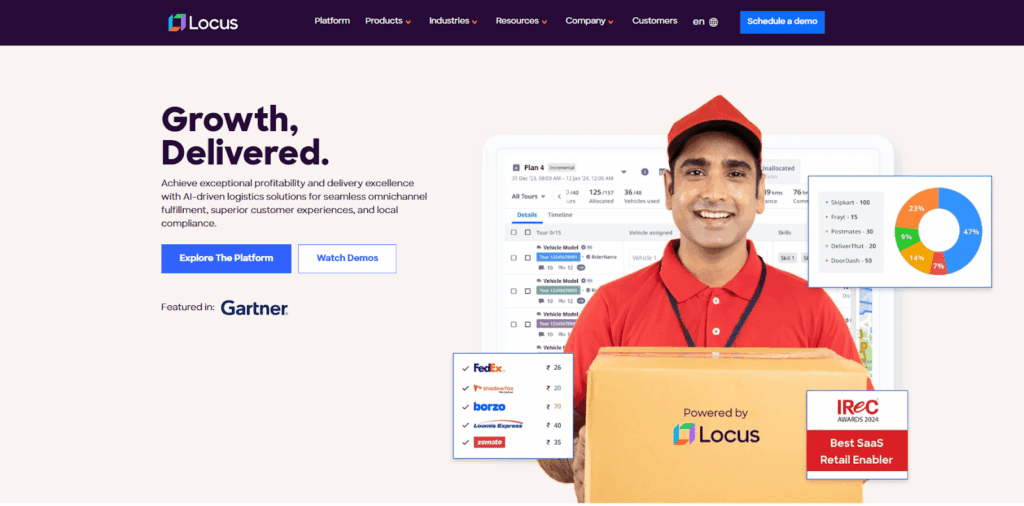
Locus is an execution-led orchestration platform. It is specifically helpful for operations where the morning schedule rarely survives the afternoon. If routes need rebuilding by 11 AM most days, you’re dealing with an execution gap that scheduling-only tools can’t close. This is why Locus was built.
What Locus Solves
- Planning-to-execution disconnect: Most tools generate optimal routes, then hand off to dispatchers. Locus treats routing as continuous: plans flow into execution, and mid-shift changes trigger automatic reoptimization without dispatcher intervention.
- Performance degradation at scale: Lightweight tools handle 50-100 deliveries cleanly. At 500+ across four regions with mixed fleets, routing quality breaks down. Locus maintains sub-5-minute optimization times at 5,000+ orders because the algorithm was built for dense, high-volume networks.
- Fragmented operational context: When routing, tracking, dispatch, and carrier management live in separate tools, information gets lost. Locus connects these in a shared context: what gets planned is what drivers see, updates flow bidirectionally, and exceptions surface automatically.
Locus’ Quantified Outcomes
Locus processes 650 million orders annually across 400+ cities with measurable performance:
- 99.5% on-time delivery rate maintained across high-volume networks where variability would typically degrade service
- 25% efficiency gains and 45% increase in deliveries per vehicle through better stop clustering and sequencing
- 20% reduction in ground resource costs via optimal vehicle allocation and route density
- 8% SLA compliance improvement by catching potential violations before they occur through predictive analytics
These are all operational results from processing millions of deliveries monthly across retail, e-commerce supply chain operations, FMCG, and 3PL logistics networks.
Enterprise outcomes callout: The outcomes above are presented as aggregate Locus operating metrics and linked to existing Locus-published context. Named customer case study examples should only be added where a current, approved, and verifiable customer reference is available for the specific outcome being cited.
Locus Is Ideal For
- Multi-region retail and e-commerce operations scaling beyond single-city delivery.
- Reverse logistics and returns-heavy businesses requiring bidirectional route optimization. Pharmaceutical logistics needing temperature control and regulatory compliance enforcement.
- Third-party logistics providers managing multiple client networks with different SLAs.
- Retail logistics operations where routing quality can’t degrade as order volumes double or triple.
- Operations tracking last-mile delivery metrics where performance must remain consistent at scale.
Locus’ Key Capabilities
- Proprietary geocoding for emerging markets: Converts “near the blue shop, second floor” into precise coordinates. In regions without address standardization, this drives 15-20% improvement in first-attempt delivery rates.
The geocoding engine handles ambiguous addresses, missing postal codes, and informal landmarks that cause delivery failures. - 180+ simultaneous constraint optimization: Considers driver breaks, vehicle fuel curves, customer access restrictions, product compatibility rules, commercial truck routing restrictions, time-based access windows, driver certifications, loading dock availability, and customer-specific instructions—variables that simple systems treat as manual overrides.
- Exception-led operational intelligence: Surfaces the six routes likely to miss SLAs rather than showing 200 green status routes. RCA tools trace cost spikes to specific changes—like that new dispatch planning rule introduced last Tuesday. Last-mile delivery analytics identify systemic issues versus one-time events.
- Continuous reoptimization during execution: When the 2 PM priority batch arrives, or traffic backs up, affected routes recalculate automatically. Drivers get updated sequences without dispatch intervention. The system maintains ETA accuracy by adjusting for actual progress, automatically rebalancing loads when execution deviates from plan.
Locus’ Pricing
Custom pricing based on delivery volume, geographical span, fleet composition, and module selection. Implementation typically runs 3-6 months for enterprise deployments with full integration.
Locus’ Pros
Locus handles the kind of operational complexity that makes lighter tools fall apart. Think 1,000-plus daily deliveries across six cities, three fleet types, and 40-plus rules that have to be followed every time a route changes. As your network scales, it keeps routing quality steady instead of forcing dispatchers to patch gaps with manual workarounds. It also connects planning to live execution in one flow, so teams are not jumping between disconnected tools.
Locus’ Cons
You’re implementing an orchestration platform, not just routing software. It requires workflow alignment and data cleanup during deployment. Teams running 10-20 simple routes daily might not need this level of operational control. The platform assumes you’re dealing with complexity that simpler tools can’t handle.
2. Routematic
Routematic is a corporate fleet management platform designed for employee transportation services. It mainly serves companies running shift-based operations in IT parks, manufacturing clusters, and business campuses.
Common Challenges Routematic Resolves
- Manual route planning for shift-based transport: Automates trip scheduling, employee notifications, and driver assignments based on shift timings, reducing administrative overhead.
- Employee safety concerns: GPS tracking, SOS alerts, female safe-drop confirmation, and panic buttons with a 60-second command center response for women-only trips.
- High operational costs: AI-powered dispatch predicts delays and allocates vehicles based on proximity, optimizing resource utilization.
- EV fleet transition: Manages charging schedules, range limitations, and route planning for electric vehicle fleets.
Routematic’s Pros
Safety features are built in: female-only trip monitoring, real-time guardian notifications, and panic workflows. It’s shift-centric scheduling around employee start times. The algorithm understands manufacturing starts at 6 AM sharp; delays create production impacts. Also, predictive delay management notifies affected employees before pickup, reducing wait time complaints 40-50%.
Routematic’s Cons
- Won’t work for cargo or commercial delivery: it’s built for people, not packages.
- The geographic focus is primarily on India and Southeast Asia.
Routematic Is Ideal for
The tool is ideal for IT companies, business parks, and manufacturing units managing 500-plus employee commutes per day. It also fits operations where safety and compliance are non-negotiable, and teams moving to EV fleets that need clean ESG reporting and visibility.
Routematic’s Pricing
Custom pricing per employee, trip, or kilometer. Technology-only licensing available for fleet operators.
3. Routific
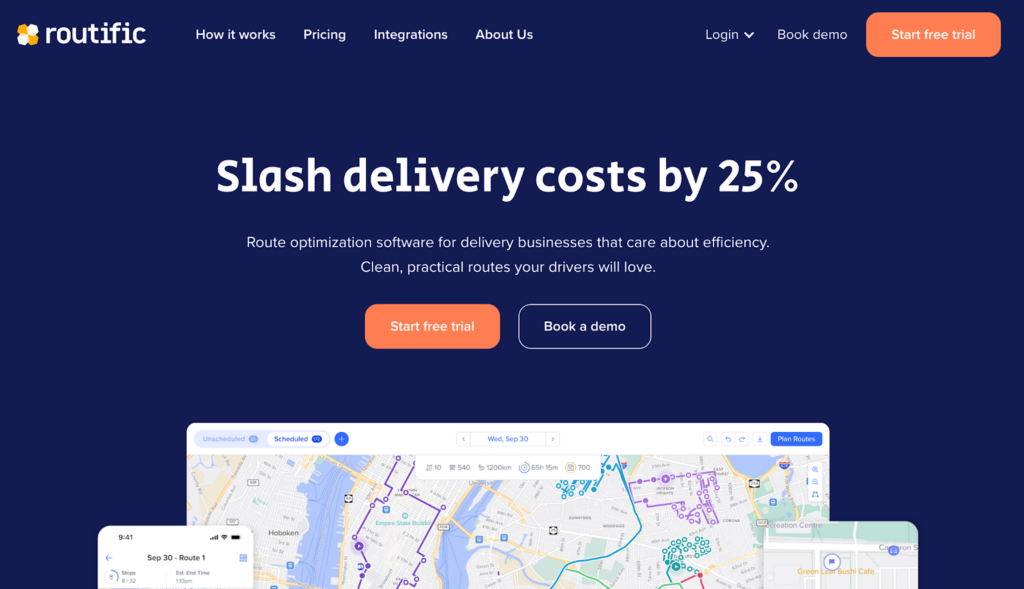
Routific is a route optimization platform for small to mid-sized delivery businesses that outgrew manual planning but don’t need enterprise orchestration, targeting 50-200 stops daily with next-day planning.
Common Challenges Routific Resolves
- Time-consuming manual planning: Automates stop sequencing and driver assignments, reducing planning time from hours to minutes for teams using spreadsheets or Google Maps.
- Lack of algorithm control: Patent-pending “draw route” feature lets dispatchers guide preferences—draw the geographic path, algorithm optimizes stop sequence. Splits the difference between manual control and black-box optimization.
- Poor route visualization: Clean visualization with color-coded drivers and minimal overlap makes dispatcher approval faster, identifying issues before drivers leave.
- Budget constraints: At $150/month for 1,000 stops, it provides professional routing at accessible price points.
Routific’s Pros
Routes can come out about 15% shorter than many alternatives, which can translate into real savings for small fleets. You can be operational in 2–3 days, not weeks, so the payoff starts sooner. The drag-and-drop workflow is easy to learn, and teams can still make quick manual tweaks based on local knowledge when needed.
Routific’s Cons
It is not built for real-time, on-demand dispatch. The workflow assumes next-day planning, and multi-day route planning often needs manual batching. Also, features like proof-of-delivery and live tracking are locked behind higher tiers, not included in the Essential plan.
Routific Is Ideal for
Routific fits local delivery teams, food distributors, pharmacy networks, and field-service operations that run mostly scheduled routes. The platform works best when routes are planned once per day and do not change constantly mid-shift. It is also a good match for budget-conscious teams that want a straightforward UI without heavy setup.
Routific’s Pricing
$150/month for 1,000 stops, scaling with volume. Higher tiers unlock proof-of-delivery, advanced reporting, and priority support.
4. Onfleet
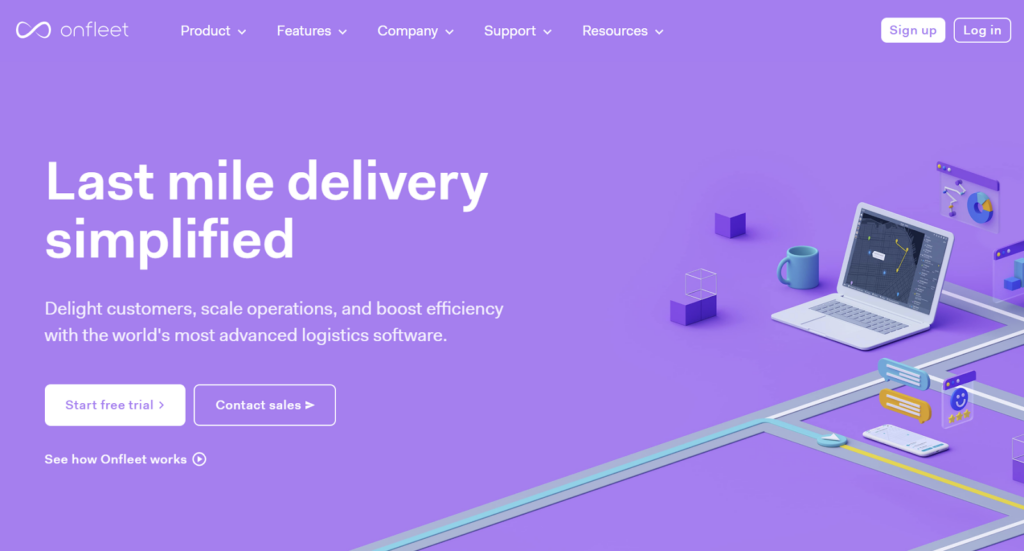
Onfleet is a last-mile delivery management platform known for its intuitive interface and fast deployment, targeting teams needing lightweight solutions for same-day and on-demand delivery rather than complex multi-region orchestration.
Common Challenges Onfleet Resolves
- Lengthy implementation timelines: Gets teams operational within days. Fast onboarding means services launch quickly without extended IT projects.
- Complex interfaces: A clean dashboard reduces training time. New dispatchers become productive within hours.
- Unreliable driver apps: Mobile apps work consistently with stable navigation, simple task management, and smooth communication. High driver adoption because it’s genuinely easy to use.
- Customer communication gaps: Automated notifications work without configuration, reducing “where is my order” support tickets.
Onfleet’s Pros
Implementation measured in days makes it accessible for teams needing immediate capability. Strong driver experience with reliable app handling tasks, navigation, proof-of-delivery, and communication. The dashboard doesn’t overwhelm dispatchers with excessive features.
Onfleet’s Cons
Multi-hub planning gets awkward; it is not designed for operations coordinating across multiple distribution centers. Route optimization uses less sophisticated algorithms than execution-led platforms. For operations needing real-time shipment tracking with deep integration, more sophisticated platforms are required.
Onfleet Is Ideal for
It works well for local retailers adding same-day delivery, food operations and ghost kitchens, pharmacy networks, and courier teams that need basic dispatch and tracking without enterprise-level complexity. It is a strong fit when ease-of-use matters more than deep routing optimization.
Onfleet’s Pricing
Tiered based on monthly task volume. Advanced analytics and API access are available in the upper tiers.
5. Optibus

This AI-powered scheduling and operations platform is designed specifically for public transportation. It serves municipal transit agencies, bus operators, and rideshare companies managing large-scale scheduled passenger routes rather than commercial delivery operations.
Common Challenges Optibus Resolves
- Complex scheduling configuration requiring specialized expertise: Generative AI accepts natural language rules like “No more than ten duties over nine hours” and automatically generates scheduling logic. This reduces configuration time by 70% compared to traditional systems requiring specialized coding.
- Difficulty forecasting passenger demand: AI-powered demand forecasting helps agencies plan service levels based on historical ridership patterns, special events, and seasonal variations, improving both service quality and operational efficiency.
- Fleet electrification planning complexity: EV fleet planning features account for charging schedules, range limitations, and route assignments tied to vehicle maintenance windows—critical for agencies transitioning to electric buses.
- Union work rules and crew rostering: Handles constraints that delivery platforms don’t address, including union agreements, driver break requirements, shift rotations, and compliance with labor regulations specific to public transit.
Optibus’ Pros
Generative AI dramatically simplifies configuration for transit-specific rules and constraints. Passenger demand forecasting improves service planning and resource allocation across different times and routes. Timetable adherence tools help agencies maintain schedule reliability and improve on-time performance.
Optibus’ Cons
It is built for scheduled passenger transport, not commercial delivery or logistics. Agencies moving off legacy scheduling systems should expect meaningful change management, especially around planning workflows and data setup. The tool is the best fit for large-scale networks where the complexity is high enough to justify a more sophisticated platform.
Optibus Is Ideal for
Optibus is suitable for municipal transit agencies managing bus and rail networks, private operators running scheduled regional routes, and enterprise-scale corporate shuttle programs. It also fits rideshare-style businesses that run scheduled passenger routes, not on-demand dispatch.
Optibus’ Pricing
Custom pricing based on fleet size, number of routes, operational complexity, and specific modules required. Pricing structure designed for large transit agencies rather than commercial logistics operations.
6. Samsara

Samsara is a comprehensive fleet management platform, including routing as part of broader telematics and compliance. Its key distinction is this: fleet management with routing, not routing with fleet management.
Common Challenges Samsara Resolves
- Vehicle health monitoring gaps: Predictive maintenance prevents breakdowns by monitoring diagnostics in real-time, flagging potential issues before roadside failures.
- Driver safety needs: AI dash cameras catch incidents and enable targeted coaching, reducing accidents and insurance claims.
- DOT compliance burden: ELD compliance happens automatically—no manual logging. Handles hours-of-service, IFTA reporting, and DVIR documentation.
- Fuel waste: Real-time monitoring of fuel efficiency, idle time, and route performance identifies waste and optimizes costs.
Samsara’s Pros
Samsara gives fleets one place to track vehicle health, driver behavior, safety, and compliance without juggling separate tools. It is proven at enterprise scale, with large fleets relying on it day-to-day. The platform also integrates well with maintenance systems, fuel cards, and other fleet tools, so it can sit at the center of your fleet stack instead of living in a silo.
Samsara’s Cons
Route optimization handles 100+ stops but is less sophisticated than dedicated logistics platforms like Locus for dense last-mile with complex constraints. It requires upfront hardware investment (GPS, cameras, sensors). Plus, monthly costs include hardware and software. Limited multi-day optimization and advanced constraint handling.
Samsara Is Ideal for
Samsara is suitable for fleets with 10-plus vehicles that care most about safety, compliance, and vehicle health, not advanced routing. It is a strong fit for construction, field-service, and maintenance operations where telematics is the core need and routing is secondary. It also works well for teams that need DOT compliance automation built into daily workflows.
Samsara’s Pricing
Custom pricing combining hardware costs with monthly SaaS fees. Scales with fleet size and features. Higher total cost than software-only platforms, but justified when fleet visibility is the primary need.
7. Upper
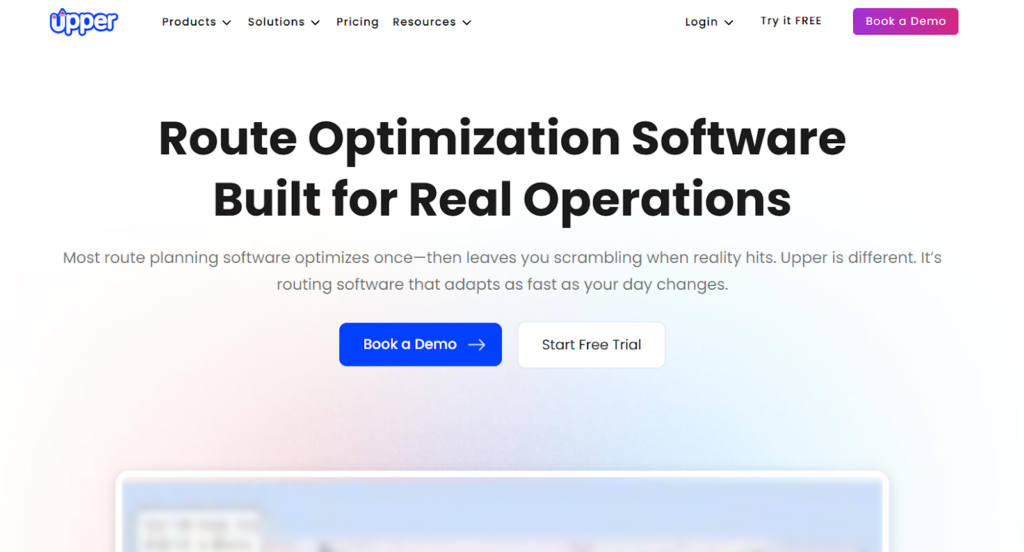
Upper is a route planning platform designed for small fleets that need professional multi-stop optimization without enterprise pricing or complexity. It targets operations running 2-5 vehicles with 20-100 daily stops where straightforward routing matters more than advanced orchestration.
Common Challenges Upper Resolves
- High cost of route optimization software: Upper provides multi-stop route planning at budget-friendly pricing, making professional optimization accessible to businesses that can’t justify enterprise platform costs.
- Overly complex routing platforms: A straightforward interface focuses on core routing needs without overwhelming small teams with features designed for large-scale operations.
- Manual route planning inefficiency: Automated stop sequencing and driver assignments reduce planning time for teams currently using Google Maps or spreadsheets.
Upper’s Pros
Upper is budget-friendly, which makes it a practical starting point for small businesses and startups that want to test route optimization before investing in a more advanced platform. The learning curve is simple, so teams can get operational quickly without heavy training or setup. For straightforward routes with predictable delivery patterns and basic constraints, the route quality is usually good enough to run day-to-day.
Upper’s Cons
Route quality struggles with dense stop clustering or complex operational constraints that require sophisticated optimization algorithms. Limited scalability means teams growing beyond basic routing needs will eventually require platform migration. The feature set focuses on core routing without advanced capabilities like exception management, real-time reoptimization, or multi-region orchestration.
Upper Is Ideal for
Upper is ideal for small delivery teams running 2–5 vehicles with simple, repeatable routes. It fits budget-constrained operations where keeping costs low matters more than advanced routing depth. It is also a good option for businesses that want to test dispatch and route-optimization workflows before committing to an enterprise-grade platform.
Upper’s Pricing
Budget-friendly tiered pricing based on vehicle count and delivery volume. Significantly lower cost than enterprise platforms, but with corresponding limitations in features and scalability.
8. Spoke (Circuit)
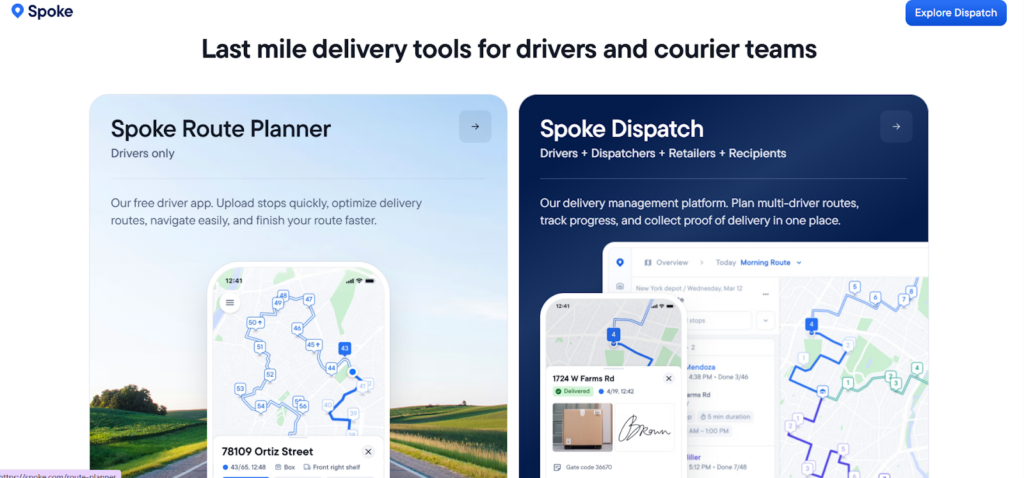
Spoke (formerly Circuit) is a mobile-first route planning app built for micro-fleets and individual drivers. It targets 1-3 vehicle operations or field service teams wanting immediate smartphone-based routing without desktop complexity.
Common Challenges Spoke Resolves
- Need for instant operational capability: Smartphone-based dispatch becomes operational in hours rather than days. Solo operators can start optimizing routes immediately without IT setup or configuration.
- Desktop-dependent routing tools: Mobile-first design means drivers can plan and execute routes entirely from smartphones without requiring dispatch center coordination.
- Overcomplicated platforms for simple needs: Stripped-down feature set focuses on basic route optimization without enterprise complexity that micro-operations don’t need.
Spoke’s Pros
Extremely fast deployment makes it accessible for new delivery businesses or field service operators starting operations quickly. Mobile-first approach works well for solo operators and very small teams without dedicated dispatch centers. Low entry cost allows businesses to test delivery operations before investing in more robust infrastructure.
Spoke’s Cons
The tool comes with very basic routing logic, which limits its applicability as operations grow beyond a few vehicles or simple route patterns. Limited scalability means businesses expanding to even 5-10 vehicles will quickly outgrow platform capabilities. Minimal integration options restrict connection with warehouse systems, customer databases, or other operational tools.
Spoke Is Ideal for
Spoke is ideal for solo delivery operators and gig-economy drivers, early-stage delivery businesses, and field-service technicians who just need basic route planning. But if you are running truck dispatch at scale, or coordinating multiple crews across locations, you will outgrow it quickly and need a more robust platform.
Spoke’s Pricing
Entry-level pricing with a free tier for limited usage. Paid plans remain affordable for individual operators but scale poorly for growing businesses.
Best Transportation Scheduling Software by Industry
The best transportation scheduling software varies by operating model. Industry fit usually comes down to delivery density, time sensitivity, compliance exposure, carrier complexity, and how often plans change during the day.
| Industry | Operational Need | Platform Capabilities to Prioritise |
| Retail | Store-to-home delivery, omnichannel fulfilment, planned and same-day orders, reverse logistics | Route optimisation, customer notifications, proof of delivery, live tracking, returns handling, and multi-region orchestration |
| E-commerce | High-volume last-mile delivery, tight SLAs, failed delivery reduction, seasonal peaks | Execution-led dispatch, dynamic route changes, customer ETA visibility, exception management, and SLA analytics |
| 3PL | Multi-client operations, varied SLAs, multiple carriers, billing visibility, network complexity | Carrier allocation, client-specific rules, control tower visibility, integrations, proof of delivery, and performance reporting |
| FMCG | Dense distribution, recurring routes, outlet-level delivery windows, vehicle capacity constraints | Capacity planning, territory design, route density, stop sequencing, and constraint enforcement |
| CPG | Distributor networks, retail replenishment, secondary distribution, service consistency | Multi-stop routing, regional planning, delivery performance analytics, and integration with inventory and order systems |
| Pharmacy | Compliance-sensitive delivery, customer availability, high first-attempt delivery importance | Proof of delivery, chain-of-custody workflows, customer notifications, route accuracy, and exception documentation |
| Food delivery | Time-sensitive dispatch, short delivery windows, high customer visibility expectations | Fast dispatch, live ETA updates, driver app usability, customer communication, and real-time exception handling |
| Enterprise last-mile delivery | Multi-region complexity, mixed fleets, high order volumes, frequent mid-shift changes | Execution-led orchestration, real-time visibility, deep integrations, dynamic re-optimisation, and scalable analytics |
For stable, low-volume delivery networks, a scheduling-led platform may be sufficient. For enterprise last-mile delivery where the plan changes throughout the day, the stronger fit is usually a platform that connects scheduling directly to dispatch, tracking, and exception resolution.
Implementation Timelines of Transportation Scheduling Software Tools
Implementation timelines for transportation scheduling software depend on what you are changing around the tool, not just the tool itself. A lightweight platform can go live fast if you only need basic routing and a driver app. But if you need hardware, deeper integrations, multi-city rules, and new dispatch workflows, implementation takes longer:
- Lightweight Platforms (2-4 Weeks): Routific, Onfleet, Upper, Spoke deploy quickly with minimal integration—account setup, driver apps, basic API connections.
- Mid-Tier (4-8 Weeks): Samsara requires hardware installation (GPS, cameras, sensors) plus driver onboarding and fleet integration.
- Enterprise Orchestration (3-6 Months): Locus involves a core-level operational overhaul. So naturally, it’s extensive and truly transformational:
- Month 1: discovery and data alignment
- Months 2-3: configuration and pilot
- Months 4-6: scaled rollout.
Tip: Clean data (address standardization, time windows, vehicle specs) accelerates deployment. The dispatcher role’s evolution from manual planning to exception management requires change management. Track route quality benchmarks, dispatcher time savings, and exception frequency: high override rates signal inadequate constraint learning.
Integration Considerations: TMS, ERP, WMS, Telematics, OMS, and Carrier Systems
Transportation scheduling software performs best when it sits inside the wider logistics technology stack rather than operating as a separate route planner. Enterprise buyers should map what data flows into the platform, what data flows out, and how quickly those updates need to happen.
Key integration areas include:
| System | Data Flowing Into Scheduling Software | Data Flowing Out of Scheduling Software |
| Transportation management system | Freight plans, shipment details, carrier options, allocation rules, shipment execution status, and billing context | Route plans, dispatch status, delivery progress, carrier performance, proof of delivery, and exception updates |
| ERP | Customer master data, order details, billing references, product information, and service terms | Delivery status, fulfilment confirmation, cost allocation inputs, and exception reasons |
| WMS | Inventory availability, pick-pack status, loading readiness, dock constraints, and shipment staging | Dispatch sequence, loading priority, expected vehicle arrival, and delivery completion status |
| OMS | Order priority, delivery promise, customer preferences, cancellation updates, and address details | ETA, route assignment, delivery attempt status, proof of delivery, and customer-facing tracking updates |
| Telematics | Vehicle location, speed, driver behaviour, fuel, temperature, maintenance, and compliance signals | Planned route, assigned vehicle, route deviation alerts, and operational context for fleet reporting |
| Carrier systems | Carrier availability, capacity, serviceability, contracted rates, and status events | Carrier allocation, pickup and delivery instructions, tracking events, and performance data |
| Customer communication tools | Customer contact details, delivery preferences, notification consent, and channel preferences | ETA notifications, tracking links, delay alerts, delivery completion messages, and failed-delivery updates |
| Analytics systems | Historical orders, cost baselines, SLA targets, exception categories, and network performance data | Route efficiency, cost per order, SLA adherence, failed delivery trends, fleet utilisation, and dispatcher productivity |
For API integrations, evaluate more than the presence of an API. Enterprise teams should review API coverage, webhook support, data latency, rate limits, documentation quality, sandbox availability, authentication methods, monitoring tools, and vendor-side integration support.
The transportation management system connection is especially important where scheduling must align with freight planning, carrier allocation, shipment execution, and billing workflows. If the TMS, carrier systems, and last-mile scheduling platform do not share timely shipment and status data, teams lose the operational continuity needed to manage service levels at scale.
Security, Compliance, Uptime, and Enterprise Support
For enterprise logistics operations, transportation scheduling software handles operationally sensitive data: customer addresses, driver locations, delivery status, shipment details, and commercial performance metrics. Security and support should therefore be evaluated alongside routing and dispatch features.
Key evaluation points include:
- Role-based access control: Dispatchers, planners, drivers, managers, finance users, and client users should have access only to the workflows and data they need.
- Audit logs: The platform should record critical changes such as route edits, driver reassignment, delivery status updates, configuration changes, and user access events.
- Data privacy controls: Buyers should assess how customer, driver, and shipment data is stored, processed, retained, and deleted across regions.
- Uptime commitments: Logistics execution is time-sensitive. Review uptime commitments, maintenance windows, failover processes, and incident communication practices.
- Support SLAs: Enterprise deployments need clear response times for critical incidents, operational blockers, integration issues, and regional rollout support.
- Incident response: Confirm escalation paths, monitoring, root-cause analysis practices, and communication expectations during service disruption.
- Compliance requirements: Depending on market and industry, teams may need controls for customer data protection, driver data handling, pharmaceutical delivery workflows, auditability, and contractual client reporting.
- Change management support: Strong implementation support should include training, dispatcher workflow alignment, driver onboarding, integration testing, and post-go-live optimisation.
How to Estimate ROI From Transportation Scheduling Software
ROI from transportation scheduling software should be calculated against operational baselines, not only licence cost. The strongest business cases connect software impact to delivery cost, service performance, fleet productivity, and dispatcher effort.
A practical ROI framework:
| ROI Lever | Baseline Metric | Improvement to Measure |
| Reduced miles or kilometres | Distance per route, cost per mile, fuel consumption | Shorter routes, better clustering, reduced empty running, and lower fuel or carrier cost |
| Fewer failed deliveries | Failed delivery rate, redelivery cost, customer support tickets | Better address accuracy, customer notifications, proof-of-delivery workflows, and exception handling |
| Higher SLA adherence | On-time delivery rate, late delivery penalties, priority order breaches | More accurate ETAs, proactive SLA risk alerts, and dynamic dispatch changes |
| Better vehicle utilisation | Deliveries per vehicle, route fill rate, vehicle idle time | Improved capacity allocation, fleet mix optimisation, and route density |
| Lower dispatcher effort | Planning time, manual route edits, exception handling time | Automated sequencing, constraint enforcement, and exception-led workflows |
| Improved customer experience | “Where is my order” contacts, missed time windows, customer complaints | Live tracking, ETA messages, delivery alerts, and predictable service windows |
| Implementation effort | Licence, integration, training, data cleanup, change management | Payback period after accounting for deployment and operational transition costs |
A simple calculation starts with the current cost per order and total monthly delivery volume. Then estimate the value of reduced route distance, fewer redeliveries, improved vehicle utilisation, lower manual planning time, and improved SLA performance. Subtract software, integration, support, and change management costs to estimate net ROI.
For enterprise networks, the highest returns often come when the platform reduces hidden operational drag: manual dispatcher intervention, missed SLA recovery, failed delivery reattempts, and poor capacity use across regions.
Pick Transportation Scheduling Software That Adapts
Transportation scheduling at scale requires platforms built for execution, not just planning. The platforms evaluated solve different operational contexts.
Routematic excels at corporate employee transport. Routific targets small delivery businesses. Onfleet removes deployment friction. Optibus handles public transit. Samsara delivers fleet telematics. Upper and Spoke provide entry-level optimization.
For multi-region operations managing 500+ daily deliveries across mixed fleets with complex constraints, these approaches hit limitations. When routes need rebuilding by noon, when dispatcher coordination becomes the bottleneck, and when routing quality degrades as network density increases.
Locus addresses this through execution-first orchestration that maintains performance at scale. Processing 650 million orders annually with 99.5% on-time delivery rates and 25% efficiency gains demonstrates that routing quality can be maintained—not degraded—as operational complexity grows.
Teams expanding beyond single-city delivery, managing multiple fleet types, coordinating 3PL delivery operations across regions, or handling omnichannel fulfillment with returns integration benefit from platforms designed for execution-first operations.
If your logistics network is scaling and manual workarounds are becoming operational constraints, schedule a demo with Locus to see how execution-led orchestration maintains performance.
Frequently Asked Questions (FAQs)
1. What’s the practical difference between scheduling-led and execution-led transportation platforms?
Scheduling-led platforms generate optimal routes that dispatchers then implement manually. When conditions change mid-shift, you’re rebuilding routes or accepting service degradation. Execution-led platforms connect planning directly to execution—mid-shift changes trigger automatic reoptimization without dispatcher intervention for routine adjustments.
2. How do you evaluate whether lightweight scheduling tools will scale with your business?
Test against three scenarios: Can the platform handle double your current daily volume without performance degradation? When you add a second region with different carrier networks, does routing quality hold? If your largest customer suddenly requires signature confirmation on all orders, can the platform enforce that constraint automatically or does it require manual dispatch filtering? If answers are “no” or “needs workarounds,” scalability problems exist.
3. What implementation timeline should mid-size operations expect when upgrading from basic routing to enterprise orchestration?
Plan 3-6 months for full deployment: one month for discovery and data alignment, two months for configuration and pilot deployment in one region, three months for scaled rollout and workflow optimization. Lightweight platform migrations run faster (4-8 weeks) because operational complexity is lower.
4. How do you know if your operational complexity justifies execution-led orchestration versus simpler scheduling tools?
Count these indicators: running 500+ daily deliveries across multiple regions, managing three or more vehicle types with different capacity constraints, handling 20+ business rules that currently require manual dispatcher verification, rebuilding routes mid-shift three or more days weekly, coordinating integrated logistics across warehouse operations and carrier networks.
5. Why do some platforms maintain routing quality at scale while others degrade?
Algorithm architecture and optimization approach. Lightweight platforms use third-party routing engines optimized for general-case scenarios—they perform adequately at moderate volumes but weren’t designed for dense, constraint-heavy networks. Platforms like Locus invest in proprietary optimization algorithms built specifically for high-volume logistics complexity.
6. What systems should transportation scheduling software integrate with?
Transportation scheduling software should integrate with transportation management systems, ERP, WMS, telematics, carrier systems, order management systems, customer notification tools, proof-of-delivery workflows, and analytics platforms. These integrations keep order data, inventory readiness, vehicle locations, carrier status, customer communications, delivery confirmation, billing inputs, and performance reporting aligned.
7. How do logistics teams calculate ROI from transportation scheduling software?
Start with current delivery cost per order, SLA adherence, route distance, failed delivery rate, vehicle utilisation, dispatcher effort, and customer experience metrics. Then measure the impact of better route efficiency, fewer redeliveries, higher on-time performance, improved fleet utilisation, reduced manual planning, and lower support escalations. Subtract software, integration, training, and change management costs to estimate net ROI and payback period.


General
Middle Mile vs Last Mile Logistics: Key Differences & When to Use in 2026

Feb 16, 2026
Middle mile vs last mile logistics defines how goods move between hubs and customers. Compare roles, costs, and when each model fits best in 2026.
Read more
General
ERP vs TMS: What Freight Teams Should Use in 2026
Feb 19, 2026
ERP vs TMS in 2026: see what belongs in each system for freight execution, billing, and visibility. Use the table, then sign up for a free consultation.
Read moreInsights Worth Your Time



















Best Transportation Scheduling Software in 2026