


General
Best Pest Control Routing Software in 2026

Key Takeaways
- The market is large and still growing: the U.S. had 16,565 pest control firms operating in 2025, according to NPMA / Specialty Consultants, LLC.
- Routing decisions directly affect labour efficiency in a workforce of 109,384 service technicians nationwide in 2025, based on NPMA / Specialty Consultants, LLC.
- Recurrence is central to the category: nearly 13.29 million residential customers received professional pest control services in 2025, and 85.4% of residential service revenue came from recurring revenue, per NPMA / Specialty Consultants, LLC.
- The right choice depends on architecture: pest-specific FSM suites prioritise CRM, billing, and office workflows; routing layers prioritise re-optimisation, exception management, and execution control.
- The most useful demo is a messy-day test, not a clean-map demo.
Quick answer: which pest control routing software is best by need?
If you need day-of control across dense territories, urgent callouts, and multi-branch operations, Locus is the best fit in this list for execution-first routing and dispatch orchestration. If you want an all-in-one pest suite with CRM, billing, scheduling, and routing together, FieldRoutes and PestPac are stronger shortlist candidates. If your operation is smaller and route complexity is lighter, GorillaDesk and Housecall Pro are easier starting points.
Pest control routing software schedules and sequences technician visits using address data, service duration, appointment windows, recurring treatment frequencies, territory rules, traffic conditions, and dispatcher changes. Unlike a basic navigation app, it must also support recurring accounts, technician assignment, urgent jobs, customer ETAs, and field feedback after routes have already been published.
A recurring customer reschedules after dispatch. A rodent callout comes in as urgent. A technician runs long because the site needed extra treatment.
These scenarios are far from uncommon in pest control.
If your routing tool cannot adapt without a dispatcher manually rearranging stops, you end up paying for overtime, missed appointment windows, and repeat visits.
This comprehensive guide compares the 10 best pest control routing software solutions based on execution outcomes, not feature checklists. You will see what to evaluate, a comparison table to shortlist faster, and which one is the strongest pick when your routing needs to stay stable at scale, then adjust quickly when the day changes.
Key features to look for in a pest control routing software in 2026
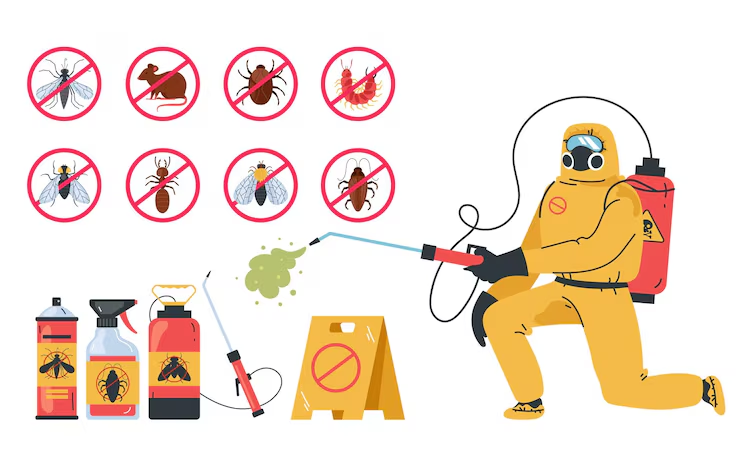
So, what are the main features you must find in a pest control routing software solution? Here is what experts recommend:
Execution-first orchestration
A plan that cannot adapt after dispatch forces your team to rebuild it manually throughout the day. Look for orchestration that treats routing as a live decision process, not a one-time morning batch.
Robust constraint handling
Pest control routing is not “shortest path.” Your software should handle appointment windows, service times, territory rules, technician working hours, and job-priority logic without turning into constant overrides.
Same-day re-optimization
Re-sequencing stops is not enough when the workload shifts. Re-optimization should rebalance work across technicians when cancellations, add-ons, and delays hit, while protecting committed windows.
Recurring-route consistency
Recurring customers reward consistency. Your tool should preserve stable territories and technician familiarity week to week, instead of rebuilding routes from scratch every morning.
Skill-based technician matching
Termite, wildlife, commercial, and compliance-heavy work should not be assigned like generic stops. The right tool matches jobs to skills and certifications so you do not create rework later.
Exceptions-first dispatch workflows
Dispatchers should work the exceptions that need judgment, not babysit every change. If every disruption requires manual reshuffling, the tool is not removing operational drag.
Mobile execution that closes the loop
Routing quality collapses if the field layer does not reliably update status, arrival, job notes, and completion. Technician workflows need to feed live reality back into dispatch decisions.
Customer ETAs and proactive communication
Missed windows create inbound calls, churn, and route disruption. Strong tools keep ETAs current and make rescheduling predictable for both customers and dispatch.
Reporting that explains misses
You need reporting that answers “why did we slip” and “where does rework come from,” not just “how many jobs closed.” Look for root-cause visibility into late arrivals, repeat visits, and territory imbalance.
How we evaluated these pest control routing software tools
Last reviewed: February 2026
Editorial disclosure: Locus publishes this comparison and sells one of the reviewed products. That commercial relationship is disclosed here so buyers can weigh the analysis appropriately.
What we checked
- Official product pages and publicly available documentation where accessible
- Public pricing pages when available
- Product positioning for pest-control scheduling, routing, dispatch, and mobile workflows
- Whether a vendor appears to offer a full pest-control suite, a general FSM platform, or a routing/orchestration layer
- Whether capabilities were clearly documented or required vendor confirmation
Scenarios used in evaluation
We assessed fit against common pest-control scenarios rather than a generic route demo:
- Quarterly recurring treatment plans
- Termite inspections requiring certified technicians
- Urgent rodent emergency callouts
- Commercial accounts with narrow service windows
- Jobs that run longer than planned because extra treatment is needed
- Customer reschedules after routes are already published
- Technician absence or capacity loss mid-day
- Re-treatment or warranty visits that must be inserted without breaking the day
Evaluation dimensions
- Initial route planning
- Dynamic re-optimisation after dispatch
- Recurring-route handling
- Urgent-job insertion
- Skills and certification matching
- Multi-branch visibility
- Mobile field execution
- ETA communication
- Integration model
- Pricing transparency
- Implementation effort
Capability labels used below
- Verified via official documentation: clearly described on public product or company materials
- Vendor-reported: described by the vendor but not independently validated here
- Demonstrated: shown in product workflow materials or first-party demos available at the time of review
- Not publicly verified: not clearly evidenced on public materials reviewed for this update
Limitations of this comparison
Pricing often depends on technician count, branch count, modules, and implementation scope. Public information is uneven across vendors. Where routing depth, re-optimisation behaviour, or implementation burden could not be validated on public materials, those points are labelled accordingly rather than presented as fact.
Top pest control routing software tools in 2026
Here is the quickest way to shortlist: decide whether you want a pest-first business suite (CRM, billing, scheduling, and routing together), or an execution-first routing layer that plugs into the systems you already use.
Best pest control routing software: At a glance
| Tool | Category | Best-fit operation | Where it tends to win | Where it tends to fall short | Pricing model |
|---|---|---|---|---|---|
| Locus | Execution-first orchestration | Multi-branch, high-variability ops with recurring routes plus urgent callouts. | Strongest for live re-optimization and exceptions-first control after dispatch. | More than you need if you only want basic scheduling plus invoicing. | Quote-based. |
| FieldRoutes | Pest-first suite | Teams that want one system for CRM, billing, scheduling, and routing. | End-to-end pest workflows in a single suite. | Routing depth can be suite-limited for dense, fast-changing days. | Plan-based. |
| PestPac | Pest-first suite | Pest operators prioritizing pest-specific structure and office-to-field workflows. | Pest-oriented scheduling and operational workflows. | Validate same-day change handling for your route-density. | Quote or package-based. |
| Briostack | Pest-first suite | Pest and lawn teams needing a pest-specific platform for field execution. | Strong pest-first process coverage for office and field teams. | Routing depth varies by configuration. Demo “messy day” scenarios. | Quote-based. |
| ServSuite | Pest-first suite | Operations wanting enterprise-style workflows in a suite setup. | Process coverage across office and field operations. | Heavier rollout, less ideal for smaller teams. | Quote-based. |
| ServiceTitan Pest Control Edition | Enterprise FSM suite | Larger organizations standardizing on an enterprise field-service platform. | Enterprise breadth across dispatch, operations, and reporting. | Higher implementation and governance overhead. | Quote-based. |
| Housecall Pro for pest control | General FSM tool | Growing teams wanting broad FSM coverage with basic routing support. | Fast adoption and solid day-to-day dispatch workflows. | Not designed for deep orchestration across branches. | Public tiers. |
| GorillaDesk | Lightweight suite | Smaller teams needing straightforward routing and scheduling. | Simple daily planning and quick setup. | Limited ceiling for constraint-heavy routing and re-optimization. | Public tiers. |
| Fieldproxy | Configurable field platform | Teams needing configurable assignment and dispatch workflows. | Workflow customization and job assignment logic. | Pest-specific recurrence and territory logic can take more setup. | Custom plans. |
| PestRoutes | Suite ecosystem | Teams shortlisting under the older name, now aligned to FieldRoutes. | Familiarity for existing users and evaluators. | Treat as a FieldRoutes evaluation for current capabilities. | Plan-based. |
Top pest control routing software tools in 2026: Detailed comparison
Now, let’s go over some essential information, the pros and cons of these tools, to help you decide:
1. Locus
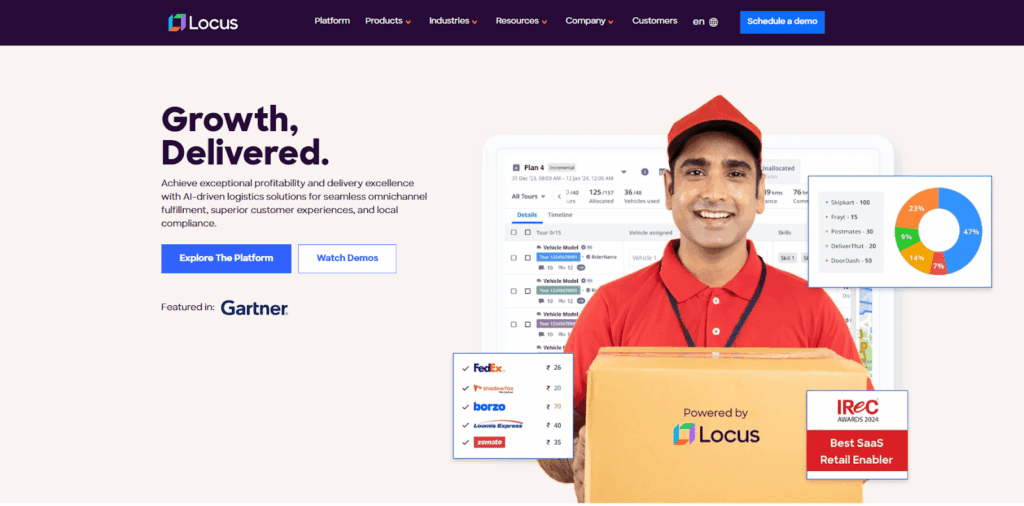
If your routes break after dispatch, you do not have a planning problem. You have an execution problem.
Locus is built for that exact moment when reality diverges from the schedule. Instead of treating routing as a once-a-day optimization, it is designed to orchestrate decisions as conditions change. That matters in pest control operations where recurring routes and urgent callouts collide, and where dispatcher time becomes the hidden bottleneck.
Locus’ Key Features
DispatchIQ: AI-driven route optimization
DispatchIQ is designed to handle real operational constraints, so routes remain executable, not just efficient. It supports both recurring work and urgent jobs in one optimization flow, so your day does not become a patchwork of manual edits once exceptions show up.
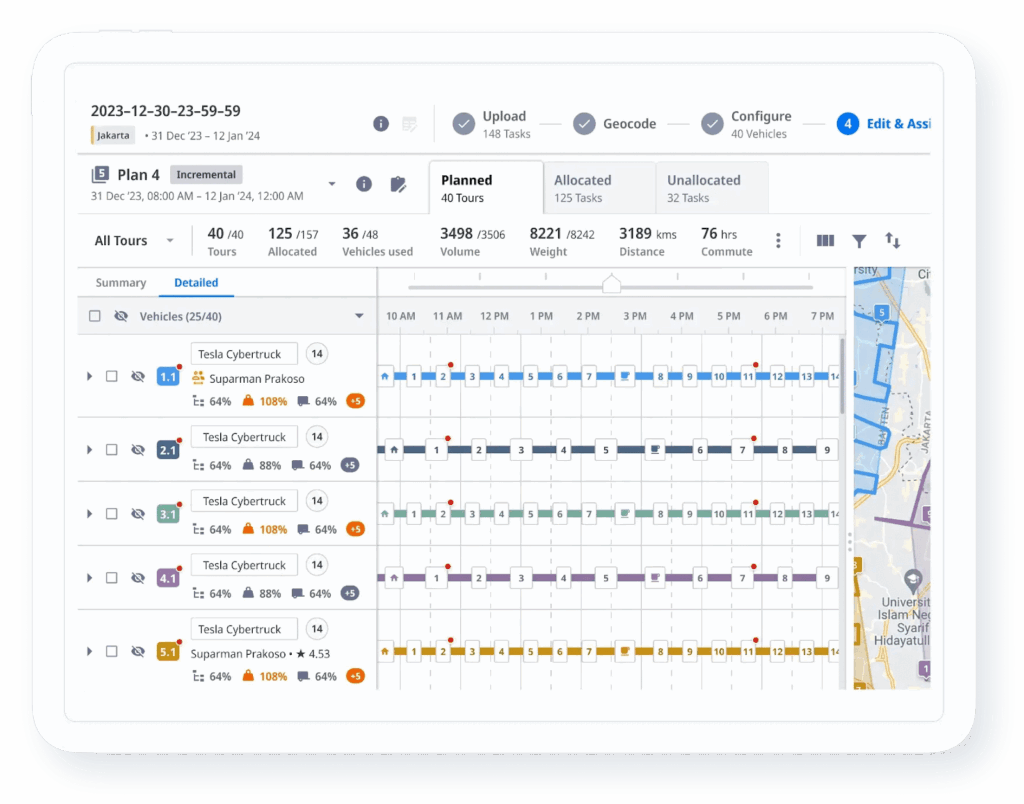
Real-time re-optimization: adapt without rebuilding the day
When cancellations, add-ons, and delays hit, the value is not “a new stop order.” The value is reallocating work in a way that protects appointment windows, technician capacity, and territory logic. Locus is built for re-optimization under change, with dispatcher oversight where it matters.
Control Tower: exceptions-first visibility
Most teams lose time simply finding what went wrong. Control Tower Software is designed to surface risk early, highlight what needs intervention, and give ops leaders visibility across routes, territories, and branches. The workflow shifts from reactive firefighting to structured exception handling.
Location intelligence: fewer avoidable execution misses
Bad addresses and vague site locations quietly destroy route efficiency. Locus emphasizes location accuracy and validation so the plan matches what technicians can actually execute in the field.
Scheduling plus on-demand dispatch: recurring routes and urgent callouts
Pest control operations run on cadence, but the day still changes. Locus is designed to plan recurring work while still absorbing urgent jobs without breaking the rest of the schedule.
Locus is ideal for
- Multi-branch pest control providers with dense territories and frequent same-day callouts.
- Teams that need recurring-route consistency plus the ability to re-optimize when the day changes.
- Operations that already have customer systems but need a stronger routing-and-dispatch layer to reduce manual work.
Locus’ Pros
- Strong execution focus when variability is high and the day changes after dispatch.
- Designed to reduce dispatcher workload through automation plus exceptions-first control.
- Helps standardize dispatch decisions across branches and shifts, so outcomes are more consistent.
Locus’ Cons
- If you primarily need pest-specific CRM and billing in one suite, Locus is not the simplest starting point.
- Works best when you are ready to formalize routing rules and exception-handling workflows.
Locus’ Pricing
Pricing is quote-based. Most teams evaluate fit through a workflow demo using their constraints, territories, and a real “messy day” scenario.
2. FieldRoutes
FieldRoutes is a pest-first operations suite for teams that want scheduling, billing, customer management, and routing in one platform. It is a strong shortlist candidate when your primary goal is consolidation, especially if you are replacing multiple disconnected tools.
FieldRoutes’ Key Features
- Pest-first scheduling and routing inside a broader operations suite.
- Customer management and back-office workflows designed for pest businesses.
- Mobile support for field execution and job completion workflows.
FieldRoutes is ideal for
- Pest control companies replacing multiple systems with a single suite.
- Teams that want routing plus billing and customer workflows in one tool.
FieldRoutes’ Pros
- End-to-end coverage for office and field workflows in one platform.
- Strong fit when operational standardization matters as much as routing.
FieldRoutes’ Cons
- If your main pain is execution-grade re-optimization at scale, validate routing depth in a live exception scenario.
FieldRoutes’ Pricing
Typically plan-based. Packaging often scales with operational size.
3. PestPac
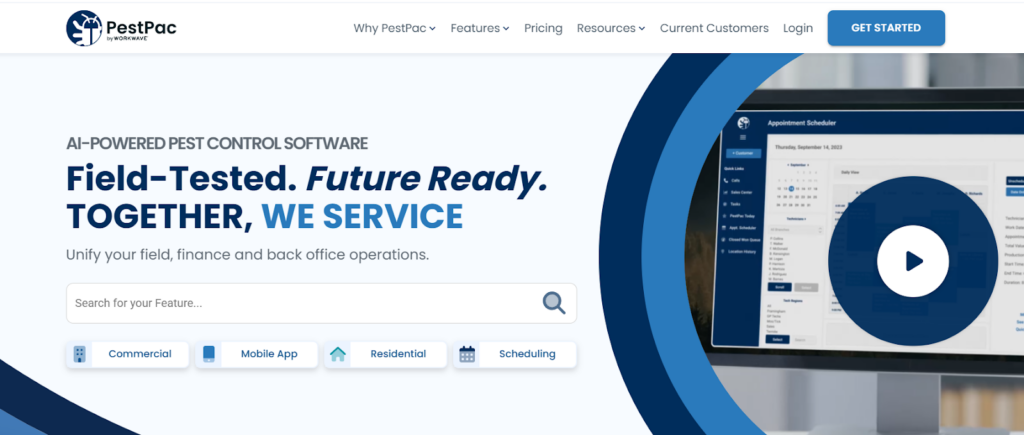
PestPac is another pest-first suite that combines scheduling, routing, and operations workflows. It tends to be shortlisted when teams want pest-specific structure and prefer to manage most workflows inside one system.
PestPac’s Key Features
- Pest-oriented scheduling and route planning in a suite environment.
- Office-to-field workflows designed around pest operations.
- Field mobility features for job documentation and completion.
PestPac is ideal for
- Pest businesses that want pest-specific workflows built in, rather than configuring a general FSM tool.
PestPac’s Pros
- Industry orientation can reduce setup effort for common pest workflows.
- Strong fit when “suite coverage” is a priority.
PestPac’s Cons
- Validate how it handles same-day changes and recurring-route stability for your specific territory model.
PestPac’s Pricing
Commonly quote-based or package-based depending on deployment.
4. Briostack
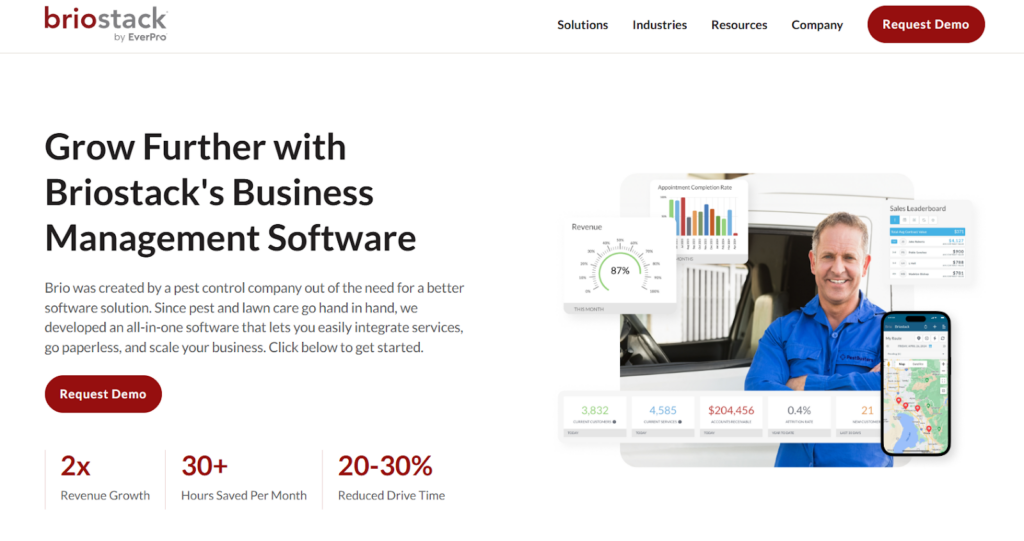
Briostack is positioned for pest and lawn operations, with a focus on pest-specific workflows and field execution. It can be a good fit when you want industry-focused structure and tighter coordination between office and field teams.
Briostack’s Key Features
- Pest-first workflows designed for operational consistency.
- Field execution tools that support job completion and documentation.
- Scheduling and routing capabilities as part of a broader platform.
Briostack is ideal for
- Pest and lawn operators that want pest-specific workflows and structured execution.
Briostack’s Pros
- Strong focus on standardizing how work is scheduled and executed.
- Useful when you want a pest-first system rather than a generic FSM.
Briostack’s Cons
- Routing depth varies by configuration. Validate re-optimization behavior with real scenarios.
Briostack’s Pricing
Commonly quote-based.
5. ServSuite by ServicePro
ServSuite is positioned for pest, lawn care, and arbor care operations that want enterprise-style field-service workflows. It is typically evaluated by teams that need structured process coverage beyond basic scheduling tools.
ServSuite’s Key Features
- Suite approach to scheduling, dispatch, and field workflows.
- Process structure designed for multi-team coordination.
- Operational reporting and administrative workflow support.
ServSuite is ideal for
- Pest operations needing a suite approach with enterprise-style workflows.
ServSuite’s Pros
- Built for operational structure and repeatable processes.
- Useful for teams that need more than lightweight scheduling.
ServSuite’s Cons
- Rollout effort can be heavier than lighter tools, especially for smaller teams.
ServSuite’s Pricing
Typically quote-based.
6. ServiceTitan

ServiceTitan is a broad enterprise field-service platform with pest control positioning. It is often evaluated when leadership wants one standardized system across dispatch, operations, reporting, and back-office workflows.
ServiceTitan’s Key Features
- Enterprise FSM coverage across scheduling, dispatch, and reporting.
- Pest-oriented workflows as part of a broader platform.
- Strong operational controls for larger organizations.
ServiceTitan is ideal for
- Larger service organizations standardizing on an enterprise FSM platform.
ServiceTitan’s Pros
- Strong breadth across office and field operations.
- Good fit when governance, reporting, and process standardization matter.
ServiceTitan’s Cons
- Implementation and change management can be heavier than pest-first suites.
ServiceTitan’s Pricing
Typically quote-based.
7. Housecall Pro

Housecall Pro is a general field-service platform with dispatch mapping and routing support. It tends to fit growing teams that want a modern FSM toolset and need routing support that is strong enough for straightforward operations.
Housecall Pro’s Key Features
- Dispatch mapping and scheduling workflows for day-to-day operations.
- Field mobility features for technicians and job completion.
- Broad service-business features beyond pests.
Housecall Pro is ideal for
- Growing pest control teams that want a general FSM platform with routing support.
Housecall Pro’s Pros
- Quick start experience with broad FSM coverage.
- Useful when you want routing plus a wider set of field-service workflows.
Housecall Pro’s Cons
- For frequent re-optimization across branches or dense territories, you may need deeper orchestration.
Housecall Pro’s Pricing
Typically published tiers.
8. GorillaDesk

GorillaDesk is positioned for smaller teams that want faster scheduling and route planning with simple field workflows. It works best when your routes are straightforward, and constraint complexity is limited.
GorillaDesk’s Key Features
- Simple routing and scheduling for daily operations.
- Field workflow support without heavy platform overhead.
- Faster setup for small teams.
GorillaDesk is ideal for
- Small-to-mid teams prioritizing quick routing setup and simple execution.
GorillaDesk’s Pros
- Faster onboarding and lower operational overhead.
- Good fit when routing is not heavily constrained.
GorillaDesk’s Cons
- Limited ceiling for complex re-optimization and multi-branch orchestration.
GorillaDesk’s Pricing
Typically published tiers.
9. Fieldproxy
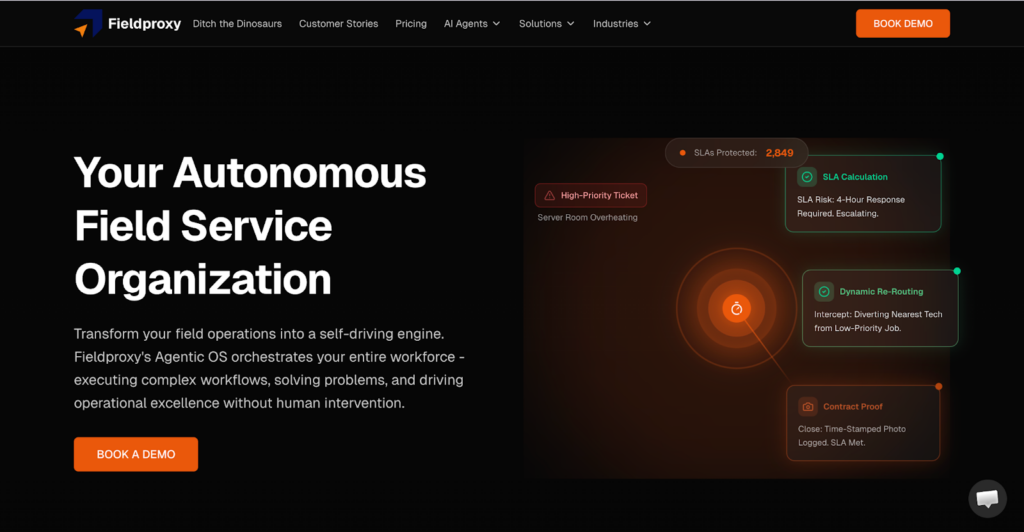
Fieldproxy focuses on configurable dispatch workflows and automated job assignments. It is a fit when your biggest need is standardizing how work gets assigned and tracked across a field team, and you want flexibility to model your own processes.
Fieldproxy’s Key Features
- Workflow configuration for dispatch and field processes.
- Automated job assignment logic.
- Field reporting and standardization tooling.
Fieldproxy is ideal for
- Teams needing workflow configuration and assignment automation more than constraint-heavy routing.
Fieldproxy’s Pros
- Flexible workflow engine for teams with non-standard operating processes.
Fieldproxy’s Cons
- Pest-specific recurrence and territory logic can take more setup.
Fieldproxy’s Pricing
Typically custom plans.
10. PestRoutes by WorkWave
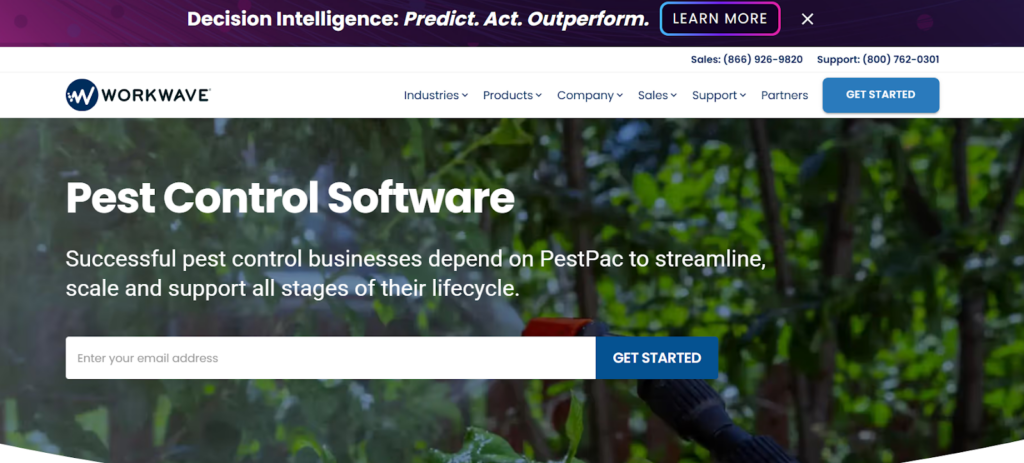
PestRoutes is still referenced in many shortlists, but it now sits within the FieldRoutes ecosystem. If it is on your list, treat it as part of your FieldRoutes evaluation, especially for suite coverage and current product capabilities.
PestRoutes’ Key Features
- Pest-first suite ecosystem aligned to FieldRoutes.
- Operational workflows designed around common pest use cases.
- Scheduling and routing capabilities in a suite context.
PestRoutes is ideal for
- Teams familiar with the PestRoutes name that want continuity within the FieldRoutes platform.
PestRoutes’ Pros
- Suite coverage designed around many pest operational workflows.
PestRoutes’ Cons
- Validate high-variability day handling if re-optimization is your biggest bottleneck.
PestRoutes’ Pricing
Typically aligned to FieldRoutes packaging.
Benefits of using pest control routing software
1. Better recurring-route stability
Recurring residential and commercial accounts depend on consistency. That matters in a category where 85.4% of residential service revenue came from recurring revenue in 2025, according to NPMA / Specialty Consultants, LLC. Better routing protects technician familiarity, territory continuity, and customer expectations.
2. Lower windshield time and overtime
Good routing does not just reduce miles. It improves the mix of travel time, service time, and idle time across the day. The result should be measured in miles per completed stop, stops per technician-day, and overtime hours, not in a generic savings percentage.
3. Higher dispatcher productivity
When dispatchers are not constantly resequencing routes by hand, they can focus on exceptions: a wildlife job requiring certification, a same-day rodent emergency, or a commercial site with access restrictions. That is where software moves from convenience to operational leverage.
4. More capacity from the same workforce
The U.S. industry employed an estimated 109,384 service technicians in 2025, based on NPMA / Specialty Consultants, LLC. In a labour-intensive category at that scale, even small improvements in route density or late-day recovery can materially change capacity without adding headcount.
5. Better service for recurring customers
Nearly 13.29 million residential customers received professional pest control services in 2025, according to NPMA / Specialty Consultants, LLC. Customer ETAs, predictable arrival windows, and fewer reschedules are not soft benefits in a recurring-revenue model. They directly affect retention and repeatability.
What to consider before you choose the right pest control routing software?
Here are some important aspects you should keep in mind:
Know where your variability enters
If variability is mostly same-day callouts, prioritize re-optimization and exception handling. If variability is mostly technician skills and recurrence, prioritize matching and territory consistency.
Run a “messy day” demo
Force a cancellation, add two urgent jobs, and delay one technician. Watch whether the platform re-optimizes or whether dispatchers rebuild the day manually.
Confirm how recurrence is handled
Ask to see a full weekly plan that preserves territories and technician familiarity while still respecting appointment windows.
Check the field-feedback loop
If technicians do not update status reliably, ETAs become fiction. Make sure mobile execution and dispatcher visibility stay synchronized.
Map integrations before you buy
If you already have CRM, billing, or reporting systems, validate what is native versus custom. Integration effort often decides time-to-value.
How to measure ROI and total cost of ownership
Start with an operational baseline
Before comparing vendors, document:
- Technicians and dispatchers in scope
- Jobs per technician-day
- Average travel time per route
- Miles per completed service
- Overtime hours per week
- Missed-window rate
- Repeat-visit or rework rate
- Dispatcher hours spent on route changes
- Revenue per additional completed stop
Then calculate the financial levers
A routing investment usually pays back through some combination of:
- Lower fuel and mileage cost
- Lower overtime and labour cost
- More completed stops from recovered capacity
- Fewer repeat visits caused by poor assignment or missed windows
- Lower churn risk on recurring accounts
- Less dispatcher time spent manually repairing routes
Ask vendors for TCO, not just subscription cost
Pricing models may be based on technicians, users, customers, routes, branches, or modules. Ask every vendor to clarify:
- Implementation or onboarding fees
- Training costs
- Integration costs
- Mobile user charges
- Support levels
- Minimum contract term
- Data migration effort
- Customisation cost
- Expansion cost as branches or technicians increase
Keep the ROI test practical
The most reliable comparison is not a projected savings percentage. It is whether the software reduces manual route changes, protects appointment windows, recovers late-day capacity, and improves recurring-route consistency in your actual operating model.
Enhance Pest Control Routing with Locus
The question is not which tool can generate a route. It is which tool keeps execution stable when the day changes.
Suite-based platforms can be a strong fit when you want customer management, billing, scheduling, and routing under one roof. Execution-first platforms are the better fit when your bottleneck is day-of variability, dispatcher workload, and route failure after dispatch.
If your operation is scaling across territories or branches and you need re-optimization plus exceptions-first control, Locus is the strongest pick because it is built for live orchestration under real constraints, not static route planning.
To learn more, get a demo.
Frequently Asked Questions (FAQs)
1. How do I know if I need execution-first routing, not just a pest suite?
If dispatchers spend the day reshuffling routes, calling customers about delays, and moving work between technicians manually, routing depth and re-optimization matter more than suite breadth.
2. What is the fastest way to compare pest control routing software solutions?
Use the same demo scenario for every vendor, including cancellations and urgent add-ons. Compare how much manual dispatcher work remains, and how well appointment windows are protected.
3. Do recurring routes require a different routing approach than one-off jobs?
Yes. Recurring routes need territory consistency and technician familiarity, not just distance optimization. Stability reduces churn, missed windows, and rework.
4. What should I ask about pricing during vendor evaluation?
Confirm what drives cost, such as technicians, customers, routes, or usage, and what is included, such as mobile users, support, and integrations. Ask how pricing changes as you add branches.
5. When is Locus the best pick for pest control routing?
When you have high route-density, frequent same-day changes, and you need routing decisions to stay consistent across branches, then adapt quickly without turning dispatch into a manual routing desk.


Retail & CPG
Best Retail Delivery Software for Enterprise Retail Chains in 2026

Sep 23, 2026
Explore the best retail delivery software platforms in 2026. Compare features, integrations, and tools to optimize last-mile delivery operations.
Read more
General
Carrier Scorecard: How to Evaluate Carrier Performance with 7 KPIs That Actually Matter

Sep 23, 2026
KPIs form the foundation of a carrier scorecard that's worth building: OTIF rate, first-attempt success, cost-per-delivery by lane, SLA adherence, exception rate, capacity planning, and settlement accuracy.
Read moreInsights Worth Your Time


















Best Pest Control Routing Software in 2026