


Route Optimization
Top 10 Route Planner Apps for Multi-Stop Delivery [2026]

We evaluated 10 route planner apps across enterprise scalability, AI optimisation, constraint handling, integrations, stop capacity, dispatch handoff, mobile driver support, pricing transparency, and cost-to-ROI fit.
This guide is for logistics, retail, 3PL, FMCG, courier, service operations, small delivery teams, and solo drivers comparing tools for multi-stop delivery. It separates enterprise-grade route optimisation platforms from SMB and lightweight route sequencing tools so buyers can shortlist based on operational complexity rather than generic feature lists.
Key Takeaways
- Enterprise buyers should prioritise constraint-aware routing, real-time visibility, ERP/WMS/TMS integrations, driver app reliability, analytics, and capacity for 1,000+ daily deliveries.
- Route planner choice should match operating complexity: multi-region fleets need dispatch controls and performance analytics, while smaller teams may only need route sequencing, proof of delivery, and customer notifications.
- Stop limits matter. Some tools support unlimited or high-volume routing, while free/basic tools are capped at around 20–26 stops.
- Pricing models vary by monthly plan, vehicle count, delivery volume, or add-on modules. Compare full operating cost, not just the entry price.
- Mobile-only and browser-based tools can work for solo drivers or simple local routes, but they are not substitutes for enterprise route optimisation when constraints, SLAs, integrations, and scale are required.
Quick Comparison of the Best Route Planner Apps
Here’s a quick scan of the best route planner apps for multi-stop delivery in 2026, from enterprise route optimisation platforms to lightweight tools for small teams and solo drivers.
| # | App | Best for | Platforms | Key feature emphasis | Stop limit / scale signal | Mobile app | Free / trial signal | Starting price |
|---|---|---|---|---|---|---|---|---|
| 1 | Locus | Enterprise retail, 3PL, and FMCG fleets needing AI-powered multi-stop optimisation | Web + Android/iOS | AI optimisation, ETAs, analytics, multi-fleet dispatching, proof of delivery, customer communications | Unlimited; designed for 1,000+ daily deliveries | Yes | Free tier up to 100 orders/month | $150/month |
| 2 | Routific | SMB local delivery teams needing simple dispatcher workflows | Web; mobile-optimised routes | Timeline view, drag-and-drop routing, customer notifications, efficiency metrics | Up to 1,000 stops | Mobile-optimised access | Free up to 100 orders/month | $150/month |
| 3 | Upper | Small and medium businesses moving from spreadsheets to automated routing | Web + Android/iOS | CSV/Excel import, reusable route templates, proof of delivery, live optimisation | Up to 500 addresses | Yes | 7-day free trial | $120/month |
| 4 | Circuit for Teams | Small teams needing quick setup and low-complexity team routing | Web + Android/iOS | Team routing dashboard, route balancing, live driver status, customer notifications | Unlimited | Yes | No free plan listed | $100/month |
| 5 | OptimoRoute | High-volume service and delivery teams with schedule and vehicle constraints | Web + mobile app | Driver profiles, geofencing, volume/weight constraints, multi-day routing | 1,000+ stops | Yes | Limited 30-day trial | $35/vehicle/month |
| 6 | Route4Me | Organisations needing modular routing rules, territories, and multi-depot planning | Web + Android/iOS | Add-on marketplace, territory planning, multi-depot routing, API options | Unlimited | Yes | 7-day free trial | $400/month |
| 7 | Onfleet | Enterprise courier, grocery, and high-volume last-mile delivery teams | Web + Android/iOS | Live tracking, auto-dispatch, barcode scanning, proof of delivery, SMS notifications | Unlimited | Yes | No free tier listed | $599/month |
| 8 | RoadWarrior | Solo drivers and very small teams needing mobile-only route planning | Android/iOS | Mobile-first multi-stop routing and driver route lists | Best suited to individual-driver volumes | Yes | No robust free tier for ongoing heavy use listed | $14.99/month |
| 9 | MapQuest | Very small or occasional users needing free basic routing | Web + mobile | Basic multi-stop directions and map search | Up to 26 stops | Web and mobile access | Free basic routing | Free |
| 10 | RouteXL | Micro-fleets and simple local routes planned from a browser | Web | Browser-based route sequencing and basic sharing/export | Up to 20 stops free | Browser only | Free tier up to 20 stops | Free tier available |
Quick picks by use case
| Use case | Recommended app(s) | Why it fits |
|---|---|---|
| Enterprise last-mile for retail, 3PL, and FMCG | Locus; Onfleet | Locus is built for AI optimisation, analytics, and multi-fleet orchestration; Onfleet is strong for dispatch control and customer-facing delivery experience. |
| Complex multi-day service routes with constraints | OptimoRoute; Route4Me | OptimoRoute handles driver profiles and capacity constraints; Route4Me supports modular rules, territories, and multi-depot planning. |
| Growing SMB delivery teams leaving spreadsheets | Upper; Circuit for Teams; Routific | Upper offers fast import and reusable templates; Circuit is simple to onboard; Routific gives dispatchers a visual timeline and drag-and-drop controls. |
| Solo drivers and gig workers | RoadWarrior | Mobile-first route planning for individual couriers and small delivery workloads. |
| Free, low-volume routing | MapQuest; RouteXL | MapQuest supports basic free routing up to 26 stops; RouteXL supports browser-based sequencing up to 20 stops free. |
How We Evaluated These Route Planner Apps
Each platform was reviewed against the needs of businesses comparing multi-stop delivery tools in 2026. The main evaluation criteria were:
- Scalability: whether the app can support high stop counts, multi-driver planning, and growing delivery volume.
- Constraint handling: support for delivery time windows, vehicle capacity, driver shifts, skills, breaks, territories, and SLAs.
- Optimisation depth: whether the app goes beyond basic stop sequencing into intelligent route optimisation, dynamic planning, or AI-assisted decision-making.
- Dispatch handoff: how easily optimised routes move from planners to dispatchers and drivers.
- Driver experience: availability and quality of mobile apps, proof of delivery, offline/low-connectivity support, route instructions, and real-time updates.
- Visibility and analytics: live tracking, ETA accuracy, route adherence, delivery status, and performance reporting.
- Integrations: API and enterprise system connectivity with ERP, WMS, TMS, OMS, CRM, or customer communication tools.
- Pricing transparency and ROI fit: how pricing scales by vehicle, order, user, delivery volume, or feature add-ons.
For readers new to the category, route planning determines the sequence and structure of stops, while route optimisation uses constraints and data to improve efficiency, service quality, and cost performance.
1. Locus
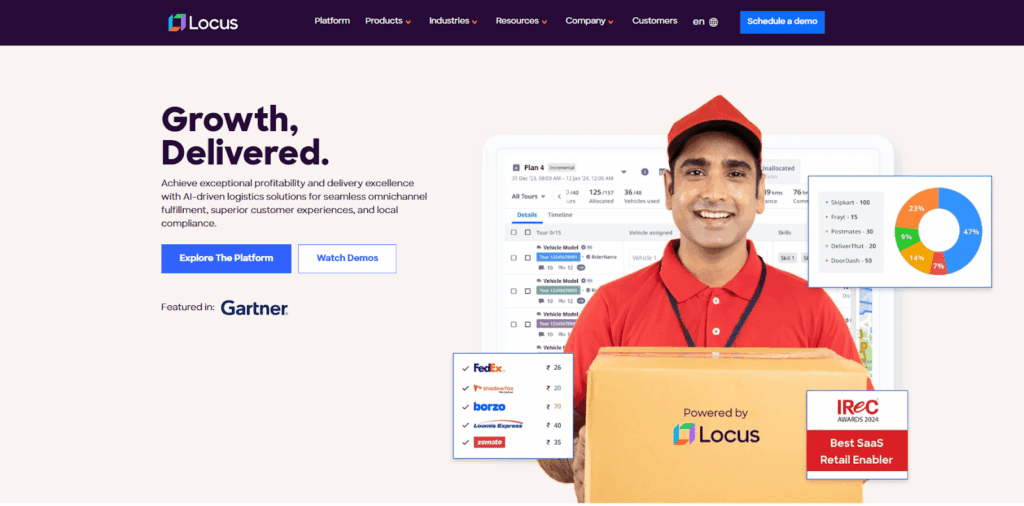
Locus is an AI-powered route optimisation and last-mile logistics orchestration platform for enterprise-scale delivery operations. It is designed for logistics leaders managing high-volume delivery networks across retail, 3PL, FMCG, e-commerce, grocery, and direct store delivery.
Standout differentiator: Locus combines enterprise AI optimisation, real-time analytics, multi-fleet dispatching, proof of delivery, and customer communications in one platform, making it more than a basic route planner app.
Key Features
- AI-powered optimisation: Plans routes using traffic, delivery time windows, driver availability, service-level requirements, and operational constraints.
- Multi-fleet dispatching: Centralised route planning for multiple regions, vehicle types, delivery models, and fulfilment locations.
- Driver-friendly route clustering: Helps avoid inefficient “spaghetti routes” and reduce unnecessary travel fatigue.
- Real-time visibility: Dispatchers can monitor ETAs, delivery completion, driver location, and route adherence.
- Proof of delivery and customer communications: Supports digital signatures, photos, delivery feedback, and automated ETA notifications.
- Analytics and optimisation dashboards: Tracks on-time delivery performance, fuel efficiency, route adherence, cost levers, and fleet productivity.
Pros and Cons
Pros
- Strong fit for enterprise route optimisation and complex multi-stop planning.
- Advanced AI algorithms for constraint-heavy logistics operations.
- Comprehensive analytics and reporting.
- Supports high-volume, multi-region, multi-fleet delivery networks.
- Useful for teams moving beyond simple routing into end-to-end last-mile execution.
Cons
- Higher initial investment than basic or solo-driver tools.
- Implementation may require integration planning for complex enterprise systems.
Best for: Enterprise logistics leaders in retail, 3PL, FMCG, grocery, e-commerce, and large delivery networks that need advanced optimisation, analytics, dispatch visibility, and scalable execution.
Platforms Available
- Web dashboard for operations managers and dispatch teams.
- Android and iOS apps for drivers and field teams.
Pricing
- Free tier includes up to 100 orders/month.
- Paid plans start at $150/month and scale with delivery volume and customisation needs.
For more on enterprise-grade planning, explore Locus’ route optimisation software.
2. Routific
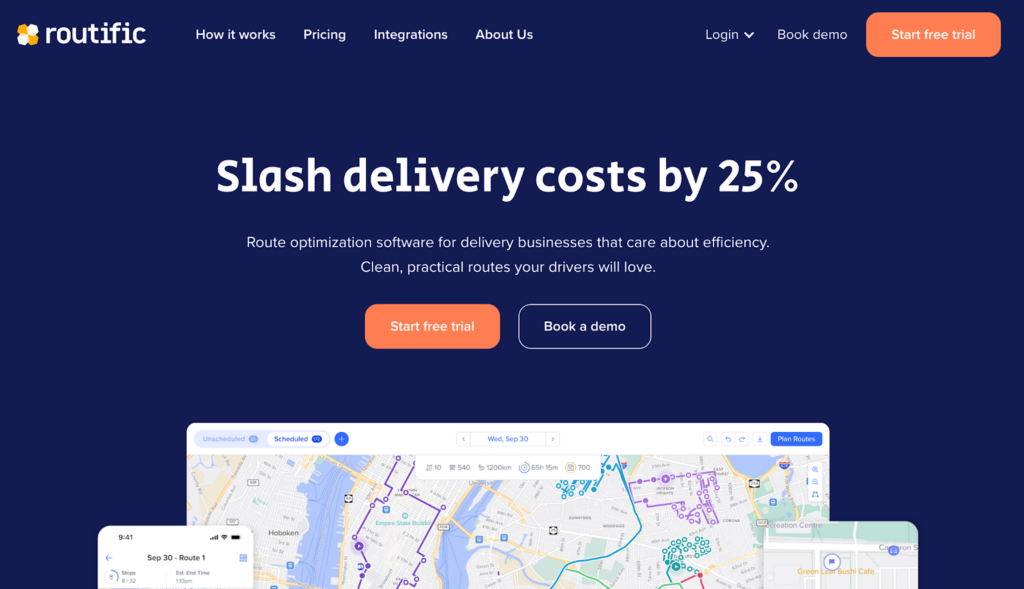
Routific is a cloud-based multi-stop route optimisation platform for small to mid-sized delivery businesses that value simplicity and route quality. It is especially useful for local delivery teams that need a clean dispatcher workflow without heavy enterprise complexity.
Standout differentiator: Routific’s visual timeline and drag-and-drop route adjustments make it practical for SMB dispatchers who need to rebalance routes quickly.
Key Features
- Drag-and-drop routing: Reassign stops between drivers or change route sequences as orders shift.
- Timeline view: Gives dispatchers a visual way to track planned routes and progress.
- Customer notifications: Sends automated ETA and delivery confirmation updates.
- Efficiency metrics: Shows time saved, distance covered, and driver performance indicators.
Pros and Cons
Pros
- User-friendly interface with a short learning curve.
- Strong fit for local delivery businesses.
- Good balance between route quality and operational simplicity.
Cons
- Limited enterprise-grade functionality.
- No fully native mobile driver app listed in the original review.
- Less suitable for large, multi-region operations.
Best for: Small to mid-sized local delivery businesses, including food delivery, meal kits, florists, and regional couriers that want easy dispatch planning.
Platforms Available
- Web-based dispatcher access.
- Mobile-optimised shared routes for drivers.
Pricing
- Free up to 100 orders/month.
- Paid plans start at $150/month with scalable pricing.
3. Upper
Upper is an easy-to-use multi-stop route planner for businesses moving from manual planning to automated routing. Its modern interface and fast setup make it attractive for small logistics teams and couriers.
Standout differentiator: Upper is strong for fast CSV/Excel import and reusable route templates, which helps teams automate recurring delivery runs quickly.
Key Features
- Import flexibility: Accepts Excel/CSV uploads or manual address entries for up to 500 stops.
- Route duplication and templates: Saves recurring routes for repeat delivery patterns.
- Proof of delivery: Lets drivers upload images, capture e-signatures, and leave notes per stop.
- Live optimisation: Supports route changes as delivery conditions evolve.
Pros and Cons
Pros
- Modern, intuitive user interface.
- Quick implementation and setup.
- Useful mobile app functionality for drivers.
- Good fit for teams leaving spreadsheets.
Cons
- Limited to 500 stops per route.
- No permanent free tier listed.
- Analytics are lighter than enterprise platforms.
Best for: Small and medium delivery businesses that need a practical upgrade from spreadsheets or manual route planning.
Platforms Available
- Web app for managers.
- iOS and Android apps for drivers.
Pricing
- No free plan listed.
- Starts at $120/month, with a 7-day free trial.
4. Circuit for Teams
Circuit started as a personal delivery planner and expanded into a team-focused routing app. It is best known for simplicity, fast deployment, and a low-friction driver experience.
Standout differentiator: Circuit for Teams is one of the easiest options for fast onboarding and straightforward small-team route management.
Key Features
- Team routing dashboard: Manage multiple drivers and allocate stops through a simple interface.
- Route balancing: Optimise by time, stop count, or driver distance.
- Live driver status: Track progress and route completion.
- Customer notifications: Send live ETAs and stop completion updates.
Pros and Cons
Pros
- Very simple setup and onboarding.
- Useful team management capabilities for small operations.
- Reliable mobile app experience.
Cons
- Limited advanced optimisation features.
- Basic analytics compared with enterprise platforms.
- Not ideal for complex enterprise routing requirements.
Best for: Small delivery teams and lean operations that need reliable team routing without complex configuration.
Platforms Available
- Web dashboard.
- iOS and Android driver apps.
Pricing
- No free plan listed.
- Paid plans start at $100/month.
5. OptimoRoute
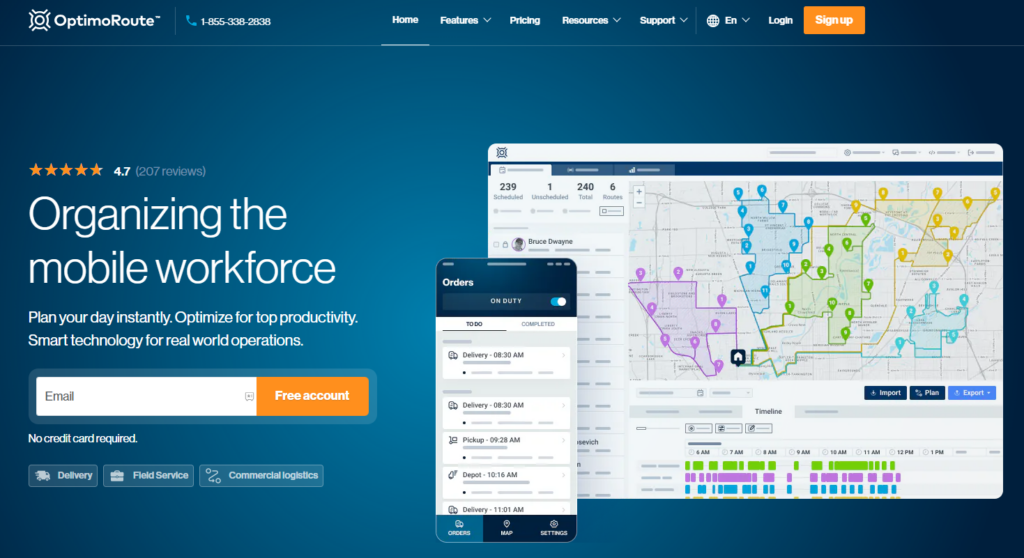
OptimoRoute is built for more complex planning environments, including larger teams, longer delivery windows, service appointments, and mixed vehicle requirements.
Standout differentiator: OptimoRoute’s multi-day routing, driver profiles, shift rules, breaks, and volume/weight constraints make it strong for operations with detailed planning requirements.
Key Features
- Driver profiles: Assign routes based on shift length, breaks, skills, and preferred zones.
- Volume and weight constraints: Account for vehicle dimensions and cargo types.
- Multi-day routing: Plan routes across several days for long-distance or recurring tasks.
- Real-time tracking and analytics: Monitor active routes and review performance metrics.
- Geofencing: Supports zone-based route planning and service area control.
Pros and Cons
Pros
- Handles complex routing scenarios well.
- Detailed driver and vehicle customisation.
- Useful for multi-day scheduling and high-volume service operations.
Cons
- Steeper learning curve.
- Per-vehicle pricing may become expensive as fleets grow.
- Interface can feel complex for simple delivery use cases.
Best for: High-volume service and delivery teams with driver, vehicle, schedule, and capacity constraints.
Platforms Available
- Web-based dashboard.
- Mobile app for proof of delivery and route access.
Pricing
- 30-day trial with limited stops.
- Paid plans start at $35/vehicle/month; advanced features are available at higher tiers.
6. Route4Me
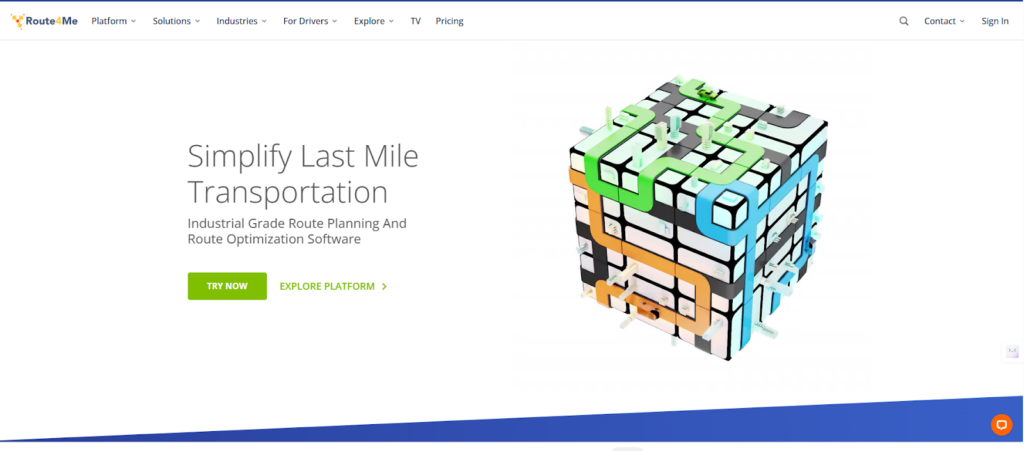
Route4Me is a modular multi-stop route planning tool known for its add-on ecosystem and configuration options. It is useful for organisations with specific routing policies, territories, and multi-depot delivery requirements.
Standout differentiator: Route4Me’s add-on marketplace lets teams configure niche routing scenarios such as territory planning, curbside pickup, time-sensitive deliveries, and route rules.
Key Features
- Add-on marketplace: Enables custom routing modules for specialised use cases.
- Territory-based planning: Supports defined geofenced regions for franchise, service, or zone-based operations.
- Multi-depot support: Helps assign stops from multiple warehouses or hubs.
- Built-in time estimation and tracking: Includes predictive ETA modelling, GPS-enabled driver monitoring, and delivery time benchmarking.
Pros and Cons
Pros
- Highly configurable.
- Strong multi-depot and territory management.
- Useful API and integration options.
- Good fit for rule-heavy operations.
Cons
- Setup and configuration can be complex.
- Higher starting price point.
- May require dedicated operations or IT support.
Best for: Organisations that need granular routing rules, territory management, multi-depot planning, and configurable workflows.
Platforms Available
- Web interface for dispatch.
- iOS and Android mobile apps for drivers.
Pricing
- 7-day free trial available.
- Paid plans start at $400/month for small teams.
- Custom plans scale with route complexity and volume.
7. Onfleet
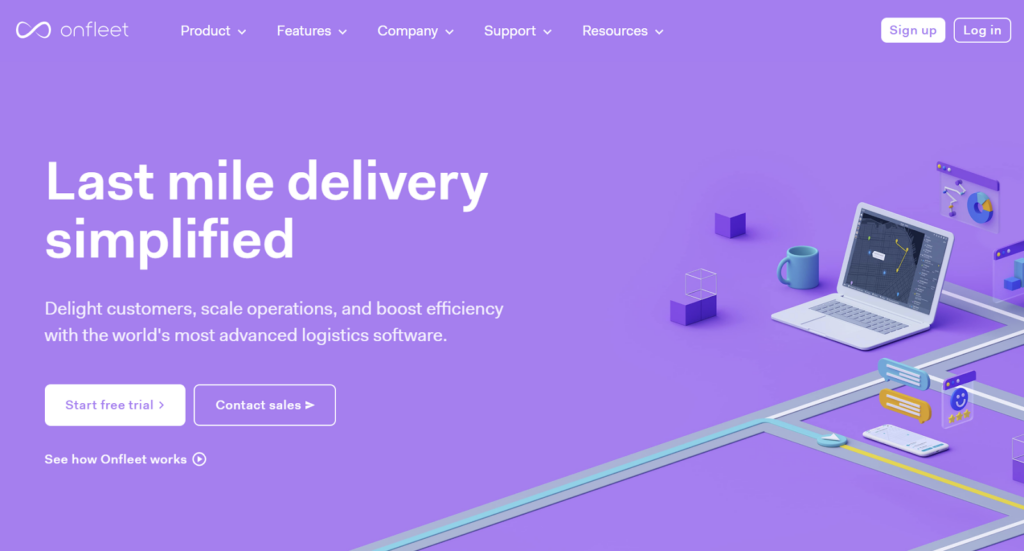
Onfleet is an enterprise-grade last-mile delivery management tool that combines multi-stop route planning with dispatch, customer communication, barcode scanning, and proof of delivery.
Standout differentiator: Onfleet is especially strong for customer-facing delivery experience, with live tracking links, automated SMS notifications, barcode scanning, and proof of delivery workflows.
Key Features
- Live tracking and auto-dispatch: Real-time driver locations with auto-assignment logic for new or delayed tasks.
- Proof of delivery: Captures customer signatures, delivery images, and driver notes.
- Communication tools: Sends automated SMS notifications, estimated arrival updates, and branded tracking pages.
- Performance metrics: Tracks driver punctuality, stop duration, delivery efficiency, and SLA breaches.
- Barcode scanning: Useful for delivery verification and high-volume order control.
Pros and Cons
Pros
- Enterprise-grade dispatch and delivery management.
- Strong customer communication tools.
- Good API and integration capabilities.
- Useful for courier, grocery, and same-day delivery models.
Cons
- Expensive for smaller teams.
- Less focused on advanced AI route optimisation than specialist platforms.
- Pricing can be complex across tiers.
Best for: Enterprise courier services, grocery retailers, and high-volume last-mile teams where customer experience and delivery visibility are critical.
Platforms Available
- Web dashboard for operations.
- iOS and Android driver apps.
Pricing
- Plans start at $599/month for up to 2,500 deliveries.
- Enterprise plans include additional analytics and API integrations.
8. RoadWarrior

RoadWarrior is a mobile-first route planner app for individual drivers, couriers, field workers, and very small teams. It is built for quick stop sequencing on the go rather than enterprise dispatch orchestration.
Standout differentiator: RoadWarrior is driver-centric and mobile-only, making it a practical option for solo drivers who need simple multi-stop routing without a full dispatcher platform.
Key Features
- Mobile-first route planning: Build and optimise routes directly from a smartphone.
- Stop sequencing: Helps individual drivers order stops more efficiently.
- Simple route lists: Keeps daily stops organised for one-driver operations.
- Navigation handoff: Useful for drivers who rely on mobile navigation apps.
Pros and Cons
Pros
- Low-cost option for solo drivers.
- Easy to use from a phone.
- Good fit for gig drivers, field reps, and individual couriers.
Cons
- Not designed for enterprise-scale dispatching.
- Limited analytics and operational controls.
- Mobile-only workflow is not ideal for central planning teams.
Best for: Solo drivers, gig workers, independent couriers, and very small teams that need lightweight mobile route planning.
Platforms Available
- iOS and Android.
Pricing
- $14.99/month.
9. MapQuest

MapQuest is a basic map and directions tool that can support simple multi-stop routing. It is not an enterprise route optimisation platform, but it remains useful for occasional routing and very small stop counts.
Standout differentiator: MapQuest offers a no-cost, map-first way to plan basic routes up to 26 stops.
Key Features
- Basic multi-stop directions: Add several destinations and receive driving directions.
- Map search: Useful for ad hoc planning and address lookup.
- Simple route output: Good for occasional trips or very small delivery runs.
- Free access: Works as a low-commitment option for testing simple routing needs.
Pros and Cons
Pros
- Free and easy to access.
- Suitable for occasional low-volume routes.
- Familiar map-based interface.
Cons
- Stop limit is too low for most business delivery operations.
- No advanced dispatching, proof of delivery, analytics, or integrations.
- Not built for driver management or enterprise routing.
Best for: Very small or occasional users who need free, basic multi-stop directions.
Platforms Available
- Web.
- Mobile access.
Pricing
- Free basic routing.
- Supports up to 26 stops.
10. RouteXL

RouteXL is a browser-based route planner for simple multi-stop sequencing. It is best suited to micro-fleets, office users, and small local routes that do not require mobile dispatch apps or advanced logistics controls.
Standout differentiator: RouteXL provides quick browser-based route sequencing, with a free tier for up to 20 stops.
Key Features
- Browser-based optimisation: Sequence stops from a web browser without a complex platform setup.
- Small-route planning: Useful for simple local delivery or service routes.
- Route sharing/export: Supports basic sharing and route output options.
- Free low-volume use: Lets very small teams test route sequencing before paying for a larger tool.
Pros and Cons
Pros
- Simple and accessible from a browser.
- Free tier for small routes.
- Useful for occasional or low-complexity routing.
Cons
- No dedicated driver app listed.
- Free tier is capped at 20 stops.
- Not suitable for enterprise dispatch, analytics, proof of delivery, or system integrations.
Best for: Micro-fleets, small offices, and simple local route planning from a browser.
Platforms Available
- Web browser.
Pricing
- Free up to 20 stops.
- Paid tiers are available for higher stop counts.
What to Look for in a Route Planner App
The best route planner app depends on delivery volume, route complexity, fleet structure, and the systems already used by the business. Use this buyer checklist to compare tools consistently.
Enterprise buyer checklist
- Scalability: Can the platform handle hundreds or thousands of stops per day?
- Constraint-aware routing: Does it support delivery time windows, service times, vehicle capacity, driver shifts, skills, zones, and SLAs?
- Dynamic route planning: Can routes be adjusted when traffic, failed deliveries, new orders, or driver availability changes?
- Dispatch handoff: Can optimised routes be assigned to drivers without manual re-entry?
- Mobile driver experience: Are routes, proof of delivery, delivery notes, and customer updates easy to manage in the driver app?
- Real-time tracking: Can dispatchers and customers see live status and accurate ETAs?
- Analytics: Does the platform measure on-time delivery, cost per delivery, distance, route adherence, utilisation, and driver performance?
- Integrations: Can it connect with ERP, WMS, TMS, OMS, CRM, or customer communication systems?
- Security and compliance: Does it support enterprise-grade access controls, data security, and compliance needs?
- Implementation support: Is there onboarding, account management, and technical support for complex deployments?
For a deeper buying framework, see Locus’ guide on how to choose the right route planning software.
How to Optimize Multi-Stop Routes
Route planner apps work best when operational data is accurate and route constraints are clearly defined.
Step-by-step optimisation process
- Prepare clean data: Validate addresses, contact details, delivery time windows, service times, and order requirements.
- Define constraints: Include vehicle capacity, driver shifts, skills, zones, delivery priorities, and SLA rules.
- Optimise stop sequence: Let the route planner sequence stops based on distance, time, traffic, and constraints.
- Assign drivers and vehicles: Match routes to available drivers, vehicle types, capacity, and geographic familiarity.
- Dispatch routes: Send approved plans to driver apps or dispatch workflows.
- Monitor in real time: Track route progress, exceptions, ETA changes, and missed stops.
- Adjust dynamically: Re-optimise when traffic, new orders, cancellations, or failed deliveries disrupt the plan.
- Analyse results: Review route adherence, delivery success, distance travelled, fuel usage, and on-time performance.
Practical optimisation tips
- Cluster stops geographically to reduce travel time.
- Plan around traffic peaks and delivery access restrictions.
- Balance workloads across drivers and vehicles.
- Use realistic service times for loading, parking, handover, and proof of delivery.
- Build buffer time for high-risk delivery windows.
- Review historical performance before setting future route rules.
Free vs Paid Route Planner Apps: Key Differences
Free route planner apps can be useful, but they usually work best for simple or occasional routing. Paid tools are more appropriate when delivery routing affects customer experience, labour cost, fuel cost, and SLA performance.
Free route planner limitations
- Low stop limits: MapQuest supports up to 26 stops, while RouteXL supports up to 20 stops in its free tier.
- Basic optimisation: Free tools usually sequence stops but do not manage complex constraints.
- Limited dispatching: They typically lack driver assignment, proof of delivery, and live operational control.
- No enterprise integrations: API access and system integrations are usually limited or unavailable.
- Minimal analytics: Most free tools do not provide route performance, cost, or SLA dashboards.
Paid solution advantages
- Higher stop capacity: Paid tools support larger delivery volumes and more drivers.
- Advanced optimisation: Better handling of traffic, time windows, capacity, driver constraints, and route rules.
- Dispatch and driver tools: Paid platforms often include mobile apps, proof of delivery, customer notifications, and real-time tracking.
- Integrations: Enterprise platforms can connect with logistics, order, warehouse, and customer systems.
- Analytics and ROI tracking: Paid tools help quantify route efficiency, delivery cost, driver utilisation, and service performance.
When free tools are suitable
Free or low-cost tools such as MapQuest, RouteXL, and RoadWarrior can work for:
- Solo drivers.
- Very small teams.
- Occasional local routes.
- Simple errands or field visits.
- Businesses testing route planning before buying software.
When paid tools are essential
Paid route planner apps are usually necessary for:
- High-volume delivery operations.
- Multi-driver dispatch.
- Time-sensitive deliveries.
- Complex vehicle or driver constraints.
- Proof of delivery requirements.
- Customer ETA notifications.
- Analytics and performance improvement.
- ERP, WMS, TMS, or OMS integration.
Use Cases for Route Planner Apps
Different industries need different routing capabilities. The best route planner app should match both the operational model and the delivery promise.
Enterprise delivery services
- Retail and e-commerce: Last-mile delivery optimisation for customer orders.
- 3PL providers: Multi-client route planning, fleet management, and SLA control.
- FMCG distribution: High-volume B2B delivery routes to stores, wholesalers, and distributors.
- Grocery and food delivery: Time-sensitive delivery with strict freshness and customer communication requirements.
- Direct store delivery operations: Recurring store replenishment routes with delivery windows and route consistency needs.
Service industries
- Field sales teams: Optimising daily client visit schedules.
- Service technicians: Planning repair, installation, and maintenance appointments.
- Healthcare providers: Coordinating home healthcare visits and patient appointment windows.
- Utilities: Meter reading, inspection, and maintenance route planning.
Specialised applications
- Courier services: Same-day, scheduled, and express delivery.
- Waste management: Collection route optimisation.
- Personal use: Errands, trips, and multi-stop journeys.
- Cycling and recreation: Route planning for fitness or touring.
Frequently Asked Questions (FAQs)
1. What is a multi-stop route planner app?
A multi-stop route planner app is software that helps plan routes with multiple destinations. Basic tools sequence stops, while more advanced route optimisation platforms consider traffic, delivery time windows, vehicle capacity, driver availability, customer ETAs, and operational constraints.
2. What is the best route planner app for enterprise delivery operations?
The best option depends on scale, constraints, and integrations. Enterprise teams should prioritise constraint-aware routing, real-time visibility, ERP/WMS/TMS integrations, driver app reliability, analytics, and the ability to handle 1,000+ daily stops.
3. Which route planner app is best for small delivery teams?
Small teams usually benefit from tools with quick setup, simple dispatcher workflows, mobile driver access, and easy customer notifications. Routific, Upper, and Circuit for Teams are strong examples for SMB delivery teams, depending on route complexity and budget.
4. How many stops can route planner apps handle?
Stop capacity varies widely. Enterprise-grade tools can support high-volume or unlimited routing, while free/basic tools often cap routes at around 20–26 stops. For example, MapQuest supports up to 26 stops, and RouteXL supports up to 20 stops free.
5. Is there a free route planner app for multiple stops?
Yes. MapQuest offers free basic routing up to 26 stops, RouteXL offers a free tier up to 20 stops, and some paid platforms offer free tiers or trials. Free tools are useful for low-volume routing but usually lack dispatching, proof of delivery, analytics, and integrations.
6. What matters more than price when choosing a route planner app?
Price matters, but buyers should also compare optimisation quality, dispatch controls, mobile driver support, integrations, customer communication, proof of delivery, analytics, and total operating cost. A low-cost tool may become expensive if it increases manual work or missed delivery windows.
7. Do route planner apps work on mobile devices?
Most modern route planner apps provide mobile access. Enterprise and team platforms often offer driver apps for iOS and Android, while RoadWarrior is mobile-first. Browser-based tools such as RouteXL are simpler but may not offer a dedicated driver app.
8. Can route planner apps integrate with existing logistics systems?
Enterprise-grade route planner apps typically support API integrations with order management, warehouse, transport, customer communication, and analytics systems. Lightweight or free route planners usually offer limited integration options.
9. Is a free route planner app enough for business use?
A free app can work for solo drivers, occasional routes, or very small teams. It is usually not enough for businesses that need live tracking, proof of delivery, delivery time windows, driver assignment, customer notifications, or team-wide dispatching.
10. What is the difference between route planning and route optimisation?
Route planning creates a route between stops. Route optimisation improves that route using constraints such as distance, time, traffic, delivery windows, driver availability, vehicle capacity, and service priorities. Enterprise delivery teams usually need optimisation rather than simple stop sequencing.
Choosing the Right Route Planner App for Your Needs
The right route planner app depends on where your operation sits on the complexity curve.
If you are a solo driver or occasional user, a lightweight tool such as RoadWarrior, MapQuest, or RouteXL may be enough. If you manage a growing delivery team, Routific, Upper, Circuit for Teams, or OptimoRoute may provide the right balance of usability and operational control. If you run high-volume enterprise delivery operations, evaluate platforms that combine optimisation, dispatch visibility, analytics, integrations, proof of delivery, and customer communication.
For enterprise logistics leaders, Locus is built for AI-powered route optimisation, multi-fleet dispatching, real-time visibility, and operational analytics across complex last-mile networks.
Need more than a basic route planner app?
See how Locus handles high-stop, constraint-heavy route optimisation with enterprise dispatch visibility, analytics, and multi-fleet orchestration.
You can also review Locus customer success stories to see how enterprise teams approach last-mile delivery transformation.
Related Reading
- How to Choose the Right Route Planning Software
- A Tool to Build a Cost-Effective Supply Chain Network
- Logistics Tech for Last-Mile Efficiency in Direct-to-Consumer Selling
- The Role of Artificial Intelligence-Powered Logistics in Ecommerce
- The Math Behind In-House vs Outsourced Fleet
- Reverse Logistics: A Mandatory Strategy to Attain Loyal Customers

General
10 Best Logistics Management Software Platforms for Enterprise Operations in 2026

Aug 26, 2026
Compare the 10 best logistics management software for 2026. Evaluate AI dispatch, route optimization, and enterprise scalability across industries.
Read more
General
10 Best Logistics Management Software Platforms for Enterprise Operations in 2026
Aug 26, 2026
Compare the 10 best logistics management software platforms for 2026. Evaluate AI dispatch, route optimization, real-time visibility, and enterprise scalability.
Read moreInsights Worth Your Time


















Top 10 Route Planner Apps for Multi-Stop Delivery [2026]