


General
Best Lawn Care Business Software in 2026: Scheduling, Dispatch, and Routing Compared


Key Takeaways
- The best lawn care business software depends on business size, service mix, route density, and how much live coordination your office handles during the day.
- Small teams usually prioritise CRM, quotes, scheduling, invoicing, and automated payment collection. Larger teams gain more value from route optimisation, GPS visibility, exception handling, and multi-crew dispatch orchestration.
- Lawn care management software, lawn care scheduling software, field-service management software, and dispatch software overlap, but they are not identical categories. Buyers should confirm whether they need an all-in-one office system, a routing layer, or both.
- For recurring mowing, fertilisation, spraying, seasonal programmes, and commercial route work, buyers should assess recurring service contracts, property notes, equipment constraints, chemical application records, and weather or rain rescheduling.
- Locus is best evaluated when dispatch complexity is the bottleneck: multiple crews, dense routes, same-day changes, service territories, SLA pressure, or multi-location/franchise coordination.
- Locus is usually a poor fit for owner-operators or 1–5 crew businesses that mainly need simple estimates, invoicing, and customer management.
Your dispatcher spent three hours yesterday fixing what should have taken 20 minutes. A crew ran late, you manually rebuilt two routes when weather pushed jobs back, and an emergency request came in with no clear way to see which crew had capacity.
This is not a scheduling problem. Routes were planned correctly. The breakdown happens between 7 AM and 5 PM when your tools cannot adapt without manual intervention. At 30+ crews across territories, that coordination overhead destroys margin through unbillable drive time, dispatcher firefighting, and missed service windows.
To help you cut down on this complexity, a lawn care dispatch software in 2026 helps you keep routes tight and crews productive when conditions shift. It comes with a schedule board, routing visibility, and live crew status in one view. That means fewer missed windows, faster reassignments, and cleaner handoffs to invoicing when the job is done.
In this guide, we compare platforms based on how well they keep service levels steady under pressure.
What Is Lawn Care Business Software?
Lawn care business software is software used to run the commercial and operational side of a lawn care company. Depending on the platform, that can include:
- lead and customer management
- estimates and proposals
- recurring mowing and treatment schedules
- route planning and crew dispatch
- GPS tracking and mobile field updates
- visit-based invoicing and recurring billing
- payment collection and accounting sync
- job costing, reporting, and client communication
In practical buying terms:
- Lawn care management software usually refers to an all-in-one operating system for office and field teams.
- Lawn care scheduling software focuses on booking and assigning work.
- Lawn care dispatch software focuses on executing the day as conditions change.
- Field-service management software is the broader cross-industry category that may or may not be lawn-care-specific.
- Route optimisation software focuses on travel efficiency, sequencing, service windows, and route adherence.
If you searched for “lawn care business software” but landed on a dispatch-focused article, that is because dispatch is where many growing operators start to lose margin. This rewrite broadens the view to the full software stack, then shows where dispatch software fits.
Quick answer: best options by use case
| Use case | Best fit in this guide | Why |
| Best for complex multi-crew dispatch | Locus | Strongest fit when live route changes, territory balancing, and execution control matter most. |
| Best for small lawn care businesses | Jobber | Broad small-business fit across scheduling, customer communication, invoicing, and mobile workflows. |
| Best free or low-cost option | Yardbook or LawnPro | Commonly positioned as free or low-cost options for solo operators and small teams. |
| Best for invoicing/accounting-led workflows | FieldEdge | Good fit when billing integration and accounting connectivity are primary buying criteria. |
| Best for commercial recurring service work | ServiceTrade | Better aligned to maintenance-oriented, contract-driven workflows. |
| Best for multiple office-managed crews | ServiceTitan | Useful for businesses that want dispatch tied closely to office, sales, and service workflows. |
| Best for project-style commercial service operations | BuildOps | Better suited to larger contractors managing more complex jobs. |
| Best for multi-location or franchise operations | Locus | Strong fit for centralised control with local execution across territories. |
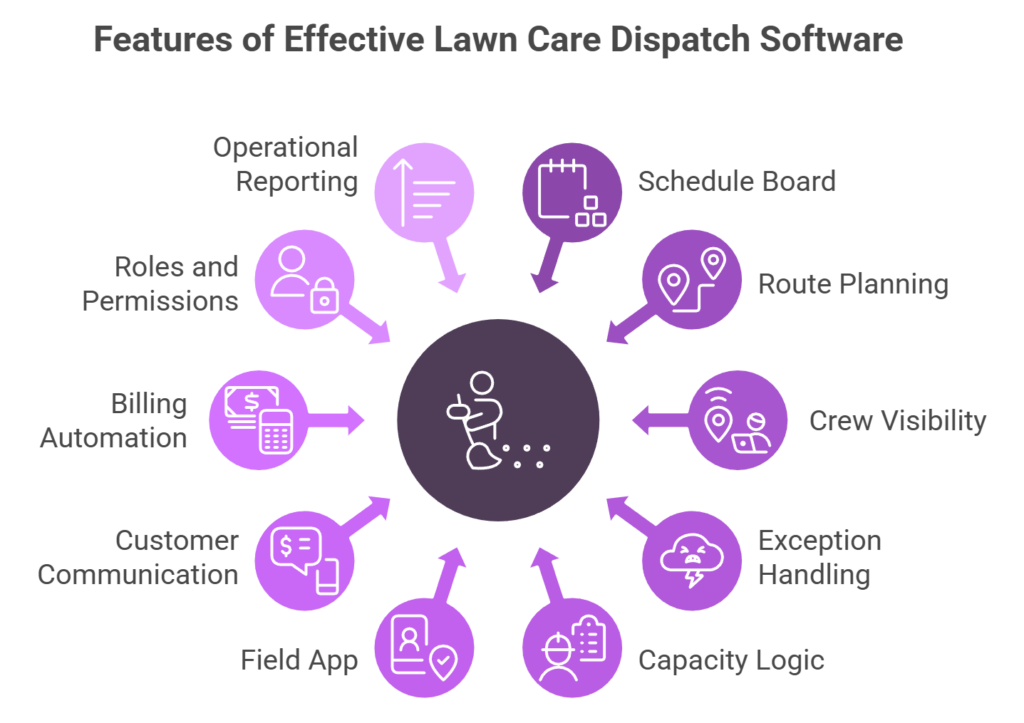
Key Features to Look for in Lawn Care Dispatch Software
When lawn care dispatch runs on the right system, crews move between properties without backtracking, schedules stay aligned with service windows, and fewer customers call asking when the team will arrive.
Let’s go over the key capabilities that keep things running smoothly:
- A dispatcher-grade schedule board: You need a board you can trust. Drag-and-drop assignments, day and week views, conflict warnings, and bulk edits when a whole route needs to move because the weather changed.
- Route and territory planning that matches how you actually operate: Multi-stop routing is table-stakes for lawn care crews moving between properties. The better tools also respect territories, drive-time realities, and let you rebalance routes fast without rebuilding the whole day.
- Real-time crew visibility: If you cannot see where crews are and what status each job is in, lawn care dispatch turns into a phone tag. Look for GPS visibility, geofenced arrivals, and live job-status updates.
- Exception handling that does not break the day: Lawn care is full of curveballs. Rain delays, cancellations, call-backs, and last-minute additions. Your dispatch setup should absorb changes in minutes.
- Capacity and constraint logic: This is what separates “a schedule” from “a workable lawn care schedule.” Crew size, skills, equipment needs, service-duration templates, and travel-time buffers should be built into how jobs get assigned.
- A field execution app that crews will use: Clear job instructions, property notes, photos, and checklists matter more than fancy features. Offline-capable access is a big deal when crews lose signal.
- Customer communication that reduces inbound calls: Appointment windows, automated reminders, two-way messaging, and proactive ETA updates all cut down the “Where are you?” calls that eat your team’s time.
- Billing and accounting handoffs that happen automatically: The best workflows let “job done” trigger invoicing, payments, and job costing without someone chasing paperwork at the end of the day.
- Roles, permissions, and accountability: Multi-branch lawn care operations need branch-level access, dispatcher permissions, and audit trails so schedule changes stay transparent and accountability remains clear.
- Operational reporting you can act on: You want reporting that tells you what to fix. Route efficiency, on-time completion, utilization, and rework or call-back trends should be easy to spot.
Where Dispatch Software Fits in the Lawn Care Software Stack
Not every lawn care business needs a dedicated dispatch layer on day one.
For many owner-operators, the first software priorities are customer records, estimates, scheduling, invoices, and payment collection. At that stage, an all-in-one lawn care management platform is usually enough.
Dispatch software becomes relevant when any of the following start happening regularly:
- routes need mid-day re-sequencing
- crews get reallocated across service territories
- same-day work competes with pre-planned recurring routes
- rain delays force large-scale rescheduling
- commercial accounts require tighter service windows
- dispatchers are making constant manual calls to keep the day on track
In other words, scheduling software plans the day. Dispatch software runs the day.
How We Evaluated Lawn Care Business Software
Research updated: 23 September 2026
Pricing verification: 23 September 2026, where public pricing was available
Commercial disclosure: Locus is included in this comparison and may benefit commercially from readers who request a demo. This article is editorially written to compare category fit, not to claim that Locus is the right choice for every buyer.
Evaluation criteria
We reviewed platforms against the needs most common in lawn care and route-based field service operations:
- recurring scheduling and recurring billing
- route planning and route optimisation
- live dispatch and mid-day reassignments
- GPS visibility, mobile crew workflows, and proof of service
- customer communication, CRM, estimates, and invoicing
- reporting, job costing, and office-to-field coordination
- multi-location, franchise, and territory control
- pricing model clarity and likely implementation effort
Source types used
- official vendor websites and product pages
- public pricing pages where available
- product screenshots and documentation available in source materials
- independent review and comparison content where relevant
- Locus customer and implementation experience for dispatch/orchestration context
Testing note
This article is vendor-researched and customer-informed. It is not a claim that every product was hands-on tested in a live lawn care deployment by the authoring team.
How “best for” labels were assigned
“Best for” labels reflect the operating scenario where each tool appears most aligned, such as small-business CRM and invoicing, maintenance-heavy commercial work, or complex dispatch orchestration.
Corrections and updates
Software features and pricing change frequently. If vendor positioning, pricing, or capabilities change materially, this article should be refreshed rather than treated as a permanent benchmark.
Top Lawn Care Dispatch Software in 2026: An Overview
Before reviewing each platform in detail, understand what separates these tools. Some focus on scheduling and customer notifications. Others handle live dispatch, route changes, and coordination across multiple crews and territories.
The following comparison shows what each platform does well and what type of operation it supports. Use it to figure out which tools match your operational scale before digging into specifics.
Comparing the Best Lawn Care Dispatch Software in 2026
| Platform | Operational Tier | Dynamic Dispatch | Multi-Region Support | Daily Job Capacity | Pricing Model |
|---|---|---|---|---|---|
| Enterprise-Grade Orchestration | |||||
| Locus | Enterprise | Algorithmic route recalculation during live workdays. | Native multi-territory, franchise coordination. | 200+ jobs, 50+ crews across regions. | Operational footprint (no per-transaction fees). |
| ServiceTitan | Growth-to-Enterprise | Manual dispatcher intervention required. | Limited. Requires workarounds. | 100–150 jobs with dispatcher overhead. | Per-user + module fees (scales with headcount). |
| BuildOps | Growth-to-Enterprise | Project-focused. Limited route optimization. | Multi-location support. | 80–120 jobs (project-style work). | Per-user licensing. |
| Growth-Stage Tools | |||||
| FieldPulse | Growth | Basic crew tracking. Manual route changes. | Single-region focus. | 40–80 jobs before coordination breaks. | Per-user subscription. |
| ServiceTrade | Growth | Planned maintenance focus. Limited live dispatch. | Multi-location with manual coordination. | 50–100 jobs (contract-based). | Custom pricing by org size. |
| FieldPoint | Growth | Work-order assignment. Basic dispatch board. | Mid-sized single-region. | 60–100 jobs. | Per-user + modules. |
| Entry-Level Scheduling | |||||
| Jobber | Entry | Calendar-based. No live route optimization. | Single location. | 20–40 jobs before manual overhead escalates. | $30–$100/user/month. |
| Workiz | Entry | Scheduling focus. Minimal dispatch control. | Owner-operator or single location. | 15–30 jobs. | $50–$150/month tiered. |
| FieldEdge | Entry-to-Growth | Dispatch board with manual control. | Accounting-focused. Limited territory logic. | 40–70 jobs. | Per-user licensing. |
1. Locus
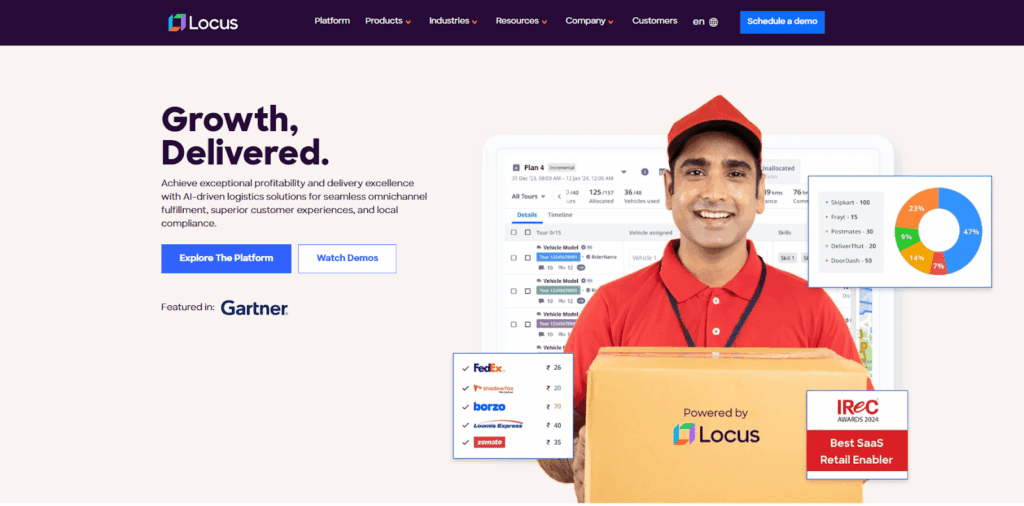
Locus, an enterprise logistics platform built for large-scale lawn care operations, works nicely where standard scheduling tools fall short.
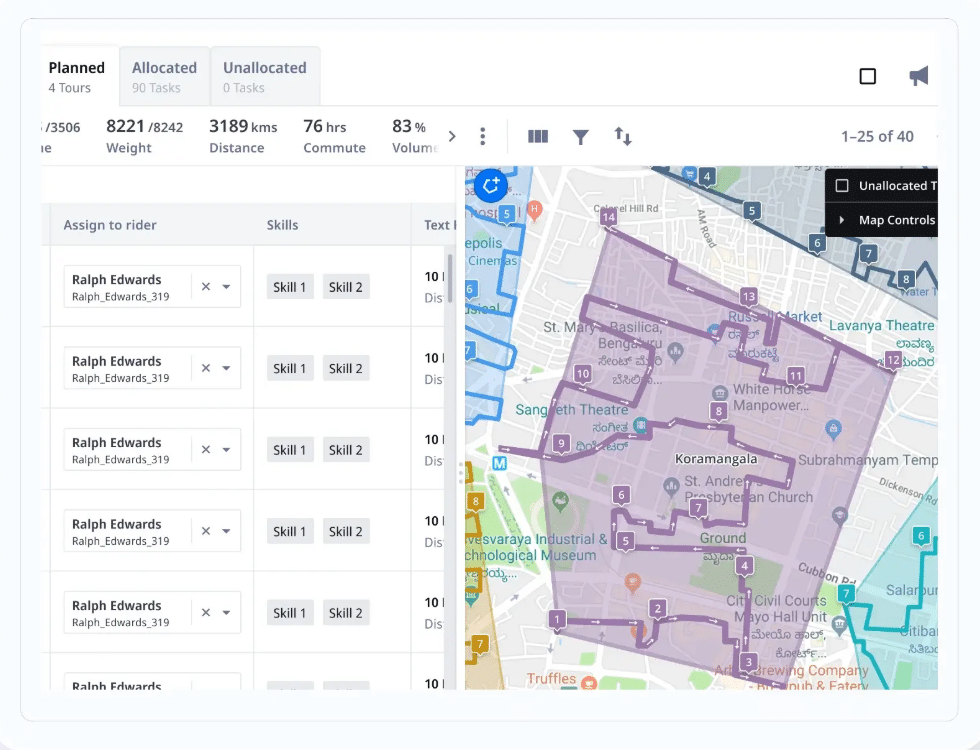
When you’re running hundreds of daily jobs across dozens of crews and multiple territories, manual dispatch creates bottlenecks. Purpose-built to solve this exact scenario, Locus uses algorithmic optimization across 180+ variables, including crew capacity, skills, equipment, traffic, and customer windows, to automate dispatch decisions.
Also, the system adjusts routes continuously as conditions change throughout the day, handling delays and urgent requests without requiring manual replanning or breaking existing schedules.

Dispatchers assign jobs based on territory logic and crew specialization, then modify active routes when needed. The platform shows remaining capacity and potential impacts before changes go live. Crews receive updates in real time.
This keeps operations consistent as volumes grow and prevents the coordination failures that happen when simpler tools hit their limits.
Built for regional providers, franchise networks, and multi-state operations that need to maintain SLA commitments while controlling labor costs at scale.
Watch now: Delivering Growth & Last-Mile Excellence | Customer Success Stories | Locus
Locus’ Key Features
- Dispatch Management Software: Automated planning across crew capacity, skills, territories, equipment, and time windows without manual route building.

- Route Planning System: Live route recalculation when jobs change or delays occur, applied to active schedules without disrupting existing assignments.
- Control Tower Software: Real-time crew tracking with capacity monitoring and impact preview before dispatch changes go out.
- Complex Workflow Support: Handles recurring routes, same-day requests, emergency jobs, multi-stop sequences, and cross-territory assignments.
- Enterprise Integration: API-first design that connects to existing ERP, CRM, fleet, and workforce systems without replacing your current stack
Locus Is Ideal For
- Regional and national providers managing 50+ crews across multiple territories.
- Franchise networks that need centralized dispatch control with local execution flexibility.
- Multi-location operations handling 200+ daily jobs, where manual coordination breaks down.
- High-growth businesses that are scaling past what crew scheduling tools can handle.
- Operations requiring compliance tracking, labor cost control, or SLA performance management.
Suggested Read: See what our customers are saying about Locus
Locus’ Pricing Model & Scalability
- Pricing basis: Operational footprint, coverage area, and modules used.
- No per-transaction fees: No per-job, per-stop, or per-user charges that increase with volume.
- Predictable scaling: Costs remain stable as job counts and crew sizes grow.
- Multi-year structure: Built for expansion without transaction-based cost escalation.
2. ServiceTitan

ServiceTitan is designed for service businesses that want one operating system for dispatch, sales, and service delivery. It combines field scheduling with customer management and financial workflows, so work orders and billing stay connected.
It is not a dedicated logistics-routing tool, but it works well for appointment-based services and multi-team coordination.
ServiceTitan Key Features
- Job scheduling with dispatcher views and technician availability
- Customer management, invoicing, and service history tracking
- Basic route planning and dispatch coordination
ServiceTitan Is Ideal For
- Lawn care businesses with office-driven scheduling
- Teams prioritizing customer management and billing integration
ServiceTitan Pricing
Custom pricing based on users and enabled modules. Generally positioned at the higher end of the market.
3. Jobber
Jobber is field-service management software for small-to-midsize service businesses that need to schedule jobs, dispatch crews, and keep customer work organized in one place. It helps teams manage quotes, work orders, invoices, payments, and customer communication, alongside a calendar-based scheduling workflow.
It is best suited for recurring, appointment-based services where routing depth is not the primary requirement.
Jobber Key Features
- Job scheduling and calendar-based dispatch
- Customer communication and invoicing tools
- Mobile app for crew updates
Jobber Is Ideal For
- Small lawn care businesses and owner-operators
- Teams with predictable schedules and limited daily changes
Jobber Pricing
Tiered plans based on users and features, with publicly listed pricing.
4. FieldPulse

FieldPulse is field-service management software that helps service businesses run scheduling and dispatch, customer management, and job workflows in one system. It supports estimates and invoicing, plus payment-related workflows, so the work order and billing side stays connected to the schedule.
It also offers a mobile app so field teams can manage schedules, job details, and customer information while on site.
FieldPulse Key Features
- Job scheduling and crew tracking
- Mobile updates for technicians
- Basic dispatch visibility
FieldPulse Is Ideal For
- Growing local lawn care businesses
- Teams transitioning from manual scheduling
FieldPulse Pricing
Subscription-based pricing by user, with tiered plans.
5. ServiceTrade
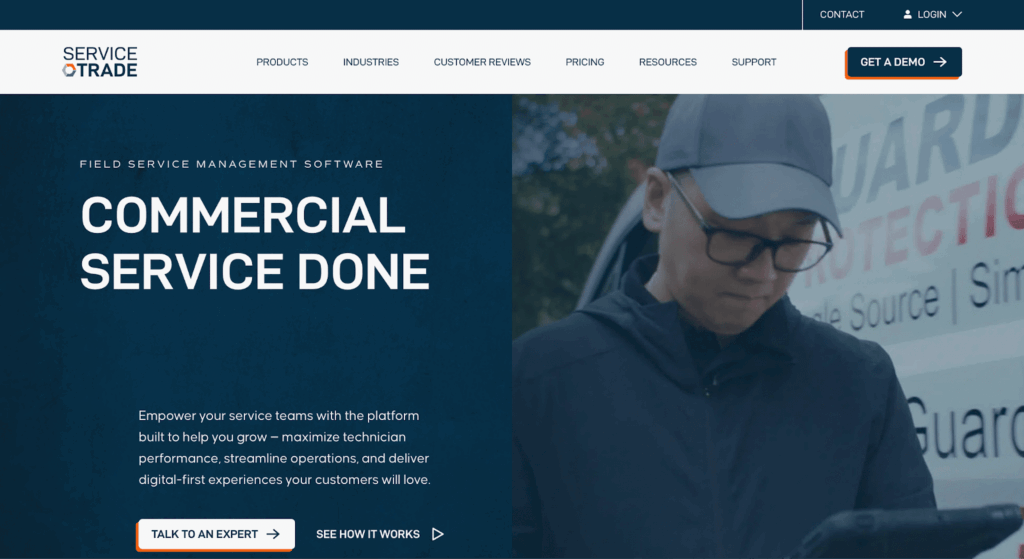
ServiceTrade is a strong fit when your work is asset-heavy and inspection-driven, not just one-off calls. It supports inspection workflows and documentation for fire and life-safety service, with asset history tied to the customer and site. Dispatch teams can adjust schedules as new work comes in, with updates visible across the team.
ServiceTrade Key Features
- Preventive maintenance scheduling
- Work order management
- Customer and asset tracking
ServiceTrade Is Ideal For
- Commercial lawn care providers with recurring contracts
- Maintenance-focused service operations
ServiceTrade Pricing
Custom pricing based on organization size and usage.
6. FieldPoint

Fieldpoint helps service businesses keep work orders, schedules, and field updates in sync, so the office is not chasing status updates all day. It combines a drag-and-drop dispatch workflow with a mobile app that keeps technicians moving with the right job context. It also supports connecting field operations to back-office systems, so data does not get re-entered twice.
FieldPoint Key Features
- Work order scheduling and dispatch
- Technician availability tracking
- Service reporting tools
FieldPoint Is Ideal For
- Mid-sized lawn care and field service organizations
- Teams managing mixed service requests
FieldPoint Pricing
Custom pricing based on users and modules.
7. BuildOps
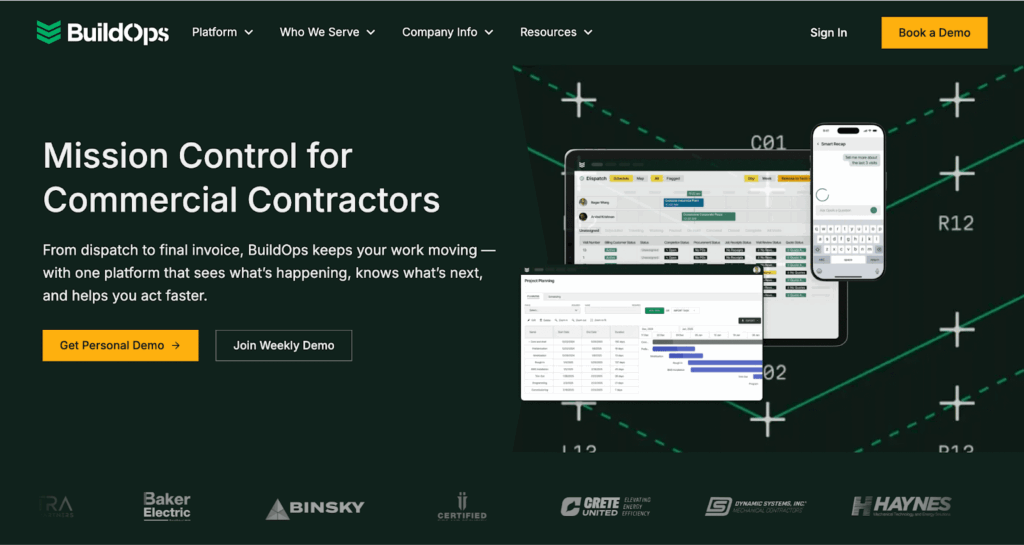
BuildOps fits teams that run a high volume of maintenance and recurring service work and want scheduling to stay tight without constant back-and-forth. It organizes service agreements, automates fulfillment tracking, and keeps dispatch aligned with what the contract requires. The result is fewer missed steps and less manual chasing to keep jobs profitable.
BuildOps Key Features
- Project and job scheduling
- Resource coordination
- Operations reporting
BuildOps Is Ideal For
- Larger service contractors with complex jobs
- Teams managing project-style service work
BuildOps Pricing
Enterprise pricing, available on request.
8. Workiz
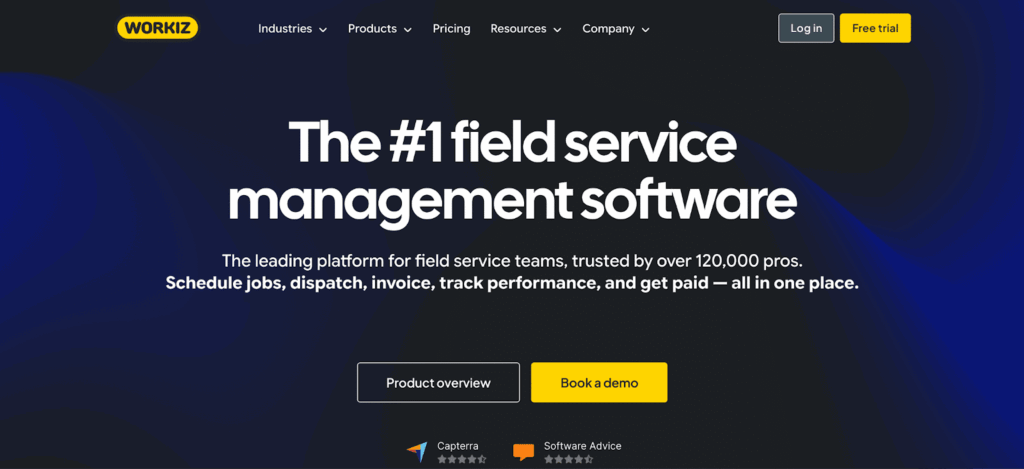
Workiz leans heavily into customer-communication workflows, so the office can manage calls, texts, and emails from one dashboard instead of scattered inboxes. It also promotes AI-based automation for tasks like client messaging and job-scheduling support, which reduces follow-up gaps when the team is busy.
Workiz Key Features
- Job scheduling and reminders
- Customer messaging and call handling
- Invoicing and payments
Workiz Is Ideal For
- Small lawn care businesses
- Teams prioritizing communication and ease of use
Workiz Pricing
Tiered monthly plans with public pricing.
9. FieldEdge

FieldEdge is field-service management software built for home-service contractors that need scheduling, dispatch, and invoicing in one system. It keeps customer history and job details connected to the schedule, so the office and field teams work from the same source of truth.
It also offers real-time QuickBooks syncing to cut down on duplicate entry between operations and accounting.
FieldEdge Key Features
- Dispatch board with technician status
- Accounting and invoicing integration
- Service history tracking
FieldEdge Is Ideal For
- Lawn care businesses with accounting-led operations
- Teams needing tight billing integration
FieldEdge Pricing
Custom pricing based on users and integrations.
Dispatch Control Built for Growing Lawn Care Operations
With 10 crews across two zones, dispatch is still manageable. At 50 crews across multiple states, you’re spending half your day fixing what breaks between planning and execution.
However, Locus automates what you’re currently doing manually. Route adjustments happen in real time when conditions change. Crew assignments account for skills, equipment, and customer windows without dispatcher intervention.
Plus, you see capacity and bottlenecks before they cause missed appointments. The platform handles recurring maintenance, same-day requests, and multi-territory coordination without requiring separate systems or constant manual fixes.
It matters at scale.
If you’re managing operations where dispatch decisions happen continuously and coordination failures cost you SLA penalties or customer churn, you need software that supports execution, just as planning.
If your current system requires too much manual work as you grow, schedule a demo to see whether Locus fits your operation.
Frequently Asked Questions (FAQs)
1. What’s the difference between lawn care scheduling software and dispatch software?
Scheduling software helps you book jobs and assign them to crews in advance. Dispatch software handles what happens during the workday: route changes, crew reassignments, delays, and urgent requests. Most lawn care businesses need both, but as you scale past 20-30 daily jobs, dispatch becomes the operational bottleneck.
2. Can lawn care dispatch software handle same-day requests and emergency jobs?
It depends on the platform. Basic scheduling tools require manual intervention to slot in urgent requests. Dispatch platforms like Locus, ServiceTitan, and BuildOps can reassign jobs dynamically and recalculate routes when same-day work comes in. The key difference is whether the software shows you crew availability, calculates travel time impacts, and updates routes automatically or whether you need to do it manually.
3. How does lawn care dispatch software integrate with existing systems?
Most platforms connect to CRM, accounting, and customer communication tools through native integrations or APIs. Entry-level tools like Jobber and Workiz offer pre-built connections to common small business software. Enterprise platforms like Locus use API-first architecture to integrate with ERP, fleet management, and workforce systems without replacing your existing stack.
4. What lawn care dispatch software works best for multi-location or franchise operations?
Multi-location operations need centralized dispatch visibility with location-level execution control. Platforms like Locus support territory-based dispatch logic, franchise coordination, and regional performance tracking. Tools like Jobber and Workiz work for single-location teams but lack the routing complexity and multi-territory workflow management required.
5. How much does lawn care dispatch software cost as operations scale?
Pricing models vary significantly. Entry-level platforms charge per user per month, typically $30-$100. Mid-market tools use tiered pricing based on crew size and features, ranging from $200-$1,000 monthly.
Enterprise platforms like Locus use custom pricing based on operational footprint, eliminating per-job or per-user charges that escalate with volume. If you’re growing fast or already handling 200+ daily jobs, transaction-based pricing becomes expensive quickly.


General
From Legacy TMS to AI-Native: The Modernization Playbook for Supply Chain Leaders

Sep 23, 2026
Legacy TMS platforms cost 12–24 months to deploy and process just 10–20 constraints. This playbook shows how to migrate to AI-native TMS — above your existing ERP, in weeks not years — and unlock 15–20% logistics cost savings.
Read more
General
TMS and USMCA Origin Verification in 2026: Why Two Adverse Findings Cost More Than Twenty Bad Entries
Sep 23, 2026
Article 5.9(17) lets customs withhold preference on all identical goods once verifications show a pattern. Why the risk is quadratic in your error rate.
Read moreInsights Worth Your Time


















Best Lawn Care Business Software in 2026: Scheduling, Dispatch, and Routing Compared