


General
Top Logistics Automation Software Platforms in 2026 for Smarter Operations
Key Takeaways
- Logistics automation software spans three major categories: execution-led dispatch platforms, legacy TMS suites, and specialised freight, compliance, or forwarding tools.
- The most expensive automation failure is the gap between planning and execution. Route plans built early in the day often break later when systems cannot adapt in real time.
- Enterprise-grade platforms should support constraint-aware route optimisation, multi-fleet orchestration, SLA monitoring, exception handling, settlement workflows, and cost-to-serve analytics.
- Vendor selection should start with the operational constraint: dispatch velocity, carrier cost, SLA compliance, settlement accuracy, freight compliance, or customer visibility.
- Locus is built for execution-first dispatch, last-mile delivery, middle-mile orchestration, and multi-fleet management. BlueYonder and Oracle OTM are better suited to freight-heavy, globally distributed operations.
- Cloud deployment is now central to logistics software adoption, with cloud-based platforms representing 63.91% of the logistics software market in 2025.
Scale introduces a different reality to dispatch planning, which otherwise works fine when volumes are low.
When hundreds or thousands of orders enter the system each day, the number of variables grows faster than any human team can manage. Traffic delays shift delivery sequences. Driver availability changes mid-shift. Customer time windows overlap. Warehouse departures slip by minutes that ripple through an entire route plan.
Many logistics teams still coordinate these decisions using spreadsheets, phone calls, and static routing tools. As delivery operations expand, the limitations show quickly. Dispatchers spend more time reacting to disruptions than planning efficient routes.
Logistics automation software addresses this operational gap. Instead of relying on manual coordination, the system processes hundreds of routing variables simultaneously and adapts when conditions change during execution.
There are several types of logistics automation platforms. Some focus on dispatch execution. Others manage freight planning across global networks. Specialized tools address compliance, forwarding, or parcel cost management. This guide explains how those platform categories differ and compares the leading logistics automation tools in 2026.
Editorial Methodology
This comparison evaluates logistics automation software by operational fit rather than generic feature breadth. The goal is to help logistics, supply chain, transportation, and fulfilment leaders identify which platform category matches their real execution constraint.
Platforms were assessed across six criteria:
- Operational category fit: Whether the software is built for last-mile execution, freight TMS, carrier visibility, compliance, forwarding, or freight procurement.
- Execution depth: How well the platform supports real-time dispatch, routing, carrier assignment, SLA monitoring, exception handling, and delivery execution.
- Scalability: Suitability for SMB, mid-market, and enterprise logistics networks.
- Integration architecture: Ability to connect with ERP, WMS, OMS, TMS, carrier, telematics, and customer-facing systems.
- Use-case alignment: Fit for e-commerce, retail, FMCG, 3PL, manufacturing, freight forwarding, parcel, and cross-border logistics.
- Commercial model: Pricing transparency, implementation intensity, and likely total cost of ownership.
The platforms are grouped by category because execution-led logistics automation, legacy TMS, and specialised freight tools solve different problems. A platform that is excellent for global freight compliance may be a poor fit for same-day delivery dispatch. Likewise, a last-mile orchestration platform should not be evaluated as if it were a multimodal freight TMS.
What Is Logistics Automation Software?

Logistics automation software replaces manual coordination across the movement of goods. It translates incoming orders into executable delivery plans while tracking shipments and resolving operational exceptions. However, the scope of these systems varies widely.
Some platforms specialize in last-mile execution, turning thousands of daily orders into optimized delivery routes. Others operate as transport management systems, managing carrier contracts, freight tenders, and multimodal transport planning across international networks.
All of this makes it critical to understand where automation sits in the logistics workflow.
Planning systems focus on forecasting demand and preparing shipments before dispatch. Execution platforms handle route creation, driver assignment, and mid-route adjustments. Visibility tools aggregate shipment data from carriers and surface exceptions once delays occur.
Most enterprise logistics networks use more than one of these layers. For delivery-heavy operations, execution tends to be the binding constraint. The operational question becomes “how quickly can the system convert an order into a delivery assignment and adapt when conditions change during the day?”
Global freight networks, on the other hand, face a different constraint. Carrier contracts, compliance requirements, and multimodal transport planning often determine which platform category fits best.
Therefore, selecting the right automation layer matters more than comparing feature lists.
Why Logistics Automation Matters
The cost of running it without automation is expensive. For instance, an operation processing 10,000 daily orders with a 5% failed delivery rate loses roughly $4.5 million annually on redelivery cycles alone. This number does not include customer churn from missed windows or the operations team’s hours spent on manual exception handling. It is just the direct cost of failed first attempts.
The failure patterns are predictable enough that they show up across industries in the same forms:
Planning-to-execution gaps
Route plans built early in the morning quickly fall out of sync with real-world conditions. Driver availability changes. Late warehouse departures shift delivery windows. Static routing systems cannot adjust once vehicles leave the depot.
Carrier management friction
Carrier selection creates another source of cost leakage. Operations running a mix of owned fleets and third-party carriers often assign shipments based on habit rather than performance data or contract rates.
Reactive exception handling
Exception management becomes reactive as a result. Delivery issues surface only after the customer contacts support or the SLA breach becomes unavoidable.
Last-mile delivery concentrates these operational pressures. High order volumes combine with strict delivery windows and unpredictable urban conditions. Automation introduces a different operating model.
Dispatch decisions update dynamically as new information enters the system, allowing logistics teams to respond before small disruptions cascade into network-wide delays.
Logistics Automation Software: Core Components
Logistics automation works through several interconnected systems rather than a single capability. Each component handles a different stage of the delivery workflow, from turning orders into routes to reconciling delivery costs after completion.
Looking at these components individually makes it easier to understand how automation actually supports day-to-day logistics operations.
Route and dispatch optimization
Every delivery operation starts with the same question: how should orders be assigned to vehicles?
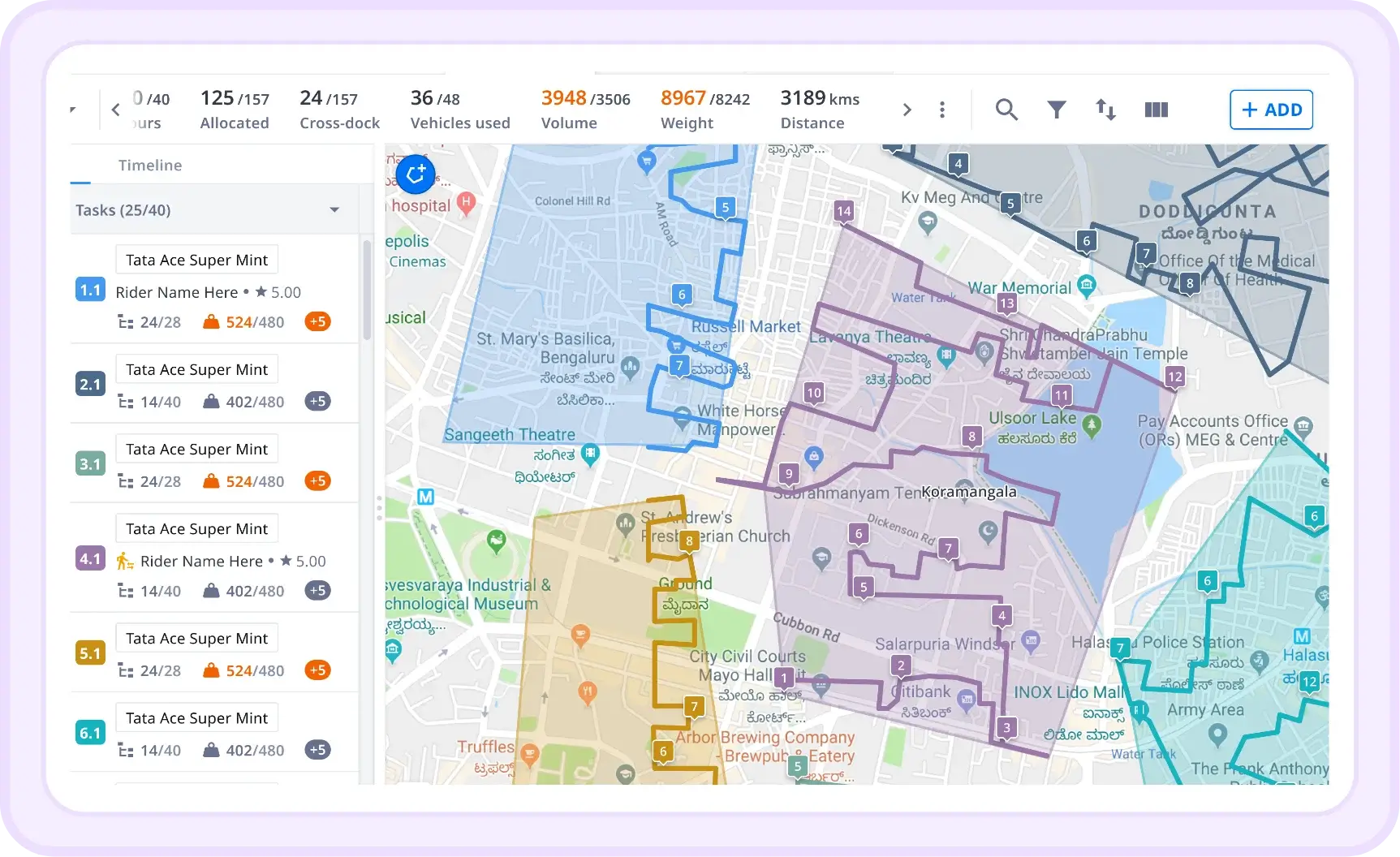
Route optimization engines calculate delivery sequences by evaluating multiple operational constraints simultaneously. Vehicle capacity, delivery time windows, driver schedules, traffic patterns, and road restrictions all influence how routes are built.
The difference between basic routing tools and execution-focused platforms appears once the day begins. A static plan generated before dispatch can quickly lose relevance as new orders arrive, drivers call in sick, or traffic conditions change.
Advanced dispatch systems update routes dynamically throughout the day, recalculating delivery sequences when conditions shift rather than forcing dispatchers to rebuild plans manually.
Carrier orchestration and multi-fleet management
Most enterprise delivery networks operate with a combination of assets. Owned fleets handle core routes while contracted carriers or on-demand providers fill capacity gaps during peak periods.
Managing these options manually often leads to inconsistent carrier selection. Dispatch teams may default to familiar partners instead of choosing the carrier that best fits the shipment requirements.
Automation platforms evaluate shipments against contract rates, carrier availability, delivery deadlines, and historical performance. The system can then assign each delivery to the most appropriate carrier while maintaining visibility across all fleets. Over time, performance data collected through the platform provides a clearer view of cost-to-service tradeoffs between different carriers.
Real-time visibility and exception management
Delivery networks generate a continuous stream of operational events like vehicles departing hubs, shipments reaching delivery points, and delays occurring on specific routes.
Instant visibility systems collect this information from driver applications, GPS tracking, and carrier integrations. Operations teams can monitor route progress, identify delays, and respond before service commitments are affected.
Exception management builds on this visibility layer. Instead of discovering issues after delivery windows are missed, the system highlights shipments at risk of delay and surfaces possible corrective actions. Dispatch teams gain the context required to intervene early rather than reacting after the fact.
Hub and warehouse integration
Route efficiency often begins inside the warehouse rather than on the road. Orders must be sorted, packed, and loaded in a sequence that matches the delivery plan. When loading operations occur without coordination with dispatch planning, drivers may spend additional time rearranging cargo or revisiting locations later in the route.
Automation platforms connect hub operations with route planning. Orders are grouped based on delivery sequence, loading instructions align with route order, and dispatch teams gain visibility into when vehicles can realistically depart.
Settlement workflows and cost-to-serve analytics
Delivery operations rarely end once a package reaches the customer. Payments to carriers, driver compensation, and reconciliation of delivery charges all require accurate trip-level data. Manual settlement processes often involve reviewing delivery records, matching invoices to completed shipments, and resolving discrepancies.
Automation platforms record operational data throughout the delivery lifecycle. Completed deliveries, failed attempts, and returns all feed into settlement workflows automatically.
Analytics built on this data help operations leaders understand the true cost of serving specific routes, delivery zones, or customer segments. Instead of relying on aggregate cost estimates, teams gain visibility into the financial performance of individual delivery networks.
Integration layer
In logistics, orders originate in commerce platforms or order management systems, inventory data flows from warehouse management systems, and financial records reside in ERP software.
Automation platforms connect these systems through APIs and integration frameworks. Orders move directly into dispatch workflows, delivery updates return to customer-facing systems, and settlement data feeds financial reporting tools.
A well-designed integration layer prevents information silos and allows logistics teams to coordinate decisions across the broader supply chain environment.
How to Assess the Right Logistics Automation Software
Vendor demos often make logistics platforms look interchangeable. Route planning dashboards appear similar. Carrier integrations sound comparable. Feature lists overlap across most providers.
However, operational reality tells a different story. A logistics platform must handle the exact constraints your delivery network faces every day. So, the evaluation process works best when it starts with operational priorities rather than product features.
Start with the operational constraint
Identify where manual work creates the most cost or risk today. Is it last-mile dispatch volume? Carrier selection accuracy? Post-delivery settlement lag?
The platform that solves your binding constraint beats one with more features that do not address it.
What is your operational model?
Last-mile retail distribution and long-haul freight are different problems requiring different tools.
Define your network structure, owned versus contracted fleet, geographic footprint, delivery frequency, and order fulfillment complexity before shortlisting platforms. A parcel delivery optimizer will not handle multimodal freight tendering.
Evaluate how the system handles disruptions
This is the most important question, and the one vendors least want to answer specifically. Demo-ready workflows look identical across most platforms.
Push harder: what happens when a driver calls out? How does the system rebalance routes across the remaining fleet? What does exception escalation look like when a shipment goes off-course, and no dispatcher is watching?
The specificity of the answer tells you more about execution depth than any feature comparison will.
Understand the integration requirements
Logistics automation platforms operate within a broader technology ecosystem. Smooth integration across these systems reduces operational friction. API-driven platforms typically offer greater flexibility for connecting with existing software environments, particularly when logistics networks expand into new regions or partners.
Considering integration requirements early helps prevent unexpected implementation delays.
Look beyond licensing costs
Integration work, data preparation, operational training, and ongoing platform support all influence the investment required to deploy automation successfully.
Volume growth should also factor into the evaluation. A platform that appears affordable during early deployment may become restrictive if pricing scales sharply as delivery volume increases. Looking at total cost alongside operational impact helps logistics teams make more sustainable technology decisions.
Must-Have Features in a Logistics Automation Platform
Feature pages often make logistics platforms sound similar. Most vendors mention routing, visibility, analytics, and integrations. The difference shows up in how those features perform under daily operational pressure. That is why feature evaluation should focus on execution depth:
- Constraint-aware routing: Vehicle weight limits, time windows, driver hour rules, road restrictions, and delivery-type requirements all need to interact simultaneously
- Real-time rerouting: Plans change mid-execution. The system needs to adapt without a dispatcher rebuilding the schedule manually
- Multi-fleet carrier management: Owns, contracted 3PLs, and on-demand capacity managed from a single interface with automated carrier selection per shipment
- Predictive SLA alerting: Flags breach risk before the window closes. Fifteen minutes of lead time is the difference between rerouting and writing an apology
- Driver mobile app with offline functionality: Drivers in low-connectivity areas cannot depend on continuous data sync. Offline-first architecture keeps execution moving regardless
- Settlement and reconciliation workflows: Per-trip payment calculation, undelivered returns handling, and carrier invoice matching against contract rates
- Cost-to-serve analytics: Route-level, zone-level, or customer-level cost breakdowns. This turns operational data into structural decisions
- API-first integration architecture: Connects to existing OMS, WMS, and ERP. The integration method matters as much as the feature set
How Feature Priorities Shift by Business Size
Here’s how each sector and business size come with different priorities:
SMB (under 50 daily deliveries)
At this volume, operational basics are the priority: reliable routing, carrier connectivity, and delivery visibility. Dedicated dispatch software is often overkill.
Many SMBs start with freight procurement tools like FreightPop to get costs under control before tackling orchestration. The ROI math for enterprise-grade platforms does not typically close until order volume generates enough complexity that manual processes break visibly.
Mid-market (50 to 500 daily deliveries)
This is the inflection point. Manual processes that worked at 60 orders a day stop working at 200, and the failures are hard to ignore: missed SLAs, carrier invoice disputes, and dispatchers managing exceptions by phone.
Multi-fleet management, exception alerting, driver app functionality, and dispatch management software capabilities become necessary. Integration with existing OMS or ERP is usually required at this stage.
The platform you choose here also needs to survive the next growth step without a full re-implementation.
Enterprise (500+ daily deliveries)
At scale, the problem is orchestration. Constraint-aware optimization across hundreds of routes simultaneously, carrier allocation across mixed fleets, hub integration, cost-to-serve analytics, and contractual SLA compliance all become binding requirements.
Feature lists matter less here than implementation depth and support model. A platform that cannot be configured to match your operational constraints in a reasonable timeframe does not matter how capable it is on paper.
To note, Locus is purpose-built for this tier. It processes orders across hundreds of cities and has documented delivery cost reductions of 15 to 30% within the first year of implementation.
Execution-led Logistics Automation Software Platforms: Top Tools
The platforms below are organized by operational category. Match the category to your operating model first, then compare based on their capabilities. These execution-first platforms automate the dispatch, routing, and last-mile delivery layer.
1. Locus
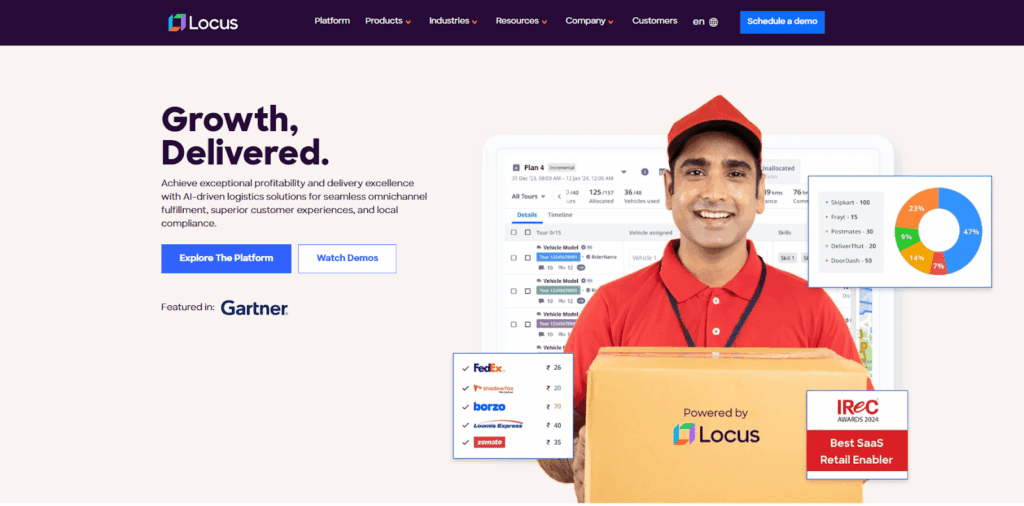
Locus is built for enterprises that need to execute delivery operations at scale, especially where volume, service commitments, and operating complexity put pressure on dispatch teams.
It helps teams move from order intake to completed delivery through a structured execution layer, without relying on manual intervention across each handoff.
The platform covers the full dispatch-to-delivery workflow, including route optimization, carrier allocation, hub operations, customer communication, proof-of-delivery capture, and post-trip settlement analytics.
Many tools in this category solve only one part of the problem. Locus is built to manage execution across the full delivery lifecycle.
It is neither a freight management platform built for long-haul movement nor is it a supply chain planning system focused on upstream network design. Locus is designed for last-mile and middle-mile execution, where delivery precision, fleet utilization, and service visibility shape day-to-day performance.
Locus processes roughly 1 billion orders annually across Asia, the Middle East, and North America, serving large retailers, FMCG companies, e-commerce businesses, and 3PLs operating mixed fleets across multiple regions.
What gives Locus an edge is the breadth of automation inside one execution workflow. The platform goes further than route creation, connecting carrier orchestration, hub sorting, driver execution, delivery confirmation, and settlement analytics in one operational system.
Locus’ Key Features
- DispatchIQ: Optimizes routes using 180+ variables, including vehicle capacity, delivery windows, driver schedules, road restrictions, and SLA priority
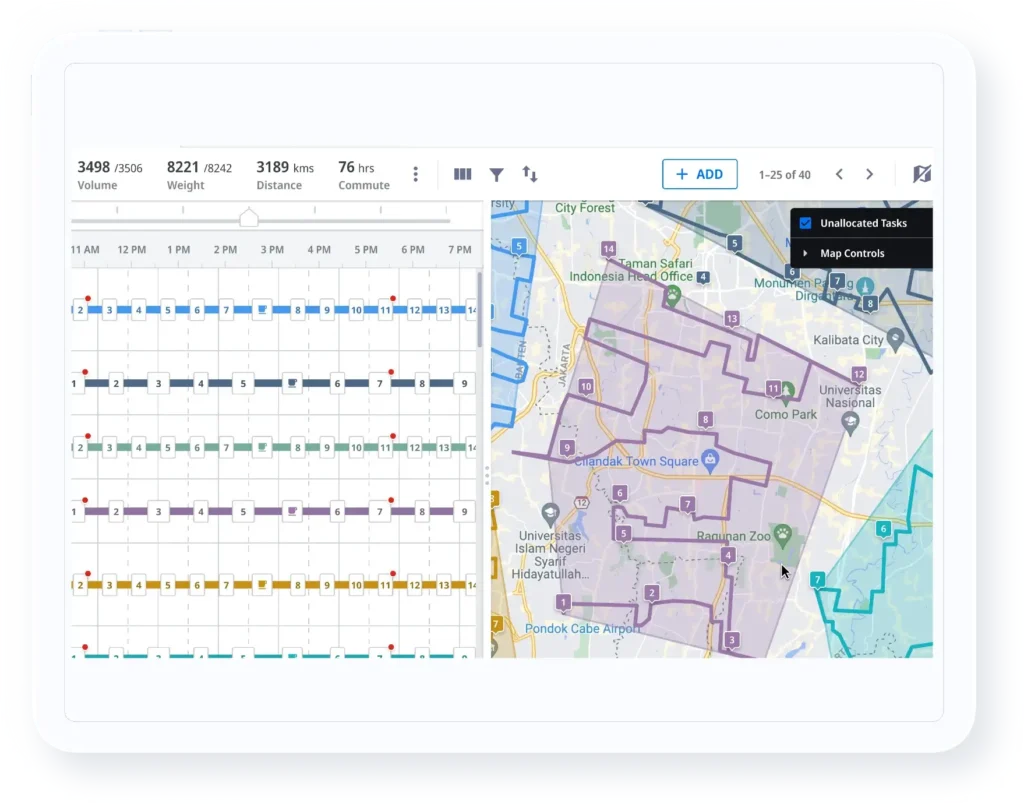
- ShipFlex (carrier orchestration): Automates carrier allocation across owned, contracted, and on-demand fleets while tracking carrier performance, managing contract terms, and reconciling invoices against agreed rates
- Hub operations module: Sorts orders, sequences loads, and builds unit loads to reduce time spent inside the hub by up to 40%
- Control Tower: Gives managers, drivers, and customers real-time visibility while flagging SLA risk 15 to 30 minutes before a potential breach
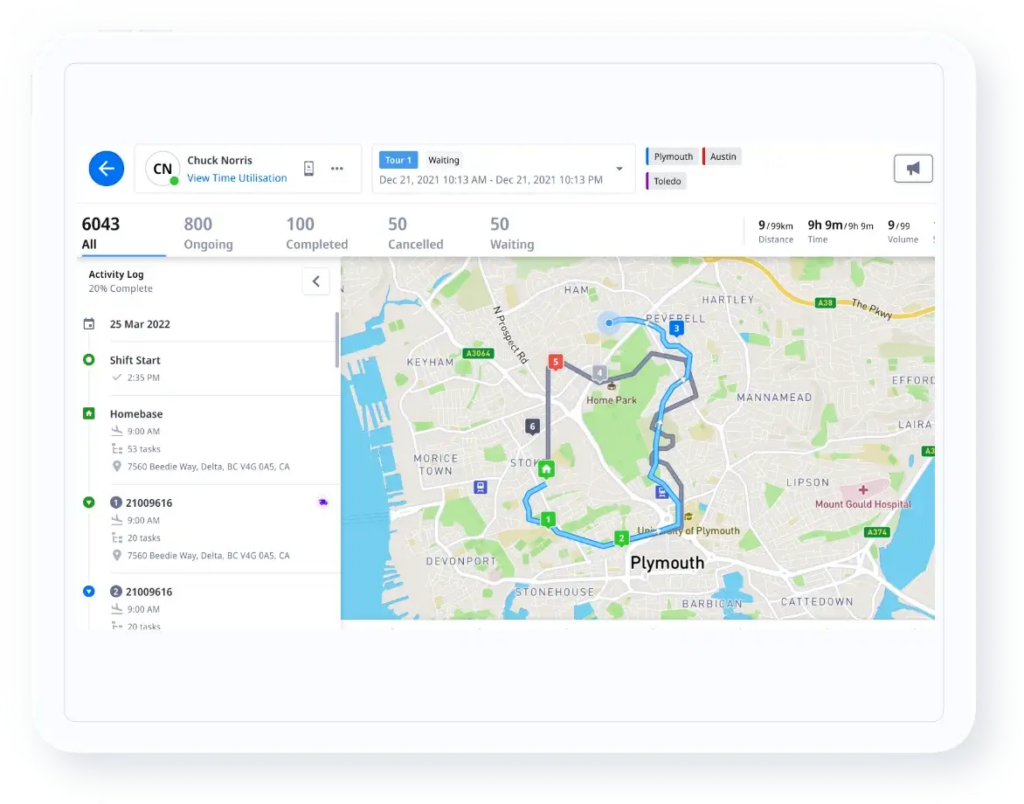
- LOTR (driver app): Guides drivers with offline-first navigation, proof-of-delivery capture, and live dispatcher communication
- Analytics Studio: Surfaces route-level and zone-level cost insights, KPI trends, and root-cause analysis for operational decisions
- Enterprise integrations: Connects with systems such as SAP S/4HANA, Oracle NetSuite, Microsoft Dynamics 365, BlueYonder WMS, and SAP EWM
Locus Is Best For
Enterprise retail logistics, e-commerce, FMCG, and 3PL operations running 500+ daily deliveries across mixed fleets in multi-geography environments. The platform is particularly strong for operations with high SLA exposure, complex carrier ecosystems, and order management requirements at scale.
Locus’ Pros
- Handles routing complexity with constraint-aware planning suited to delivery operations
- Connects dispatch planning, execution, and post-trip settlement in one workflow
- Lowers total delivery costs by 15 to 30% in documented implementations
- Supports 99.5% on-time delivery rates in high-volume delivery environments
- Fits into existing enterprise systems through an API-first architecture
Locus’ Cons
- Targets enterprise budgets, which makes it a weaker fit for operations below 50 daily deliveries
- Depends on clean address data, defined constraints, and operational readiness before go-live
- Requires deeper system integration to get full value from modules like hub operations and carrier orchestration
Locus’ Pricing
Locus uses custom enterprise pricing based on delivery volume, geographic scope, and the modules selected. Every engagement includes dedicated customer success, integration support, and ongoing optimization consulting. There is no self-serve or SMB pricing tier.
2. FarEye
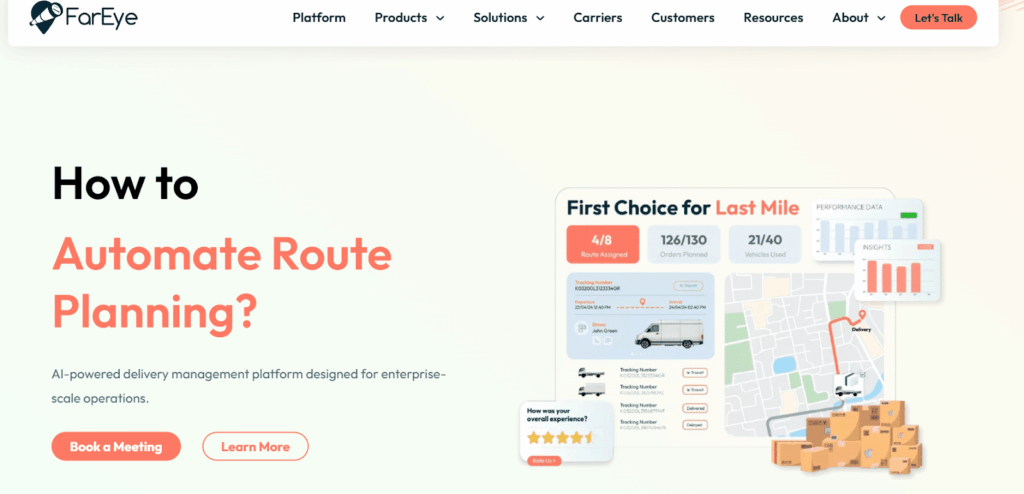
FarEye was built to solve a specific problem: retailers and e-commerce brands working with multiple carriers but lacking one consistent visibility layer across all of them.
The platform connects with 150+ carriers globally, standardizes tracking data, and presents it through a branded customer experience. That is where FarEye tends to stand out. Buyers usually shortlist it for carrier network breadth, customer visibility, and WISMO reduction rather than deep route optimization.
FarEye also performs well in the post-dispatch layer. It is a better fit for businesses shipping through third-party carriers than for operations running owned fleets and managing route sequencing, crew assignment, or hub-to-door execution.
FarEye’s Key Features
- Multi-Carrier Integrations: Connects with 150+ carriers across global markets
- Last-Mile Optimization: Supports route planning for delivery and field service operations
- Customer Tracking Experience: Powers branded tracking pages and proactive delivery notifications
- Returns Management: Automates reverse logistics workflows and returns handling
- No-Code Rules Engine: Configures exception handling and escalation flows without heavy IT involvement
FarEye Is Best For
Retailers and e-commerce brands that ship primarily through third-party carriers and need better visibility, customer communication, and returns management without rebuilding their carrier relationships. The platform is a better fit when carrier network breadth is the primary gap rather than dispatch and fleet execution.
FarEye’s Pros
- Connects with a wide carrier network that makes carrier onboarding easier
- Improves customer visibility through branded tracking pages and proactive notifications
- Gives operations teams no-code tools to adjust workflows without depending on IT
FarEye’s Cons
- Provides lighter route optimization for multi-stop and constraint-heavy delivery operations
- Offers limited depth for teams managing owned or contracted fleets at scale
- Delivers uneven implementation support across regions, depending on market coverage
FarEye’s Pricing
FarEye uses custom enterprise pricing. There are no published self-serve tiers or public rate cards.
3. LogiNext Mile
LogiNext Mile is a SaaS-native delivery management platform built for operations running structured routes at high frequency. It fits CPG distributors replenishing retail stores on fixed schedules, courier networks operating within defined service zones, and FMCG brands managing daily outlet deliveries.
For these use cases, the platform handles route planning, live fleet tracking, and delivery slot management in a straightforward way.
Its fit becomes weaker in operations shaped by constant exceptions. Teams dealing with frequent mid-shift route changes, complex mixed-fleet orchestration, or highly unpredictable dispatch conditions may find the platform less capable in those environments.
LogiNext Mile’s Key Features
- Automated Route Planning: Plans routes using delivery windows and vehicle capacity constraints
- Real-Time Fleet Tracking: Tracks vehicles and manages drivers across owned and contracted fleets
- Delivery Slot Management: Supports slot booking, customer notifications, and ETA visibility
- Returns and Proof of Delivery: Handles returns workflows and captures digital proof of delivery
- Analytics Dashboards: Tracks route efficiency and driver performance through operational dashboards
LogiNext Mile Is Best For
Mid-market to enterprise operations in CPG, retail, and courier segments with structured, repeatable delivery routes and high daily frequency. It is strongest in markets where LogiNext has established regional implementation capability, particularly in South and Southeast Asia.
LogiNext Mile’s Pros
- Delivers faster implementation for structured route operations
- Offers more accessible pricing for teams that do not need a full orchestration layer
- Brings strong regional implementation depth in South and Southeast Asia
LogiNext Mile’s Cons
- Provides limited flexibility for dynamic rerouting and real-time constraint handling
- Offers less depth in carrier orchestration across mixed fleets
- Shows developing customer success maturity for large multi-market deployments
LogiNext Mile’s Pricing
LogiNext offers subscription-based pricing with enterprise tiers negotiated on custom terms. Lower-volume entry plans start around $49 per resource per month, with pricing scaling based on module selection and delivery volume.
Legacy TMS Suites
These platforms handle freight management, multimodal transport planning, and supply chain integration at enterprise scale. They are not built for last-mile dispatch or high-frequency consumer delivery execution.
4. BlueYonder

BlueYonder [formerly JDA Software and now part of Panasonic] remains one of the most established names in enterprise supply chain software. Its TMS supports freight order management, carrier tendering, and multimodal load optimization, though it is best understood as one part of a much larger platform rather than a standalone transportation tool.
That broader platform is the selling point. BlueYonder brings demand planning, supply planning, warehouse management, and transportation under one vendor ecosystem. For enterprises looking to consolidate systems, that can be attractive.
The tradeoff is commitment. BlueYonder usually makes sense for organizations prepared for a large-scale implementation, a longer time to value, and a bigger operational change. Buyers are not simply selecting a TMS here. They are committing to a broad supply chain platform that takes meaningful investment, internal alignment, and ongoing ownership to use well.
BlueYonder’s Key Features
- Freight Order Management: Manages freight orders and supports multimodal load optimization across road, rail, ocean, and air
- Carrier Tendering and Contract Management: Automates carrier tendering workflows and manages transportation contracts
- Integrated Supply Chain Planning: Connects TMS workflows with supply planning, demand planning, and inventory visibility
- Real-Time Transportation Visibility: Tracks transportation activity and shipment movement across the network
- BlueYonder WMS Integration: Connects natively with BlueYonder Warehouse Management System for tighter operational coordination
BlueYonder Is Best For
Large enterprises with complex, globally distributed freight operations that are already in or evaluating the BlueYonder ecosystem broadly. The platform is strongest when it functions as part of the full planning suite rather than as a standalone TMS.
BlueYonder’s Pros
- Brings supply chain planning and transportation workflows into one connected enterprise environment
- Connects warehouse and transportation operations with less manual coordination between systems
BlueYonder’s Cons
- Requires long implementation timelines with heavy systems integrator involvement
- Focuses on freight and network transportation rather than last-mile delivery execution
- Carries a high total cost of ownership for teams that need only TMS capabilities
BlueYonder’s Pricing
BlueYonder uses custom enterprise licensing. Pricing is negotiated based on the modules contracted and implementation scope, and systems integrator costs typically exceed licensing fees in year one.
5. Oracle Transportation Management (OTM)
Oracle OTM is the freight management layer within Oracle SCM Cloud. It supports multimodal shipment planning, carrier contract management, freight audit and payment, and global trade compliance.
The platform was built for large manufacturers and distributors moving freight across borders and across transport modes, where complexity sits in regulation, documentation, and network coordination rather than consumer delivery execution.
That makes Oracle OTM a stronger fit for global freight environments than for domestic dispatch-heavy operations. If your business manages cross-border shipments, customs workflows, freight audit across multiple carriers, and multimodal planning, the platform covers that ground well. The fit becomes even stronger for companies already running Oracle ERP or Oracle SCM Cloud, where integration is more straightforward.
For buyers outside the Oracle ecosystem, or for teams focused on domestic delivery execution, Oracle OTM can feel heavier than the use case requires.
Oracle OTM’s Key Features
- Multimodal Load Planning: Plans freight across road, rail, ocean, and air modes
- Carrier Contract Management: Manages carrier contracts and automates freight tendering
- Freight Audit and Payment: Matches invoices, audits freight charges, and supports payment reconciliation
- Global Trade Compliance: Handles customs documentation and cross-border transportation workflows
- Oracle Ecosystem Integration: Connects natively with Oracle SCM Cloud, Oracle ERP, and Oracle WMS
Oracle OTM Is Best For
Enterprises with globally distributed freight operations that need multimodal planning, cross-border compliance, and freight audit in a single system, particularly those already running Oracle ERP or Oracle SCM Cloud
Oracle OTM’s Pros
- Supports deep multimodal planning and global trade compliance requirements
- Fits naturally into Oracle environments where native integration reduces operational friction
Oracle OTM’s Cons
- Requires long and costly implementation cycles, even for narrower deployments
- Solves global freight complexity more effectively than domestic last-mile execution needs
- Feels dated in parts of the user experience compared with newer platforms
Oracle OTM’s Pricing
Oracle OTM is licensed as part of Oracle SCM Cloud. Pricing is custom-based on module selection and user volumes within the broader Oracle contract.
6. Descartes

Descartes provides logistics and supply chain software with a strong focus on global trade compliance, customs documentation, routing, parcel shipping, and carrier connectivity.
It is widely used by companies that manage cross-border transportation and need to keep up with customs, import/export regulations, denied-party screening, documentation workflows, and shipment visibility.
Descartes is not primarily an execution-led last-mile dispatch platform. Its value is strongest when compliance, carrier connectivity, and documentation accuracy are the dominant constraints.
Descartes key features
- Global trade compliance: Supports customs, import/export workflows, and regulatory documentation.
- Carrier connectivity: Connects logistics teams with parcel, LTL, truckload, and international carriers.
- Routing and shipment management: Helps manage shipping decisions across modes and carriers.
- E-commerce shipping modules: Supports parcel shipping, fulfilment workflows, and documentation.
- Regulatory updates: Helps organisations respond to changes in trade and customs requirements.
Descartes is best for
Descartes is best for enterprises with cross-border logistics, customs documentation, global trade compliance, and carrier connectivity requirements.
It is particularly relevant for importers, exporters, distributors, e-commerce shippers, and organisations where regulatory risk is a major operational concern.
Descartes pros
- Strong compliance and customs management capabilities.
- Wide carrier connectivity across transport modes.
- Useful for international shipping and regulated trade workflows.
- Offers specialised modules for parcel, e-commerce, and documentation-heavy operations.
Descartes cons
- Interface and navigation can feel complex for new users.
- Feature breadth may exceed the needs of domestic-only delivery operations.
- Integration projects can require meaningful internal and technical effort.
- Not purpose-built for high-frequency owned-fleet last-mile dispatch.
Descartes pricing
Descartes uses custom pricing based on products, modules, transaction volumes, and geography.
7. MercuryGate
MercuryGate is a freight-focused TMS built for shippers, brokers, and 3PLs managing significant truckload, less-than-truckload, and multimodal freight volume.
The platform focuses on freight planning, carrier management, freight audit, payment, and transportation execution rather than dense last-mile parcel delivery.
MercuryGate is often a fit for mid-market organisations that have outgrown manual freight management but do not necessarily need the full complexity of the largest enterprise TMS suites.
MercuryGate key features
- Freight planning: Supports truckload, LTL, parcel, intermodal, and multimodal shipment workflows.
- Carrier management: Helps manage carrier selection, tendering, and performance.
- Freight audit and payment: Supports invoice validation, payment workflows, and spend control.
- 3PL support: Provides tools for logistics providers managing multiple customers and transport modes.
- Analytics: Tracks freight spend, carrier performance, and operational metrics.
MercuryGate is best for
MercuryGate is best for mid-market shippers and 3PLs managing meaningful LTL, FTL, and multimodal freight volume.
It is a stronger fit for freight cost control than for last-mile routing and consumer delivery orchestration.
MercuryGate pros
- Strong capabilities for managing truckload and LTL shipments.
- Freight audit and payment tools help reduce overcharges.
- Flexible enough for shippers, brokers, and 3PLs.
- Good fit for organisations moving beyond spreadsheets and manual freight workflows.
MercuryGate cons
- User interface can be complex for occasional users.
- Implementation and configuration require clear internal ownership.
- Limited native functionality for dense last-mile consumer delivery.
- Training can take longer for teams new to TMS workflows.
MercuryGate pricing
MercuryGate uses custom pricing based on modules, shipment volumes, transport modes, and implementation scope.
8. Alpega TMS
Alpega TMS is a freight procurement and transport planning platform with particular strength in European road freight networks.
The platform helps shippers digitise freight tendering, carrier collaboration, contract management, and transport execution. It is more relevant for freight procurement teams than for last-mile dispatch teams.
Alpega is a strong fit when the core problem is tendering efficiency, carrier rate visibility, and procurement control across European transport lanes.
Alpega TMS key features
- Freight procurement: Supports tendering, bid management, and carrier rate comparison.
- Transport planning: Helps manage freight execution across road transport networks.
- Carrier collaboration: Connects shippers and carriers through shared workflows.
- Contract management: Centralises carrier agreements and performance data.
- European transport focus: Aligns well with regional road freight requirements.
Alpega TMS is best for
Alpega TMS is best for European shippers that need to improve freight procurement, tendering, and carrier collaboration across road freight networks.
Alpega TMS pros
- Efficient freight tendering and bid management.
- Designed around European road freight requirements.
- Improves transparency between shippers and carriers.
- Helps centralise carrier contracts and procurement data.
Alpega TMS cons
- Less relevant for last-mile delivery or non-European networks.
- Reporting may require additional configuration for advanced use cases.
- Implementation may require change management in procurement teams.
- Not designed for high-frequency consumer delivery dispatch.
Alpega TMS pricing
Alpega uses custom pricing based on modules, freight volume, carrier network scope, and implementation requirements.
9. Infor TMS
Infor TMS is part of the Infor CloudSuite ecosystem, providing transportation planning, execution, multimodal freight management, and global trade capabilities for manufacturers and distributors.
It is most attractive to organisations already using Infor ERP or industry-specific Infor CloudSuites. In that environment, transportation workflows can connect more naturally with order, inventory, manufacturing, and financial data.
Infor TMS is not primarily aimed at same-day last-mile dispatch. Its strength is enterprise freight planning inside the Infor ecosystem.
Infor TMS key features
- Multimodal transport planning: Supports freight movement across multiple modes.
- Transportation execution: Helps manage carrier selection, routing, tendering, and shipment execution.
- Global trade capabilities: Supports customs and international shipping workflows.
- Infor CloudSuite integration: Connects with Infor ERP and industry-specific applications.
- Freight analytics: Provides visibility into transport activity, cost, and performance.
Infor TMS is best for
Infor TMS is best for manufacturers, distributors, and enterprise shippers already invested in Infor CloudSuite who need integrated freight management.
Infor TMS pros
- Solid multimodal planning and execution for complex freight networks.
- Strong fit for companies already using Infor ERP or CloudSuite products.
- Supports global trade and customs workflows.
- Connects transport workflows with broader enterprise operations.
Infor TMS cons
- Implementation complexity is similar to other large enterprise suites.
- Not optimised for high-velocity last-mile delivery operations.
- User experience can vary depending on configuration and broader Infor environment.
- Less suitable for teams that need a standalone delivery orchestration platform.
Infor TMS pricing
Infor TMS uses custom enterprise pricing based on modules, users, transaction volumes, and CloudSuite contract structure.
10. SAP Transportation Management
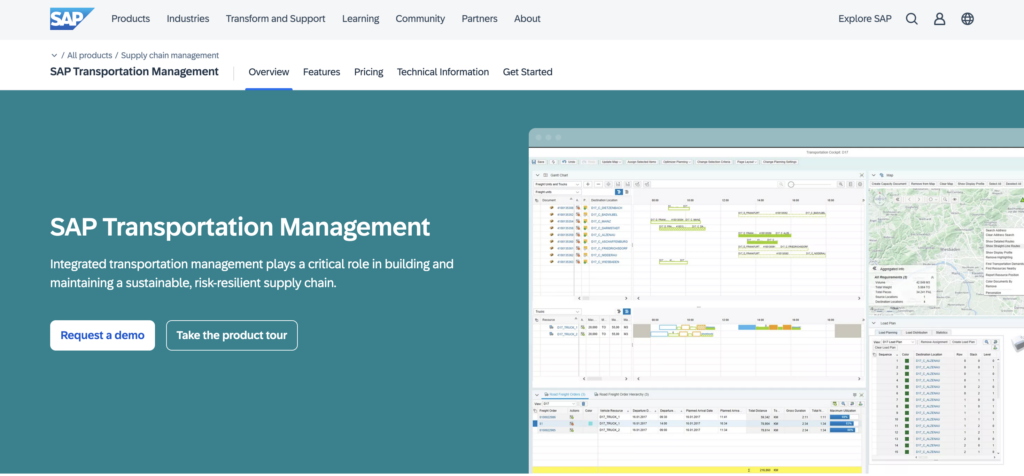
SAP Transportation Management, or SAP TM, is SAP’s freight order management and transportation planning module within SAP S/4HANA.
SAP TM concentrates on freight planning, carrier collaboration, charge calculation, settlement, and transportation execution for SAP-native enterprises. It is built for organisations with complex transport processes already connected to SAP master data, finance, procurement, and logistics modules.
It is not a purpose-built last-mile route optimisation platform. Its value is highest when freight workflows need to stay tightly connected to SAP business processes.
SAP TM key features
- Freight order management: Manages transport requests, freight units, and freight orders.
- Transportation planning: Supports routing, carrier selection, and load consolidation.
- Carrier collaboration: Enables tendering and communication with logistics service providers.
- Settlement workflows: Supports freight charge calculation and transport settlement.
- S/4HANA integration: Connects transportation workflows with SAP finance, procurement, and logistics processes.
SAP TM is best for
SAP TM is best for SAP-native enterprises with complex freight planning, carrier collaboration, and transport settlement requirements.
SAP TM pros
- Deep integration with SAP S/4HANA and SAP logistics modules.
- Strong freight order management, planning, and settlement workflows.
- Suitable for complex, high-volume freight operations.
- Highly configurable to match specific business rules and process designs.
SAP TM cons
- Implementation is heavy and typically requires SAP specialists.
- UI and usability can be challenging for occasional users.
- Not purpose-built for last-mile parcel routing or small fleets.
- Routine changes may require SAP configuration expertise.
SAP TM pricing
SAP TM pricing depends on the broader SAP S/4HANA licensing model, modules, users, and implementation scope.
11. Magaya Supply Chain
Magaya Supply Chain targets freight forwarders, customs brokers, and logistics service providers that manage forwarding workflows, documentation, warehousing, customs, and customer visibility.
It is built around freight forwarding operations rather than last-mile dispatch. The platform helps centralise shipment records, documents, warehouse events, customs data, and communication across forwarding workflows.
Magaya is a strong fit when operational complexity comes from shipment documentation, forwarding coordination, and customs processes.
Magaya Supply Chain key features
- Freight forwarding workflows: Supports air, ocean, and ground forwarding processes.
- Customs documentation: Helps manage compliance documents and customs-related workflows.
- Warehouse tools: Supports inventory, receiving, releases, and warehouse visibility for forwarders.
- Customer visibility: Provides shipment tracking and customer communication tools.
- Document management: Centralises shipment files, forms, and operational records.
Magaya Supply Chain is best for
Magaya is best for freight forwarders, customs brokers, and logistics service providers managing global shipments, customs documentation, and forwarding operations.
Magaya Supply Chain pros
- Strong support for forwarding operations and customs documentation.
- Integrated warehouse and visibility tools tailored to forwarders.
- Helps centralise documents, shipments, and customer communication.
- Useful for improving operational organisation across forwarding teams.
Magaya Supply Chain cons
- Less suitable for shippers focused on domestic delivery execution.
- Reporting and analytics may not be deep enough for every enterprise use case.
- Implementation requires adapting existing forwarding processes.
- Not designed for high-frequency last-mile route optimisation.
Magaya Supply Chain pricing
Magaya uses custom pricing based on product selection, user count, transaction volumes, and implementation scope.
12. FreightPop
FreightPop is a cloud TMS aimed at SMB and mid-market shippers that need to centralise rate shopping, booking, parcel shipping, LTL, FTL, and shipment tracking.
It is designed for teams that want faster freight procurement control without the overhead of a large enterprise TMS implementation.
FreightPop is not an execution-led last-mile dispatch platform. Its strength is helping smaller and mid-sized teams compare rates, book shipments, manage carriers, and track freight activity from a single system.
FreightPop key features
- Rate shopping: Compares carrier rates across parcel, LTL, FTL, and other freight options.
- Shipment booking: Helps teams book and manage shipments from one interface.
- Carrier management: Centralises carrier connections and shipment records.
- Tracking: Provides visibility into shipment status.
- Cloud deployment: Supports faster implementation for smaller logistics teams.
FreightPop is best for
FreightPop is best for SMB and mid-market shippers that want to formalise freight procurement, reduce manual rate comparison, and manage parcel and freight shipping from one cloud system.
FreightPop pros
- Easy-to-use interface for SMBs and mid-market teams.
- Centralised rate shopping and booking across parcel and freight carriers.
- Faster implementation and lower upfront cost than many enterprise TMS tools.
- Good fit for organisations starting to formalise freight management.
FreightPop cons
- Feature set is more limited than large enterprise suites for complex global networks.
- Some users may need deeper analytics and customisation.
- Not targeted at last-mile route optimisation for large proprietary fleets.
- May become less suitable as freight complexity increases significantly.
FreightPop pricing
FreightPop pricing starts around $100 to $200 per month for entry-level use cases, with costs increasing based on modules, shipment volume, carrier connections, and support needs.
Freight, Compliance, and Specialized Platforms
The platforms below serve specific logistics segments, including freight procurement, cross-border compliance, forwarding operations, and parcel cost management. They are not execution platforms for high-frequency delivery dispatch.
| Platform | Primary focus | Best for | Pricing |
|---|---|---|---|
| Descartes | Global trade compliance, routing, and carrier connectivity | Enterprises with cross-border logistics and regulatory compliance requirements | Custom enterprise |
| MercuryGate | Mid-market freight TMS: load planning, carrier management, and freight audit | Mid-market shippers managing LTL and FTL at volume | Custom |
| Alpega TMS | Freight procurement and transport planning, strongest in Europe | European shippers managing freight tendering and carrier contracts | Custom |
| Infor TMS | Multimodal TMS within Infor CloudSuite with global trade capabilities | Enterprises in Infor’s manufacturing and distribution ecosystem | Custom enterprise |
| SAP Transportation Management | Freight order management within SAP S/4HANA | SAP-native enterprises with complex freight planning requirements | Included in SAP licensing |
| Magaya Supply Chain | Freight forwarding, customs compliance, and supply chain visibility | Freight forwarders and customs brokers managing global shipments | Custom |
| FreightPop | Cloud TMS for freight procurement, parcel management, and LTL/FTL | SMB to mid-market shippers optimizing freight spend | Starts around $100 to $200/month |
How AI Transforms Logistics Automation Software
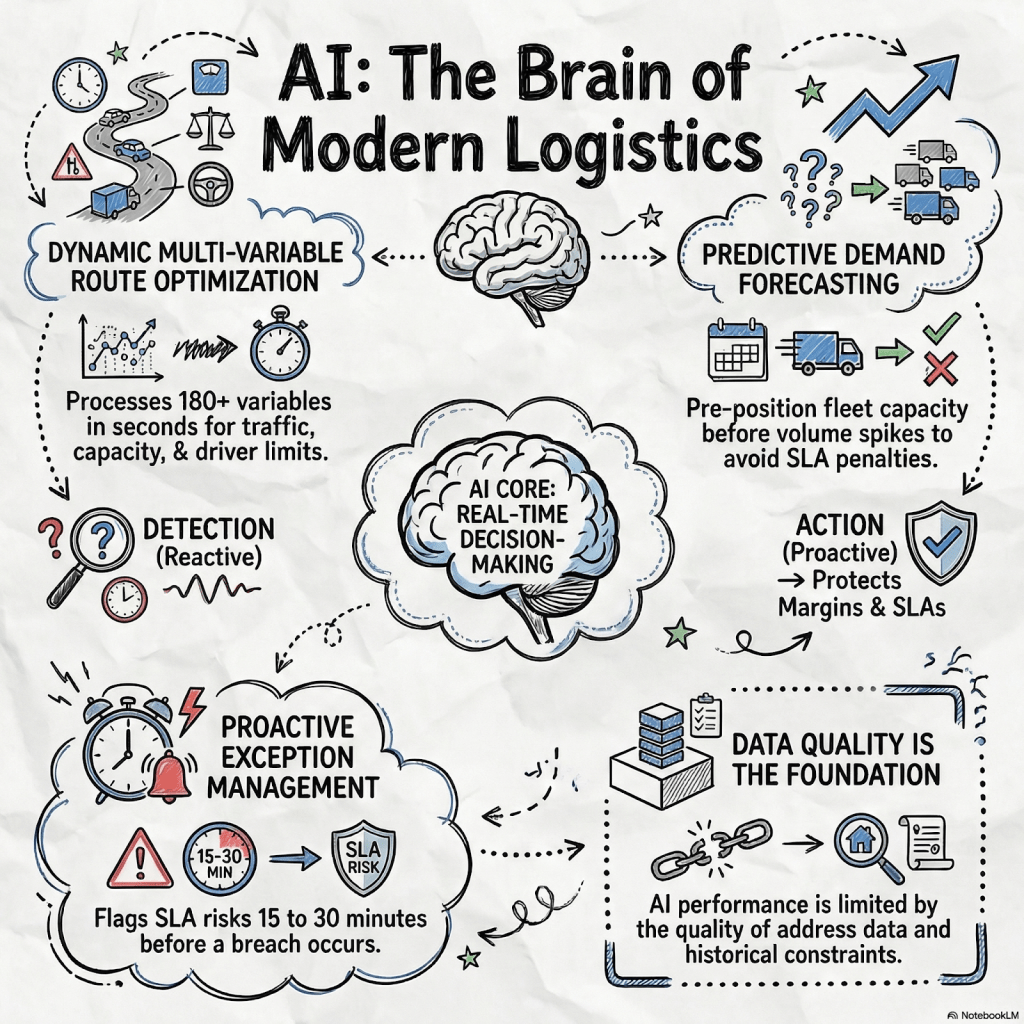
AI in logistics automation separates platforms that actively help teams run delivery operations from tools that mainly create better schedules. You can see that difference first in route optimization. Many platforms still rely on routes shaped by old patterns and periodic updates. That helps up to a point, but it does not hold up when delivery conditions shift throughout the day.
A stronger system adjusts using live traffic, delivery history, driver behavior, service windows, and route constraints as they change.
Take Locus’s DispatchIQ as an example. It evaluates more than 180 variables per route in seconds. A dispatcher working manually would need far more time and would still struggle to account for overlapping constraints such as vehicle capacity, linked delivery windows, and driver hour limits.
Forecasting matters just as much. When machine learning models read past delivery volumes, seasonal swings, and event-driven demand, operations teams can position fleet capacity before pressure builds. That leads to steadier execution.
Predictive exception management is where the value becomes very visible. Most teams know when a delivery has already gone off track. Fewer get a warning early enough to respond. AI-led platforms can flag SLA risk before a breach, suggest route changes, and trigger customer updates before support calls start coming in. That early response window often decides whether a delay stays manageable or turns into a service failure.
One honest caveat
AI-driven logistics tools perform at the level set by the quality of the data fed into them. Poor address data, undefined constraints, and sparse delivery history produce poor recommendations. Implementation that skips data preparation is not faster. It just defers the problem.
Benefits of Logistics Automation Software
Logistics automation software delivers value by reducing manual intervention across planning, dispatch, tracking, carrier allocation, exception handling, and settlement. The strongest ROI appears in high-volume operations where manual coordination creates cost leakage.
1. Faster dispatch planning
Manual route planning becomes fragile as order volume rises. Automation reduces the time needed to assign orders, build routes, allocate vehicles, and prepare dispatch plans.
Advanced dispatch systems support dynamic route planning, allowing logistics teams to re-optimise routes as orders, drivers, traffic, or hub conditions change during execution.
2. Better fleet utilisation
Automation helps logistics teams use available capacity more effectively. Orders can be assigned based on vehicle type, capacity, route density, service time, driver availability, and delivery priority.
This improves asset utilisation across owned fleets, contracted carriers, gig fleets, and on-demand capacity.
3. Lower cost-to-serve
Logistics automation gives teams clearer visibility into the true cost of serving routes, zones, customer segments, and delivery types through cost-to-serve analytics.
Instead of relying on aggregate cost averages, operations leaders can identify expensive zones, inefficient routes, underperforming carriers, and unprofitable service promises.
4. Stronger SLA adherence
Automation enables predictive alerts before a delivery window is missed. Instead of discovering problems after a breach, dispatchers can intervene earlier, reroute work, update customers, or reassign deliveries.
This matters most in last-mile operations, where the last-mile delivery and reverse logistics application segment is expected to be the fastest-growing logistics software use case worldwide between 2026 and 2035.
5. Real-time visibility and exception control
Delivery networks generate continuous operational events: hub departures, vehicle locations, proof-of-delivery submissions, route deviations, failed attempts, delays, and returns.
Modern systems collect this data through driver apps, GPS, telematics, carrier integrations, and real-time tracking. This gives operations teams the ability to identify risks before they cascade.
Supply chain visibility and tracking software is projected to be the fastest-growing logistics software type globally from 2026 to 2035, driven by demand for shipment tracking and exception management.
6. Reduced manual errors
Automation reduces the number of manual decisions, data entry tasks, phone calls, spreadsheet updates, and invoice checks that create operational errors.
This is especially valuable in settlement, where completed deliveries, failed attempts, returns, distance, time, carrier assignments, and contract rates need to align.
7. Scalable growth without linear headcount increases
As delivery volume rises, manual dispatch teams often need more people just to maintain service levels. Automation changes that ratio by allowing the same operations team to manage more routes, more orders, more carriers, and more exceptions.
The market trend supports this shift. Software already contributed USD 9.4 billion of global logistics automation revenues in 2025 and is expected to expand at about 12.2% CAGR through 2035 as WMS, WES, TMS, AI, digital twins, and low-code orchestration mature.
Key Features to Look for in Logistics Automation Software
Feature pages make logistics platforms sound similar. Most vendors mention routing, visibility, analytics, and integrations. The difference appears under daily operating pressure.
Evaluate execution depth, not just feature availability.
Constraint-aware routing
The platform should account for vehicle capacity, weight limits, customer time windows, driver hours, road restrictions, delivery priority, service time, skills, zones, and SLA commitments in the same planning logic.
Real-time re-optimisation
Plans change during execution. The system should adapt when orders arrive late, drivers call out, vehicles leave hubs behind schedule, traffic worsens, or customers change availability.
Multi-fleet and multi-carrier orchestration
Enterprise operations rarely use one fleet model. Owned vehicles, contracted 3PLs, gig capacity, on-demand providers, and parcel carriers should be managed through one operational layer.
Predictive SLA alerting
The platform should flag breach risk before the delivery window closes. Fifteen minutes of lead time can be the difference between rerouting and apologising.
Driver mobile app with offline functionality
Drivers in low-connectivity areas cannot depend on continuous data sync. Offline-first workflows keep navigation, task completion, proof of delivery, and exception capture moving.
Hub and warehouse coordination
Route efficiency often starts with warehouse sorting, staging, and loading in the right delivery sequence. Dispatch plans and warehouse operations should not operate in isolation.
Real-time visibility
A control tower should show route progress, vehicle status, delivery completion, delays, SLA risk, and exceptions across owned and third-party fleets.
Settlement and reconciliation workflows
Per-trip payment calculation, undelivered returns handling, contract-rate matching, and carrier invoice reconciliation should be tied to execution data.
Cost-to-serve analytics
The platform should show route-level, zone-level, customer-level, carrier-level, and delivery-type cost breakdowns.
API-first integration architecture
The platform should connect cleanly to OMS, WMS, ERP, TMS, carrier, telematics, e-commerce, finance, and customer notification systems.
AI and machine learning capabilities
AI and machine learning are increasingly used for demand forecasting, route optimisation, capacity planning, and exception prediction. Logistics software providers are adding these capabilities as AI adoption increases across transport networks, with market research noting that AI and machine learning help companies reduce delivery times, fuel consumption, and operational inefficiencies across logistics networks.
Why Choose Locus for Logistics Automation?
Locus is built for the part of logistics where plans meet real-world execution. That makes it different from freight-focused TMS suites, carrier visibility platforms, and procurement tools.
Locus is execution-first
Many logistics systems plan shipments. Locus helps execute them. It converts orders into dispatch-ready routes, assigns capacity across mixed fleets, monitors SLA risk, supports drivers, manages exceptions, and feeds settlement analytics.
Locus handles enterprise delivery complexity
Enterprise delivery networks do not fail because they lack a map. They fail because the map does not understand constraints.
Locus is designed for operations with dense routes, high delivery frequency, mixed fleets, time-window commitments, service-level penalties, hub coordination issues, and complex carrier ecosystems.
Locus connects planning, dispatch, visibility, and settlement
A major source of logistics cost leakage is fragmentation. Route planning happens in one system. Carrier assignment happens elsewhere. Drivers use another tool. Settlement relies on spreadsheets.
Locus connects these workflows so operational decisions and post-trip financial data share the same execution record.
Locus supports real-time decision-making
When a vehicle leaves late, customer ETA updates should not depend on manual phone calls. When a driver becomes unavailable, the system should rebalance work across the available fleet. When an SLA is at risk, the control tower should surface the issue before the breach happens.
That is where execution-led automation creates measurable value.
Locus is suited to high-volume, high-SLA industries
Locus is strongest for:
- Retail and omnichannel distribution
- E-commerce and D2C fulfilment
- FMCG and CPG delivery
- Grocery and food logistics
- Pharmaceutical distribution
- 3PL and carrier networks
- Direct-to-store delivery
- Middle-mile and last-mile orchestration
If execution quality is where cost leaks, Locus is built for that constraint.
Frequently Asked Questions (FAQs)
What is logistics automation software?
Logistics automation software replaces manual decision-making across logistics operations: route planning, dispatch, carrier selection, delivery tracking, and settlement reconciliation. The category spans execution-led dispatch platforms, freight management suites, and specialized tools for compliance or forwarding. The right category depends on where your operation’s manual workload creates the most cost.
What is the difference between TMS and logistics automation software?
A TMS primarily handles freight planning, carrier tendering, and transport cost management across road, rail, ocean, and air. Logistics automation software is a broader category that includes TMS but also covers last-mile dispatch platforms and carrier orchestration systems built for high-frequency consumer delivery. For order fulfillment operations, the relevant category is usually execution platforms rather than freight TMS.
How do these platforms handle unexpected supply chain disruptions?
Execution-led platforms handle disruptions through real-time rerouting, predictive alerts, and automated exception escalation. A driver calling out at 6 AM triggers automatic route rebalancing across remaining vehicles. A road closure detected mid-shift updates delivery sequences and customer ETAs without dispatcher intervention. Legacy TMS systems typically handle disruptions through manual exception workflows rather than automated adaptation.
Can a non-technical team configure these solutions?
It depends more on which platform than on how technical your team is. Execution-led platforms built for operations teams tend to have rule editors and constraint builders that dispatchers can manage without raising IT tickets. Legacy TMS implementations are a different story. Any meaningful configuration change typically requires SI involvement, and that creates a slow feedback loop for teams that need to adapt workflows quickly. No-code builders help, but they cover operational workflows. The underlying system logic still remains outside the scope.
Which industries benefit most from logistics automation software?
E-commerce and D2C brands, FMCG distributors, large-format retailers, 3PLs managing mixed fleets, pharmaceutical distributors, and food and grocery delivery operations benefit most. The common factor is high delivery frequency combined with customer SLA commitments. Operations under 50 daily deliveries typically do not reach the complexity threshold where dedicated logistics automation software is cost-justified.
Is there a way to automate compliance checks for shipping and logistics?
Yes. Platforms like Descartes specialize in global trade compliance and customs documentation. SAP TM and Oracle OTM include compliance workflows within their freight management suites. For domestic delivery operations, compliance automation is typically embedded within proof-of-delivery capture, chain-of-custody documentation, and carrier contract management rather than a standalone module.
Can logistics automation software integrate with our ERP or WMS?
For most enterprise platforms, yes. API-first architectures like Locus offer clean integrations with SAP, Oracle NetSuite, Microsoft Dynamics, and warehouse management systems. Legacy suites like Oracle OTM and SAP TM are designed to operate within their parent ecosystems. Confirm the integration method, maintenance ownership, and connector availability for your specific tech stack before committing to any platform.
What features should I look for in logistics automation software?
The honest answer is to start with what is breaking in your operation rather than building a feature checklist. That said, across enterprise tiers, the non-negotiables are: constraint-aware routing, multi-fleet carrier management, predictive SLA alerting, an offline-capable driver app, settlement workflows, cost-to-serve analytics, and API-first integration architecture. The features that appear on every vendor’s list but rarely work the same way in practice are real-time rerouting, exception escalation, and carrier invoice reconciliation. Ask specifically about those three during any evaluation and watch the specificity of the answer carefully.

General
How to Buy Delivery Routes: A Practical Guide

Jul 30, 2026
Key Takeaways Editorial note: Delivery route purchases involve commercial, legal, tax, financing, labour, insurance and carrier-compliance considerations. The cost ranges and examples below are indicative and should be validated against current carrier programme rules, seller records, lender requirements and professional legal or financial advice. Unlike traditional route planning tools, Locus delivers real-time, AI-powered optimization, seamless […]
Read more
Route Optimization
Best Truck Routing Software in 2026: A Practical Buyer’s Guide for Fleet and Logistics Leaders
Jul 30, 2026
Compare the 10 top truck routing software providers in 2025 with detailed features, pricing, and ROI analysis to find the best solution for your fleet size and operational needs.
Read moreInsights Worth Your Time


















Top Logistics Automation Software Platforms in 2026 for Smarter Operations