


General
How to Choose Field Service Dispatch Software: Technician Scheduling, Routing, and On-Site Proof

Key Takeaways
- Field service dispatch is not delivery dispatch with different labels. The job duration is measured in hours. Skills matching is a legal and safety constraint, not a preference. On-site proof captures multi-step work records, not a single scan. Software built for parcel delivery handles all three of these poorly when applied to field service
- Technician scheduling must account for skills and certifications, appointment windows, shift hours, parts availability, and customer account preferences simultaneously. Scheduling logic that only considers geography produces assignments the wrong technician cannot complete
- Field service routes are are optimized across jobs with variable durations, travel time that represents a larger share of the shift, and the need to absorb new emergency jobs or cancelled appointments during the day
- On-site proof in field service captures what was done, what was used, what was measured, what was not resolved, and what is needed next. That data connects to billing, parts inventory, quality review, and follow-up job creation
- The revisit is the field service equivalent of a failed first delivery attempt. It costs the full job visit plus the original travel, and it signals either a skills matching failure, an incomplete job, or missing parts. Revisit rate is the primary cost and quality metric for field service operations
A field service manager evaluating dispatch software faces a market where most platforms were built for delivery logistics and adapted for field service, or built for service management and given a dispatch add-on.
Both adaptation paths produce gaps. The delivery-first platform optimizes for stop density and misses the skills-matching and job-duration complexity of field service. The service-management-first platform captures job records well but builds weak scheduling and routing intelligence.
This guide evaluates field service dispatch software across the three pillars that determine whether a platform can handle the actual complexity of field service operations: technician scheduling, routing, and on-site proof.
Each pillar has specific requirements, specific red flags, and specific questions that reveal whether a vendor’s implementation matches their claims.
What Field Service Dispatch Must Handle Differently
The operational differences between delivery dispatch and field service dispatch are significant enough that the evaluation criteria diverge substantially. A platform that excels at delivery dispatch may be actively unsuitable for field service.
Understanding why is the starting point for the evaluation.
| Dispatch dimension | Delivery dispatch |
|---|---|
| Time at stop | 2 to 10 minutes, predictable |
| Skills requirement | Valid driver license, vehicle type |
| Schedule impact of overrun | Minor ripple across subsequent stops |
| On-site proof | Package scan, photo, signature |
| Primary cost of failure | Re-delivery cost |
| Route optimization goal | Maximum stop density |
The variable job duration problem
Delivery route planning is built on the assumption that stop service times are predictable within a narrow range.
In field service, job durations range from 30 minutes for a routine inspection to 6 hours for a complex installation. A route plan built at 8 AM on those assumptions may be obsolete by 10 AM when job 2 runs 90 minutes over its estimated duration.
Variable duration has three operational consequences:
- Downstream appointments are at risk of late arrival
- The technician cannot confirm the next appointment ETA without dispatcher intervention
- If the schedule was fully booked, some appointments may need to be re-scheduled to another day
Field service dispatch software must handle variable duration as the normal operating condition. That means building schedule buffers that reflect actual historical job duration data, detecting overruns as they occur, evaluating re-scheduling options before the affected appointment window closes, and communicating proactively with affected customers.
Skills matching as a dispatch constraint
In field service, skills matching is not a preference optimization. In many sectors it is a legal and safety requirement.
An uncertified technician completing a gas safety inspection or a high-voltage electrical installation creates liability exposure and potentially a dangerous on-site condition. The dispatch decision must verify skills eligibility before making the assignment.
Skills matching in a field service context includes: trade certification at the required level for the job type, manufacturer-specific training for the equipment being serviced, territory familiarity for accounts where relationship continuity matters, vehicle equipment (specialized tools, parts stock for the job type), and availability of the correct parts at the time of dispatch.
A scheduling platform that cannot filter assignments by certification or that treats skills as a soft preference and not a hard constraint produces assignments that the technician either cannot legally complete or cannot practically complete without a return trip for missing parts or tools.
Pillar 1: Technician Scheduling: Matching the Right Person to the Right Job
Technician scheduling is the decision process that determines which technician handles which job, at what time, in which sequence. It is more complex than delivery driver assignment because it must reconcile skills requirements, appointment windows, shift hours, travel time, parts availability, and customer preferences simultaneously.
What scheduling logic must account for
| Scheduling variable | Why it matters | What fails when it is missing |
|---|---|---|
| Certification and skills | Legal compliance and job completion rate. Wrong technician cannot complete the job | Revisit required; potential liability; customer appointment wasted |
| Appointment window | Customer arranged their day around a committed time slot | Late arrival damages customer relationship; repeat cancellation increases churn risk |
| Shift availability | Hours remaining, regulatory break requirements, overtime rules | Technician overload; compliance violations; quality degradation at shift end |
| Parts stock on vehicle | Some jobs require specific parts the technician must carry | Incomplete job; revisit to bring correct parts; extended customer wait |
| Historical job duration | How long this job type actually takes, not the estimate | Schedule overrun cascades to downstream appointments; inaccurate customer ETAs |
| Emergency capacity | Ability to absorb urgent jobs without fully disrupting the day | Emergency jobs either go unassigned or wipe out booked appointments |
Red flags in scheduling capability
- “Skills-based scheduling”: Ask specifically how skills are captured and matched. If skills are free-text tags managed by dispatchers, not structured certification data matched to job requirements, the matching is as reliable as the tagging discipline
- “Automated scheduling”: Ask whether the AI optimizes across all scheduling variables simultaneously or sequences jobs after assignment. Sequential optimization produces better results than random assignment but worse results than full simultaneous optimization
- “Handles emergency jobs”: Ask how the platform absorbs an emergency job mid-day. The answer should describe re-evaluation of the full technician schedule, not just finding the nearest available technician without assessing the downstream impact
- “Integration with parts inventory”: Ask whether the integration is real-time or batch. A parts availability check against inventory data that is 4 hours old produces parts-unavailable revisits
Pillar 2: Routing: Field Service Routes Are Not Delivery Routes
Field service routing shares the goal of minimizing travel time between appointments, but the operational context is different enough that delivery route optimization logic produces suboptimal field service schedules.
What makes field service routing different
Three structural differences separate field service routing from delivery routing:
- Job duration to travel time ratio: In high-density delivery routing, a technician might spend 80% of their shift at stops and 20% traveling. In field service, a ratio closer to 60% on-site and 40% traveling is common, and the travel legs matter more to schedule accuracy
- Geographic territory vs. route density: Field service routing is often territory-based: each technician covers a defined service area. Route optimization within a territory has more importance than cross-territory coverage because re-assigning a job to a different technician requires a skills match check before the re-route is valid
- Parts and tool constraints: A field service route may include a depot stop to collect parts or tools for a specific job. The routing engine must account for this intermediate stop and the time it takes, which has no direct equivalent in delivery routing
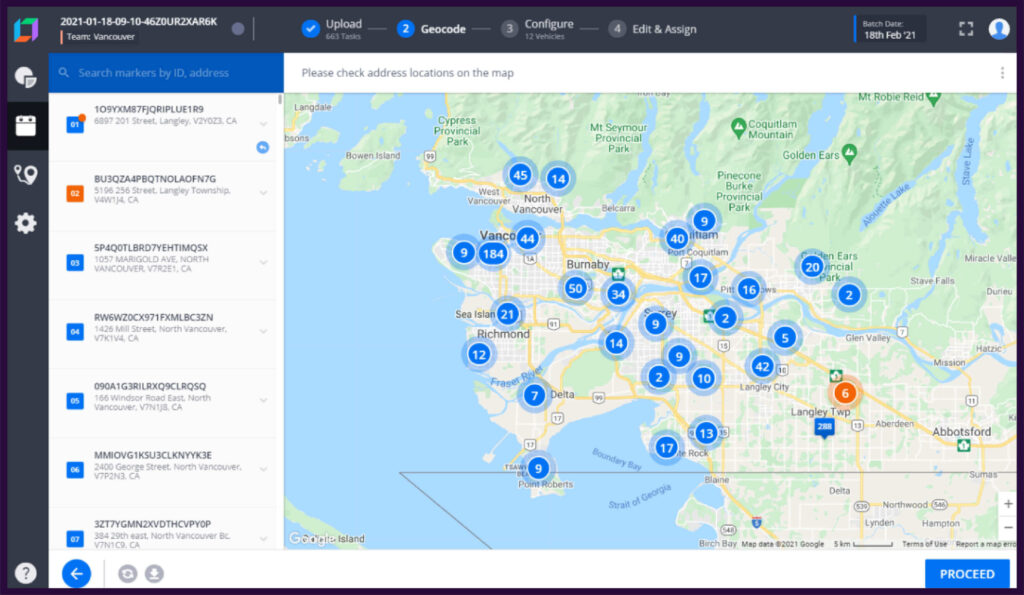
The routing engine must also accommodate schedule changes that happen throughout the day.
A new emergency job added at 11 AM needs to be inserted into an active schedule without invalidating all subsequent appointments. An appointment cancelled at 1 PM creates available capacity that may be filled by a waiting urgent job. Field service routing is a continuous re-optimization problem.
Dynamic re-scheduling when jobs overrun
The overrun is the most common mid-day disruption in field service operations. A job estimated at 90 minutes is still in progress at 120 minutes. The technician cannot reach the next appointment by its start time.
The response sequence that minimizes customer impact:
- Detect the overrun: The platform identifies that the technician’s estimated completion time exceeds the travel time needed to reach the next appointment by its committed window
- Evaluate options: Can the remaining appointment be covered by another technician with the right skills and available capacity? Can the appointment window be shifted by 30 minutes with customer consent? Does the appointment need to be re-scheduled to a different day?
- Notify the customer: Send a proactive notification about the delay before the customer’s appointment window starts, not after it passes
- Update the schedule: Apply the chosen response to the active schedule so subsequent appointments reflect the adjusted plan
A platform that requires a dispatcher to manually identify the overrun, call the next customer, and rebuild the affected technician’s schedule introduces human delay into a time-sensitive process.
At enterprise field service volumes, that manual delay accumulates into significant customer dissatisfaction.
Pillar 3: On-Site Proof: Closing the Loop After the Technician Leaves
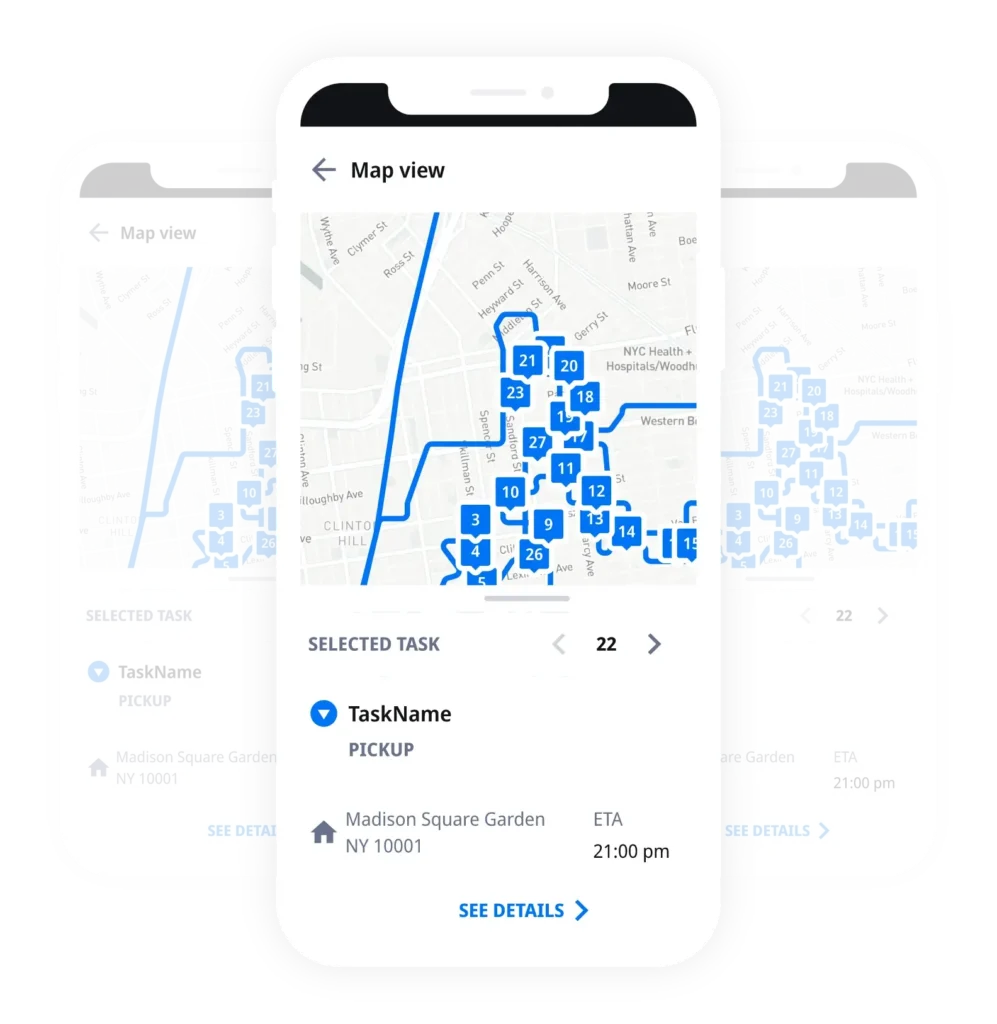
On-site proof in field service is the operational record that closes the loop between what the dispatcher sent the technician to do and what actually happened at the job site.
A customer signature confirms that someone was present. It does not confirm that the work was completed, that the correct parts were installed, or that the measurements taken were within specification.
What on-site proof should capture
| Proof element | What it enables |
|---|---|
| Timestamped job start and end (GPS-tagged) | Billing accuracy; overtime verification; dispute resolution for claimed appointment windows |
| Checklist completion by task | Quality verification; compliance documentation; identification of incomplete items requiring follow-up |
| Parts used (part numbers, quantities) | Automatic parts inventory deduction; materials billing; warranty registration |
| Equipment readings (before and after) | Performance verification; warranty evidence; regulatory compliance in sectors with measurement requirements |
| Photo documentation | Visual evidence of condition before and after; useful for insurance claims, warranty disputes, and customer sign-off on work performed |
| Customer signature | Acceptance of completed work; baseline for billing dispute prevention |
| Unresolved items and notes | Follow-up job creation; technician handoff notes for the next visit; account history for future scheduling |
How proof data connects to operations and billing
On-site proof data is most valuable when it flows automatically to the systems that use it. A proof record that sits in the field service platform and requires manual data entry to reach other systems is a documentation step.
The integrations that multiply the value of on-site proof:
- Parts inventory: Parts used on a job should automatically deduct from the technician’s vehicle stock and trigger replenishment when below threshold. This requires a real-time API connection between the proof platform and inventory management
- Billing: Job completion with time logs and parts used should trigger invoice generation, either automatically for standard billing or as a draft for review in complex billing scenarios. Manual re-entry of job records into billing software introduces errors and delays
- Quality review: Photos and checklist completions feed a quality supervisor’s review queue. Incomplete checklist items or readings outside specification should surface as alerts
- Follow-up job creation: Unresolved items flagged by the technician should automatically generate a follow-up job ticket, pre-populated with the equipment details, account information, and the items that remain open. Manual follow-up creation is the step that gets skipped and produces customer complaints about ignored service requests
The electronic proof of delivery (ePOD) and job completion infrastructure that handles parcel delivery confirmation extends naturally to field service when the proof record captures job-specific fields.
The same GPS-timestamped event record, structured checklist, and photo attachment capability that works for a parcel delivery works for a field service job, with additional fields for parts, measurements, and follow-up items.
How the Three Pillars Connect
Technician scheduling, routing, and on-site proof form a chain where each pillar uses the output of the one before and feeds into the one after.
- Scheduling feeds routing: The assignment decision determines which technician goes to which job. Routing sequences the jobs for each technician to minimize travel while honoring appointment windows. A scheduling error (wrong technician) cannot be corrected at the routing stage; it must be caught before the day begins
- Routing feeds proof: The route determines when the technician arrives at the job. A routing decision that produces late arrival means the technician begins the job under time pressure, which increases the probability of incomplete checklist items and rushed proof records
- Proof feeds scheduling: Proof data from completed jobs feeds historical job duration data back into the scheduling model. A job type estimated at 90 minutes that consistently produces 2-hour proof records should be re-estimated. This feedback loop is the mechanism that reduces overruns over time
An operation that manages all three pillars in one platform closes this loop automatically. An operation that uses three separate tools for scheduling, routing, and proof creates a data synchronization problem: historical proof data must be extracted, translated, and imported into the scheduling system for the feedback loop to work.
Questions to Ask Every Vendor
Organize the vendor evaluation with these questions per pillar. Answers that describe mechanics, not outcomes, are more reliable:
For technician scheduling
- How are technician skills and certifications captured in the system, and how does the scheduling logic use them? Is skills matching a hard constraint or a soft filter?
- How does the platform handle a job that requires a certification that only two technicians in the region hold?
- How are parts availability and vehicle stock integrated into the scheduling decision?
- When a new emergency job arrives mid-day, describe exactly how the platform evaluates which technician to assign and what happens to the impacted downstream appointments
For routing
- Does the routing engine perform one-time daily optimization or continuous re-optimization as job completions and new jobs arrive throughout the day?
- How does the platform handle a job that is running 90 minutes over estimate? What does the dispatcher see, and what options are presented?
- Can the routing engine account for intermediate stops, such as parts depot visits or mandatory regulatory site stops, within a technician’s daily route?
- How is re-routing triggered: manual dispatcher action, automatic on threshold breach, or both?
For on-site proof
- Can proof record forms be configured per job type to capture job-specific fields (measurements, part numbers, inspection checklists)?
- How does the platform handle unresolved items: does it automatically generate a follow-up job ticket, or is that a manual step?
- What integrations exist between proof data and parts inventory, billing, and quality review systems?
- How long is proof record data retained, and is it accessible for dispute resolution, warranty claims, or regulatory audit?
How Locus Addresses Field Service Dispatch
Locus is the world’s first Decision-Intelligent, Agentic TMS. Its scheduling and routing intelligence, designed for high-complexity logistics coordination, applies directly to field service operations that require skills-based assignment, territory routing, and structured on-site job management.
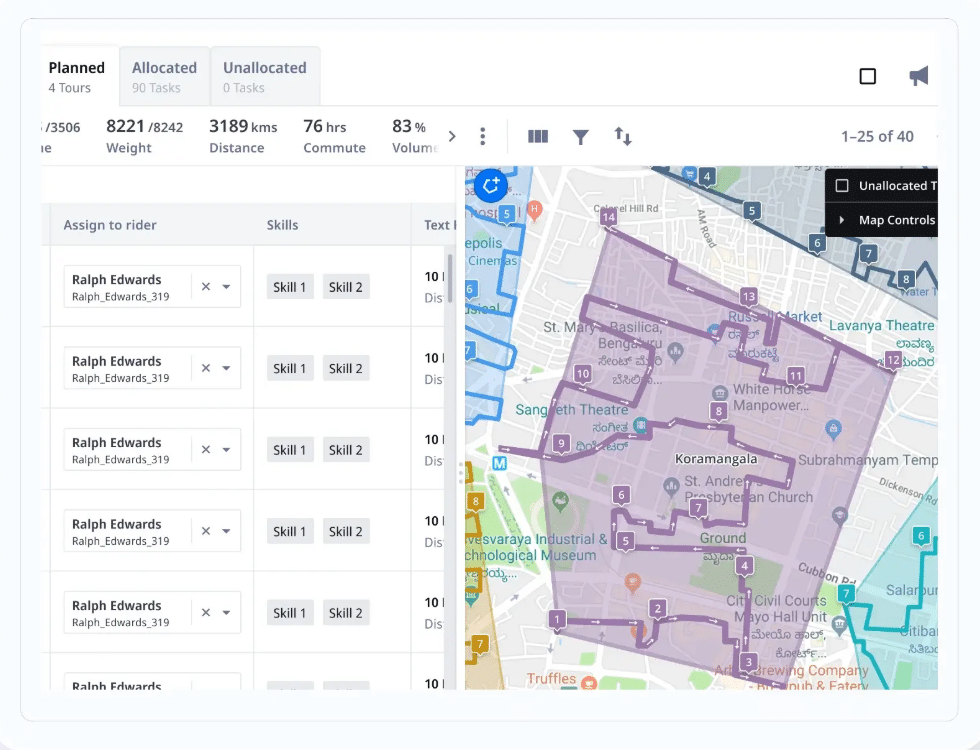
For technician scheduling, the Capacity Agent and Dispatch Agent within Locus’s multi-agent architecture coordinate technician availability, shift hours, and job assignment against configurable constraint sets.
DispatchIQ applies decision intelligence to the assignment decision: when multiple technicians are available for a job, the system evaluates skills fit, geographic proximity, current schedule load, and parts availability simultaneously, not in sequence.
For routing, the Fireworks Routing Engine builds technician daily schedules that account for job duration estimates, appointment windows, travel time, and territory boundaries. When a job overruns, Mycroft AI Co-Pilot surfaces the schedule impact to dispatchers: which downstream appointments are at risk, which alternative technicians have available capacity and the right skills, and what the customer communication should look like. The Copilot Agent presents options; the dispatcher makes the decision.
For on-site proof, the Driver Companion App provides field technicians with a structured job completion interface: checklist items, photo capture, parts used, customer signature, and unresolved item flags are all captured in a single workflow and transmitted to the platform on job close.
Electronic proof records are GPS-timestamped, tamper-evident, and available immediately to dispatchers, supervisors, and billing teams without manual data entry or end-of-day synchronization.
The Customer Agent handles appointment confirmation, delay notification, and post-job communication automatically, triggered by scheduling events and job completion records, not by dispatcher action.
Locus has been recognized in Gartner research on last-mile delivery and supply chain execution technologies for seven consecutive years, including in the 2026 Hype Cycle for Supply Chain Execution and Logistics Technologies and the 2025 Market Guide for Last-Mile Delivery Technology Solutions.
In October 2025, Ingka Investments, the investment arm of Ingka Group, acquired Locus, providing long-term institutional backing to a platform that continues to operate independently.
Monitor Logistics from Dispatch to Delivery
The three pillars of field service dispatch software, technician scheduling, routing, and on-site proof, each have specific requirements that differ materially from delivery dispatch.
Evaluating field service dispatch software without understanding those differences produces purchasing decisions that look right in a demo and fail in the first week of operation when a job overruns, an uncertified technician arrives at a compliance-sensitive site, or a proof record generates a billing dispute because it captured a signature and nothing else.
The evaluation questions in this guide are designed to surface implementation quality, not feature presence. A platform that claims skills-based scheduling but implements it as a free-text tag on a technician profile is not the same as one that matches structured certification data to job requirements as a hard constraint. The distinction only appears when you ask how it works.
Schedule a demo to see how technician scheduling, routing, and on-site proof work in an integrated field service dispatch platform.
Frequently Asked Questions (FAQs)
What is the most common cause of revisit rates in field service?
Skills mismatch is the most costly cause: the wrong technician arrives at the job, cannot complete the work, and a second visit with the correct technician is required. Missing parts is the most frequent cause: the technician is qualified but arrives without the components needed for the specific job. Both causes have the same operational fingerprint, a job marked incomplete in the proof record, and both are addressable at the scheduling stage. Skills mismatch is addressed by treating certification as a hard assignment constraint. Missing parts is addressed by verifying parts availability against vehicle stock before dispatch confirmation, with flagging when the required parts are not present.
How does skills-based scheduling differ from nearest-technician routing?
Nearest-technician routing finds the closest available resource and routes them to the job. It works for operations where any technician can complete any job. Skills-based scheduling filters the available technician pool by certification, equipment familiarity, and job-type authorization before applying proximity optimization. For a job requiring a specific electrical certification, the nearest available technician may be the third-closest geographically but the only one in the area with the required qualification. Skills-based scheduling finds that technician; nearest-technician routing finds whoever is geographically closest and potentially creates a compliance problem at the job site.
What should on-site proof capture beyond a customer signature?
The minimum useful proof record for field service includes: timestamped job start and end with GPS coordinates, a completed checklist of work performed broken down by task or inspection item, parts used with part numbers and quantities, any equipment readings taken (before and after where applicable), at least one photo of the completed work, and a log of any items that were not resolved along with the reason. Unresolved items are particularly important: they are the input that should automatically generate a follow-up job ticket. A proof record that only captures a signature confirms attendance; it does not confirm work quality, parts usage, or what still needs to be done.
How do you manage a field service schedule when jobs consistently overrun?
Consistent overruns indicate that the job duration estimates used for scheduling are wrong, not that the technicians are slow. The first step is to compare scheduled job durations against actual job durations from proof records over a representative sample period. If the actual duration for a job type is consistently 30% longer than the estimate, the estimate should be corrected. Scheduling with accurate estimates reduces overruns immediately without changing technician behavior. For the remaining overruns that occur despite accurate estimates, the response process must be automated: overrun detection, downstream appointment risk assessment, and customer notification should not require dispatcher intervention for routine cases.
How does Locus support technician scheduling, routing, and on-site proof?
Locus handles all three through connected components in its agentic architecture. For scheduling, the Dispatch Agent evaluates technician skills, shift availability, and current schedule load against each incoming job, with configurable constraint weighting for certification requirements, territory boundaries, and parts availability. For routing, the Fireworks Routing Engine builds technician daily schedules against appointment windows and job duration estimates, and re-evaluates the affected schedule automatically when overrun detection triggers. Mycroft AI Co-Pilot surfaces the options and impact to dispatchers. For on-site proof, the Driver Companion App provides a configurable job completion workflow with checklists, photo capture, parts logging, and digital signature, with proof records transmitted to the platform and connected systems immediately on job close.


General
How to Choose Dispatch Management Software: Assignment Logic, Live Tracking, and SLA Controls

Sep 14, 2026
Evaluate dispatch management software across three pillars: assignment logic, live tracking, and SLA controls. Includes questions to ask every vendor.
Read more
General
How to Choose Logistics Control Tower Software: Network Visibility, Exception Playbooks, and Analytics
Sep 14, 2026
Evaluate logistics control tower software across three pillars: network visibility, exception playbooks, and analytics. Includes vendor questions and red flags.
Read moreInsights Worth Your Time




















How to Choose Field Service Dispatch Software: Technician Scheduling, Routing, and On-Site Proof