


General
Top Dispatch Software for Plumbing Companies: 2026 Guide

Key Takeaways
- If your team spends hours each day juggling technician schedules and manual rescheduling, this guide is for you.
- Dispatch software for plumbing varies widely, from basic job-scheduling tools to platforms that actively manage routing, technician assignment, and real-time execution.
- Plumbing companies using dispatch software help technicians complete 48% more jobs per day (4.6 vs. 3.1) compared to manual methods.
- Visibility alone does not prevent missed jobs or delays. Real value comes from dispatch systems that support real-time adjustments during active service calls.
- As plumbing businesses grow across territories, technicians, and job types, consistent dispatch logic becomes more important than standalone features.
- Buyers should evaluate plumbing dispatch software based on execution depth, scalability, and its effectiveness in reducing manual coordination for dispatchers.
- Locus supports large, multi-region plumbing operations by connecting planning, dispatch, and live execution into a single operational layer.

For plumbing business owners, operations managers, and dispatch leads who want to streamline technician schedules and scale without the chaos of manual coordination.
Plumbing dispatch often begins with an expectation that, if jobs are planned carefully at the start of the day, technicians are assigned correctly, and service windows are set, operations should remain stable.
That assumption holds when job volumes are manageable and service areas are limited. But daily field conditions rarely cooperate. Emergency calls surface without warning, repair times exceed estimates, and technician availability shifts throughout the day. 35% of plumbing businesses still dispatch technicians using phone calls and manual scheduling, forcing dispatchers to constantly revise plans through calls, messages, and spreadsheets.
The stakes are real. 53% of customers will call a competitor if same-day service is not available, and 59% expect a response within one hour for plumbing emergencies. Meanwhile, the U.S. faces a growing plumber shortage forecast to hit 550,000 by 2026, putting even more pressure on existing teams to operate efficiently.
As plumbing operations expand, dispatch moves from a scheduling task into a continuous coordination process that must account for live job status, technician location, and service priorities at every stage of the day.
Software that supports only booking and static schedules places the burden of adjustment on dispatchers, slowing response times and affecting service consistency.
This guide examines how modern plumbing dispatch software supports live execution, compares leading platforms used by plumbing teams, and explains why larger operations evaluate systems designed for real-time dispatch control and operational scale. Whether you run a local crew or manage a multi-city franchise network, the right plumbing dispatch app determines how many jobs your team completes and how many customers you retain.
Who This Guide Is For
This guide is designed for plumbing operations leaders, dispatch managers, and business owners of all sizes — from local teams handling 10 jobs a day to national networks managing hundreds of technicians across multiple service territories. If you are evaluating plumbing dispatch apps, upgrading from manual scheduling, or scaling an existing operation, the sections below will help you make an informed decision.
Editorial Methodology
Commercial disclosure: Locus is both the publisher of this guide and one of the vendors included in the comparison.
How we evaluated plumbing dispatch software
This guide compares products against the factors plumbing buyers most often raise during evaluation:
- Dispatch automation and dispatcher controls
- Emergency dispatch and same-day service handling
- Route optimisation and service-territory management
- GPS visibility, status tracking, and customer ETA communication
- Technician mobile workflows and offline-readiness
- Integrations with CRM, FSM, accounting, payments, and related systems
- Multi-location scalability, permissions, and partner-fleet support
- Reporting depth and implementation complexity
- Pricing transparency and procurement clarity
Sources used
Assessments in this article are based on editorial review of vendor positioning, product materials, integration information, publicly available pricing signals where available, third-party comparison references supplied for this brief, and industry market sources including The Business Research Company, GIIR, and IBISWorld.
Testing and evidence limits
This is an editorial comparison, not a laboratory benchmark. Where exact pricing, offline capability, API depth, or connector detail was not clearly verifiable in the supplied source set, the article says so directly rather than guessing.
How pricing is treated
If a vendor publishes entry-level or plan-based pricing, it is described as public pricing. If pricing depends on configuration, users, locations, modules, or implementation, it is labelled custom quote required or varies by setup.
Refresh and corrections policy
Because SaaS features and pricing change regularly, this guide should be refreshed quarterly. If a product capability, integration, or pricing label changes, the comparison should be corrected at the next review cycle.
Quick Fit Summary
- Best for enterprise dispatch orchestration: Locus
- Best for small plumbing businesses: Jobber, Housecall Pro, Kickserv
- Best for customer communication and residential scheduling: Housecall Pro
- Best for CRM and invoicing-led workflows: FieldEdge
- Best for enterprise FSM depth: ServiceTitan
- Best for route-focused efficiency: Upper and WorkWave
- Best for mobile-first field teams: FieldPulse
- Best when you need a dispatch layer on top of an existing FSM: Locus
Key Features to Look for in a Plumbing Dispatch App
Apart from job scheduling, dispatch software for plumbing should support daily execution. The features below reflect what dispatchers and operations teams rely on once job volume increases and changes occur throughout the day.
- Real-time schedule updates: Dispatchers need to adjust jobs throughout the day as emergencies arise or jobs run long. Updates should be reflected immediately across the dispatcher and technician views. This is especially critical when automated dispatch cuts emergency response time nearly in half, from 4.2 hours to 2.1 hours on average.
- Territory and route management: Software should group jobs by service area to reduce travel time and balance workload across technicians, especially for multi-zone operations. Understanding why your business needs route optimization is foundational for plumbing teams covering wide service areas.
- Live visibility into technician status: Dispatch teams should see which technicians are en route, on-site, delayed, or available using a single operational view. GPS-based tracking and real-time ETAs reduce guesswork and let dispatchers respond proactively.
- Exception handling during execution: The platform should support quick reassignment when appointments are missed, technicians call out, or service priorities change. Skill-based routing ensures the right technician is matched to the right job, even during mid-day changes.
- Mobile access for field technicians: Technicians need clear job details, updates, and status controls through a mobile app to reduce back-and-forth communication. Offline functionality matters for technicians working in basements or areas with poor connectivity.
- Operational reporting: Reporting should focus on response times, job completion rates, technician utilization, and schedule adherence to support dispatch improvements. These metrics directly tie to route optimization benefits across different plumbing business segments.
- CRM and invoicing integration: Dispatch does not exist in isolation. The plumbing dispatch app should connect to your CRM, invoicing platform (such as QuickBooks), and customer communication tools to eliminate duplicate data entry and speed up billing cycles.
These features determine whether dispatch software reduces manual coordination or simply shifts it elsewhere.
Two Types of Dispatch Platforms Used in Plumbing Operations
Dispatch platforms used in plumbing operations generally follow one of two operating models, based on how daily work is managed.
Scheduling-Led Field Service Tools
In a scheduling-led setup, a plumbing company assigns jobs to technicians at the start of the day based on planned appointments. Each technician receives a fixed schedule, and dispatch teams monitor progress as jobs are completed.
If a customer reports a leak midday, the dispatcher reviews technician availability, calls nearby technicians, and manually updates schedules to accommodate the new job.
These platforms focus on booking jobs, managing technician calendars, and supporting billing and CRM workflows. They work well when job volumes are predictable and daily changes are limited.
Execution-Led Dispatch Platforms
In an execution-led setup, jobs are allocated continuously throughout the day. When an emergency call comes in, the platform automatically evaluates technician location, job status, and travel time before assigning the task.
Routes and workloads are adjusted within the system, allowing the new job to be handled without disrupting the rest of the day’s service plan.
These platforms are designed for live field operations. They support continuous job reassignment, emergency call insertion, route rebalancing, and exception handling throughout the day.
Plumbing teams compare these models based on how often schedules change, how frequently urgent jobs occur, and how much real-time coordination is required during the service day. With 46% of plumbing companies now using field service management or scheduling software, the shift toward execution-led platforms is accelerating as businesses recognize the limitations of static planning.
Scheduling-led tools manage dispatch through planned schedules. Execution-led platforms handle dispatch decisions continuously during live operations. Most plumbing teams evaluating new dispatch software are choosing between these two models, whether explicitly or not.
How Leading Plumbing Dispatch Platforms Compare
Dispatch software for plumbing businesses varies widely in how it supports daily operations. The global plumbing service software market was valued at USD 567.2 million in 2025, reflecting growing demand for tools that go beyond basic scheduling. Some handle basic job scheduling for small plumbing teams, while others support live dispatch control, technician allocation, service territories, and multi-location growth.
The overview below compares leading plumbing dispatch software based on operational focus and the type of plumbing business each platform supports best.
| Software | Primary Focus | Best Suited For |
| Locus | Dispatch, routing, and execution orchestration | Large plumbing operations, franchises, multi-city teams |
| FieldEdge | Job management and invoicing | Small to mid-sized plumbing businesses |
| Housecall Pro | Scheduling and customer communication | Local plumbing teams and owner-operators |
| Jobber | Job tracking and workflow management | Growing service businesses |
| ServiceTitan | End-to-end field service management | Mid-market and enterprise plumbing companies |
| Service Fusion | Scheduling and work order management | Regional service teams |
| WorkWave | Route planning and service workflows | Field service organizations |
| Kickserv | Job scheduling and CRM | Small plumbing businesses |
| Upper | Route optimization | Teams optimizing technician travel |
| FieldPulse | Mobile-first job management | Small to mid-sized plumbing teams |
Top Dispatch Software for Plumbing in 2026 – Detailed Comparison
1. Locus
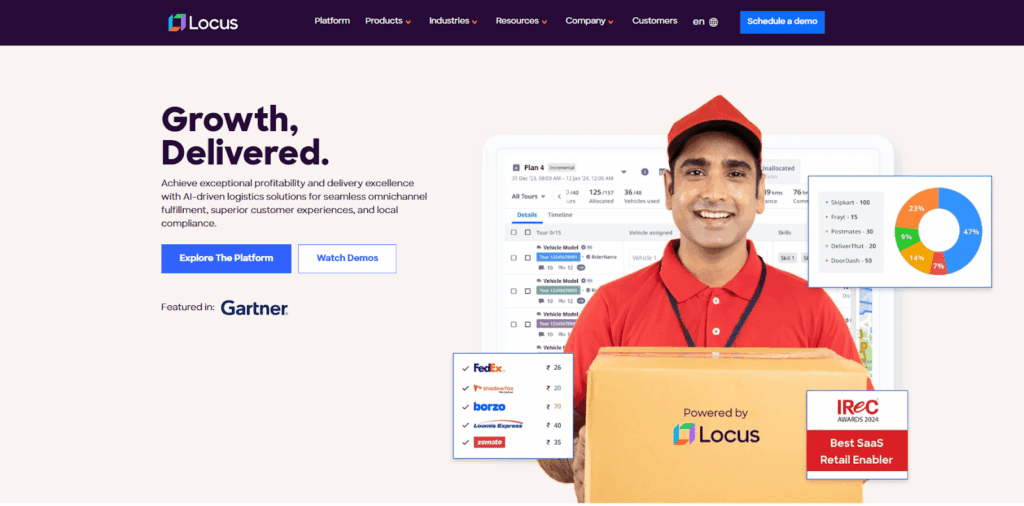
Locus is built for plumbing operations where planning, dispatch, and field execution must function as a single system. Dispatch conditions change throughout the day. Jobs overrun, emergency callouts arrive without notice, and technician availability shifts hour by hour. Locus is designed to operate within this reality.
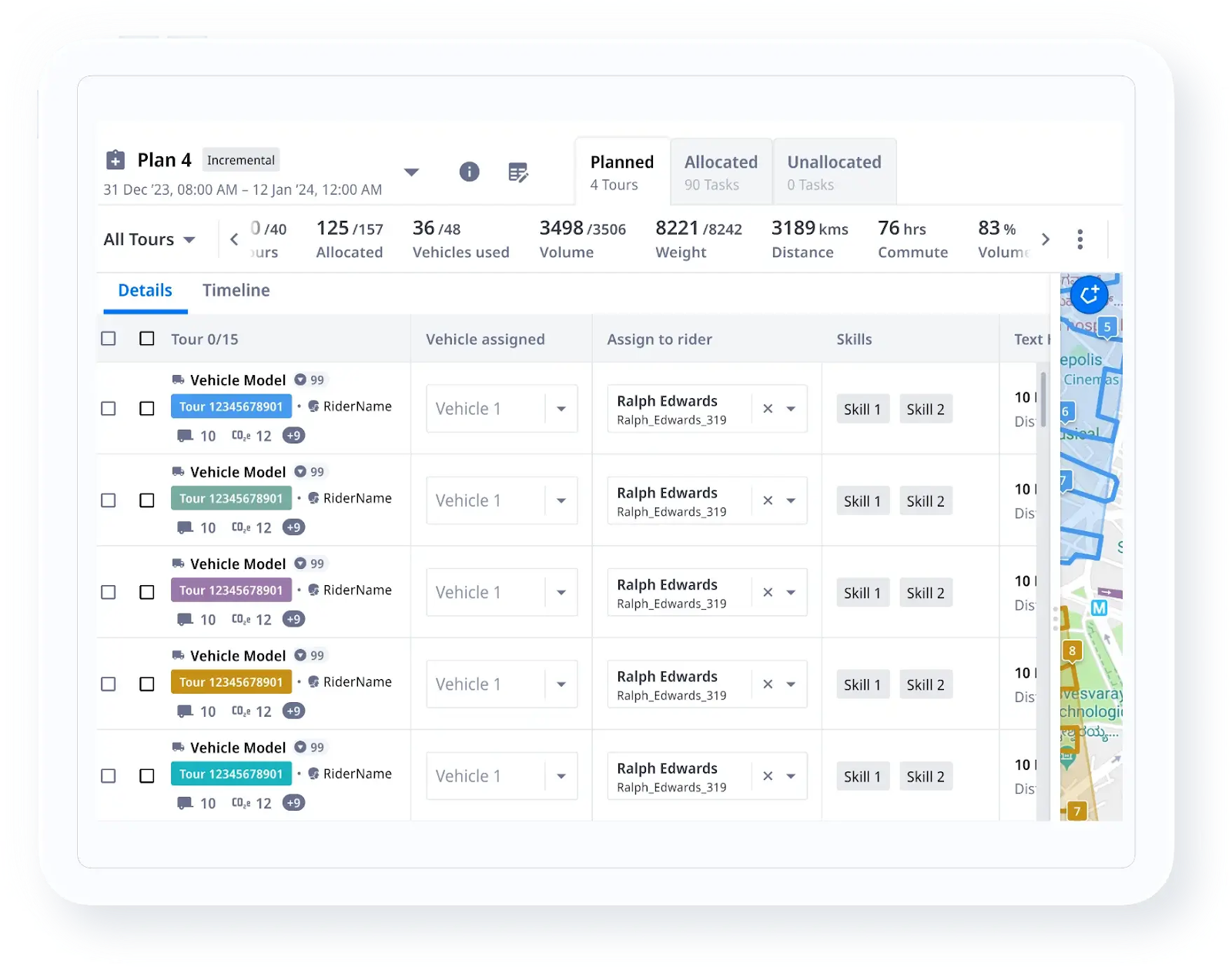
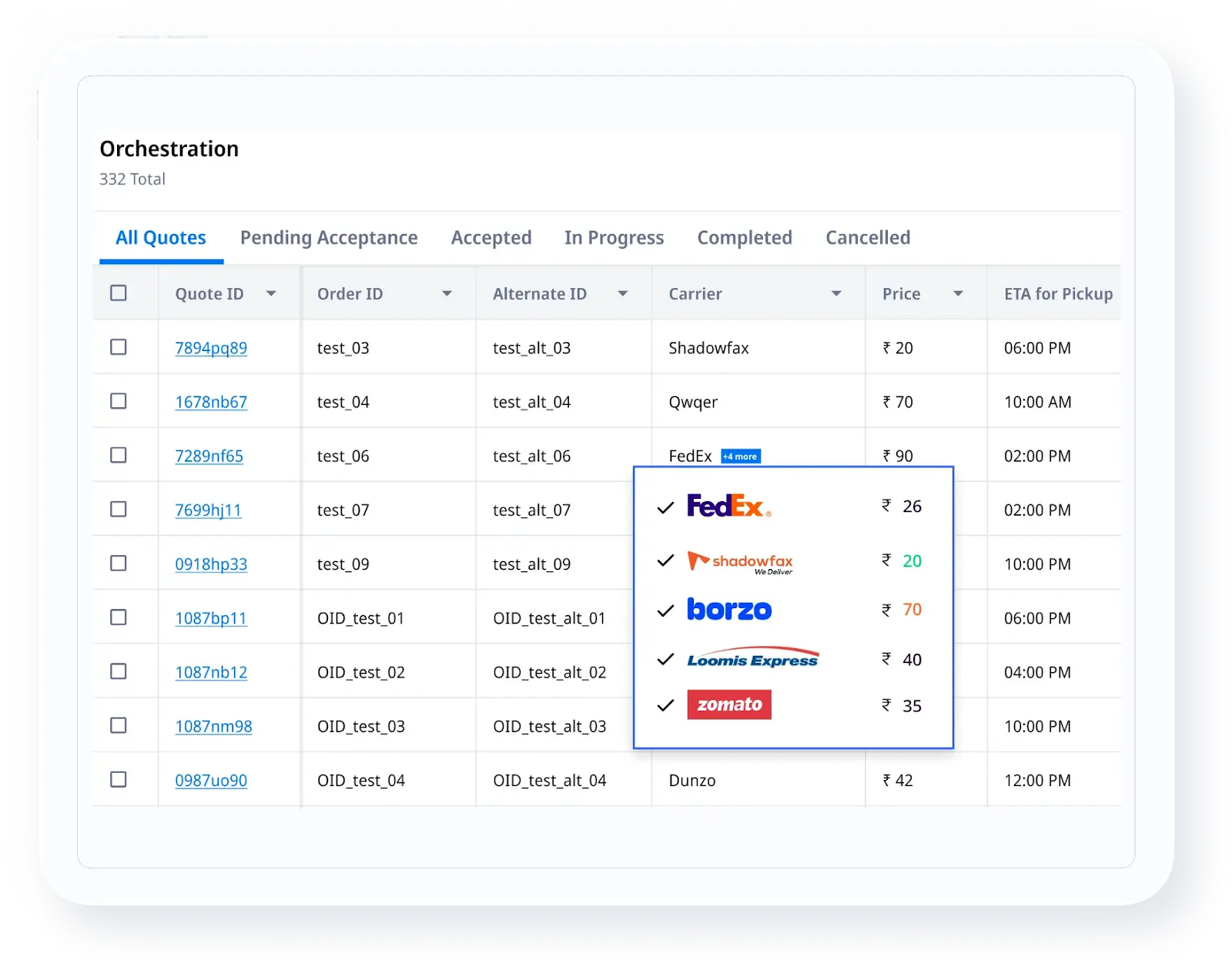
The platform connects routing, dispatch, and live execution into a single operational layer. Dispatch teams can plan technician routes, adjust assignments in real time, and maintain control as work moves across service areas, subcontractors, or partner fleets.
This makes Locus well-suited for plumbing businesses that handle a mix of scheduled jobs and urgent service calls at scale.
Locus’s Key Features:
- AI-Driven automation: Locus automates repetitive operational decisions that typically slow down plumbing dispatch teams. Job allocation, route adjustments, return runs for tools or parts, and follow-up visits are handled with minimal manual intervention. Dispatchers spend less time reacting to plan breakdowns and more time maintaining service quality throughout the day.

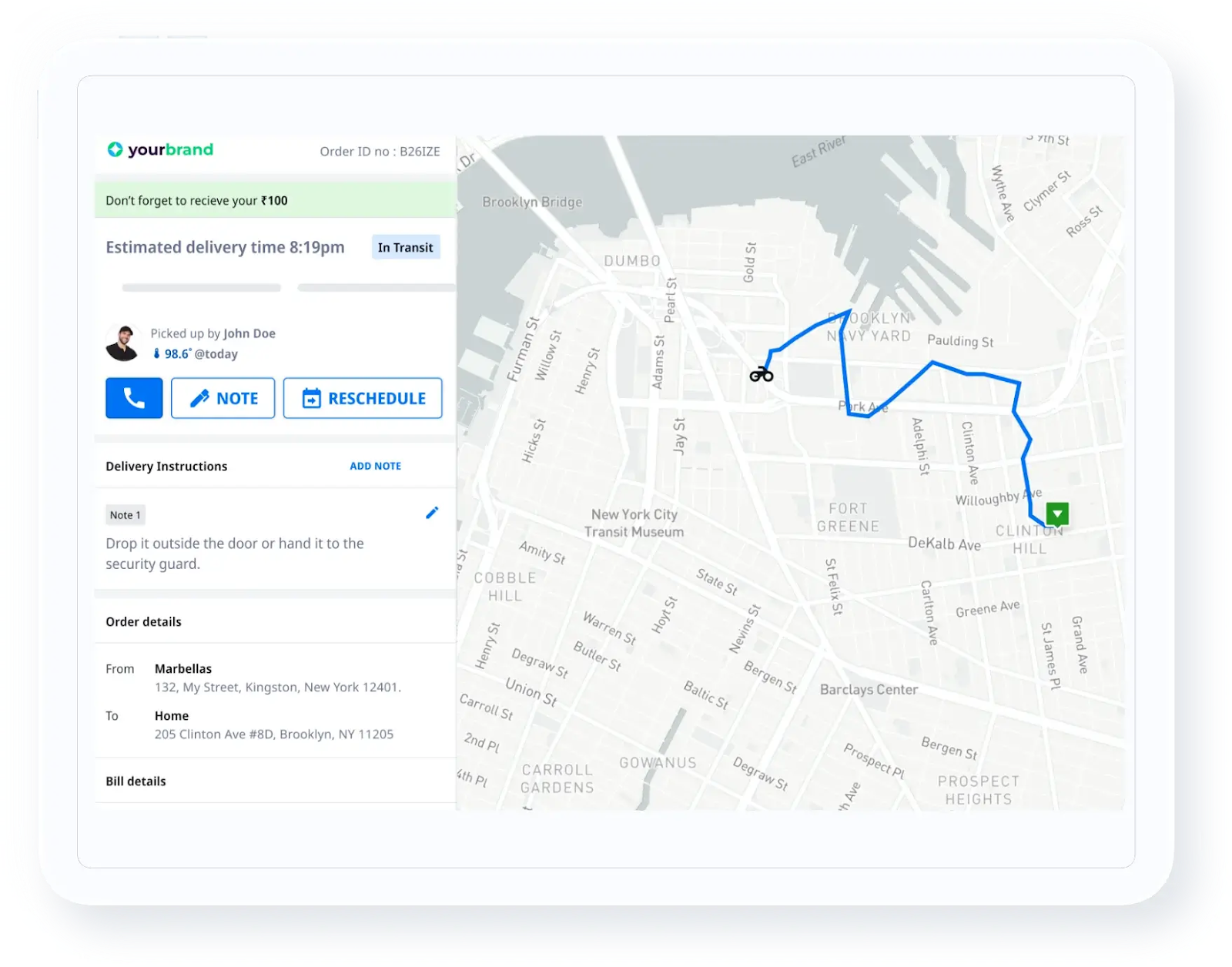
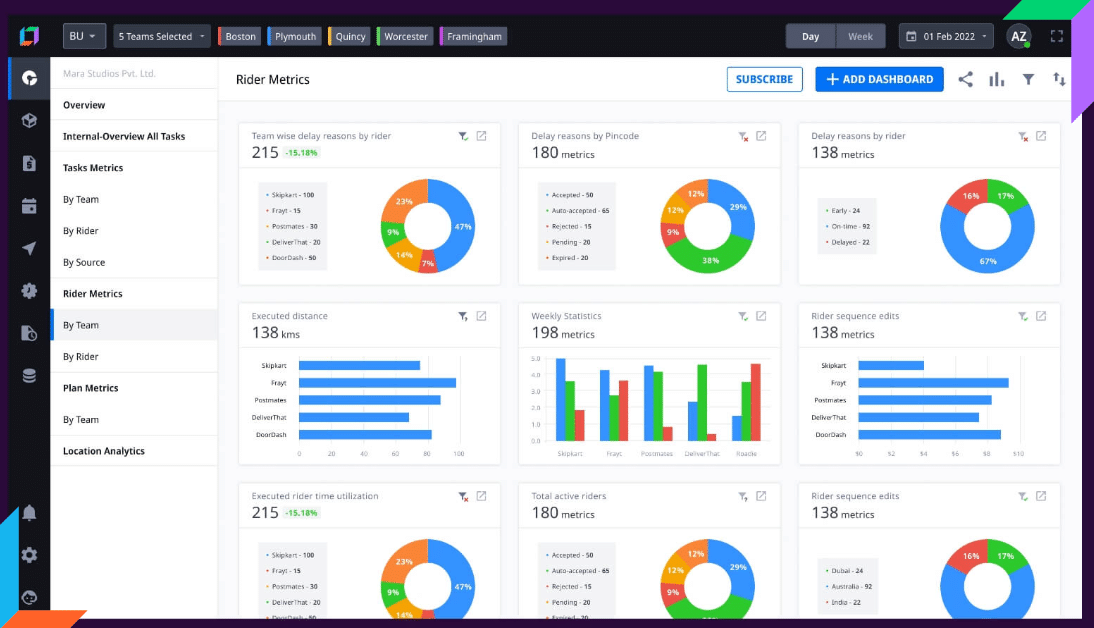
- Complete visibility: From the moment a plumbing job is scheduled to its completion on site, Locus maintains a live operational view. Dispatch managers can track technician movement, job status, delays, and exceptions without relying on manual check-ins. This visibility helps teams intervene early when schedules slip and identify recurring bottlenecks in service delivery.
- Scalability: As plumbing businesses expand into new service areas or take on higher job volumes, dispatch complexity increases faster than headcount. Locus is built to absorb this growth by optimizing routing and capacity without driving up coordination effort. Volumes can increase while dispatch remains predictable and controlled.
- Real-Time decision-making: Plumbing dispatch often comes down to minutes. Locus continuously recalculates routes and priorities based on live conditions, enabling faster decisions when technicians run late or urgent jobs enter the queue. This reduces response times, improves first-visit completion rates, and protects customer SLAs without the need for constant manual rework.

Locus Is Ideal for
Plumbing organizations where dispatch coordination directly impacts revenue, customer experience, and technician utilization. This includes large service networks, multi-city operations, and teams managing a mix of in-house technicians and external partners where execution control cannot be left to chance.
Locus’s Pricing:
Locus follows an enterprise pricing model aligned to operational scale and required capabilities. Costs are structured to grow predictably with operational complexity rather than fluctuating with every additional job, technician, or territory. This helps large plumbing organizations expand without introducing cost volatility into dispatch operations.
2. FieldEdge
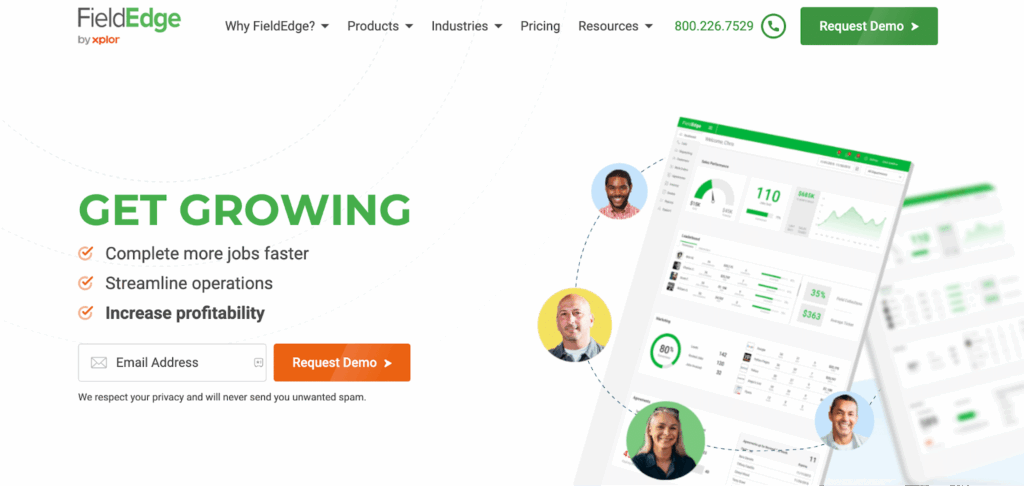
FieldEdge combines dispatch, customer management, and invoicing in one system. It is commonly used by plumbing businesses that want scheduling closely tied to billing and service history rather than advanced dispatch optimization.
FieldEdge’s Key Features
- Job scheduling with technician assignment tied to customer records
- Integrated invoicing, payments, and service history
- Technician mobile app for job updates and documentation
- Dispatch views aligned with billing workflows
FieldEdge Is Ideal for
Small to mid-sized plumbing businesses that want dispatch tightly connected to invoicing, customer management, and back-office operations.
FieldEdge’s Pricing
Subscription-based pricing, typically per user, with additional costs for advanced modules and integrations.
3. Housecall Pro
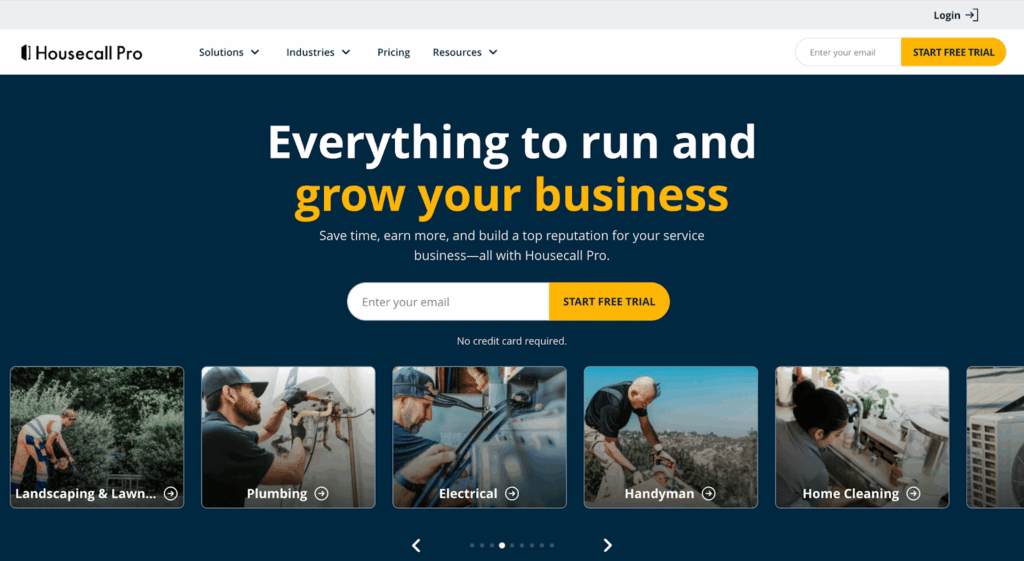
Housecall Pro focuses on ease of use and fast setup. Its dispatch capabilities are suited for smaller plumbing teams that prioritize customer communication and simple scheduling workflows.
Housecall Pro’s Key Features
- Simple job scheduling and dispatch calendar
- Automated customer reminders and notifications
- Mobile app for technicians to manage jobs and payments
- Estimates, invoices, and online payment processing
Housecall Pro Is Ideal for
Local plumbing teams and owner-operated businesses managing limited daily job volume and straightforward dispatch needs.
Housecall Pro’s Pricing
Tiered monthly pricing based on features and team size.
4. Jobber
Jobber supports structured job workflows, quoting, and scheduling. It fits plumbing businesses that want predictable scheduling and workflow tracking without complex real-time dispatch control.
Jobber’s Key Features
- Job scheduling and workflow tracking
- Client communication, quotes, and approvals
- Technician mobile access for job updates
- Basic operational reporting
Jobber Is Ideal for
Growing plumbing businesses that need structured job workflows and predictable scheduling, with moderate dispatch complexity.
Jobber’s Pricing
Tiered plans based on users and feature access.
5. ServiceTitan
ServiceTitan is an enterprise-grade platform offering dispatch, CRM, billing, and analytics. It is typically evaluated by larger plumbing companies with high job volume and formal operational processes.
ServiceTitan’s Key Features
- Advanced scheduling and dispatch tools
- CRM, invoicing, and revenue management
- Technician performance tracking and analytics
- Mobile app with detailed job context
ServiceTitan Is Ideal for
Mid-market and enterprise plumbing companies with high job volume, structured processes, and complex operational requirements.
ServiceTitan’s Pricing
Custom pricing, typically positioned at the higher end of the market.
6. Service Fusion
Service Fusion provides balanced dispatch and work order management for service teams. It is often chosen by regional plumbing businesses seeking an all-in-one system without heavy customization.
Service Fusion’s Key Features
- Job scheduling and dispatch management
- Work order and customer management
- Technician mobile access
- Core reporting and dashboards
Service Fusion Is Ideal for
Regional plumbing businesses that want an all-in-one dispatch and job management system without heavy customization.
Service Fusion’s Pricing
Subscription-based pricing with tiered plans.
7. WorkWave
WorkWave emphasizes route-based scheduling and territory management. It is commonly used by plumbing businesses managing recurring service routes or geographically structured operations.
WorkWave’s Key Features
- Route planning and territory-based scheduling
- Dispatch workflows for field service teams
- Customer communication tools
- Performance and service analytics
WorkWave Is Ideal for
Plumbing businesses managing recurring service routes or territory-driven assignments.
WorkWave’s Pricing
Custom pricing based on selected modules and operational scale.
8. Kickserv
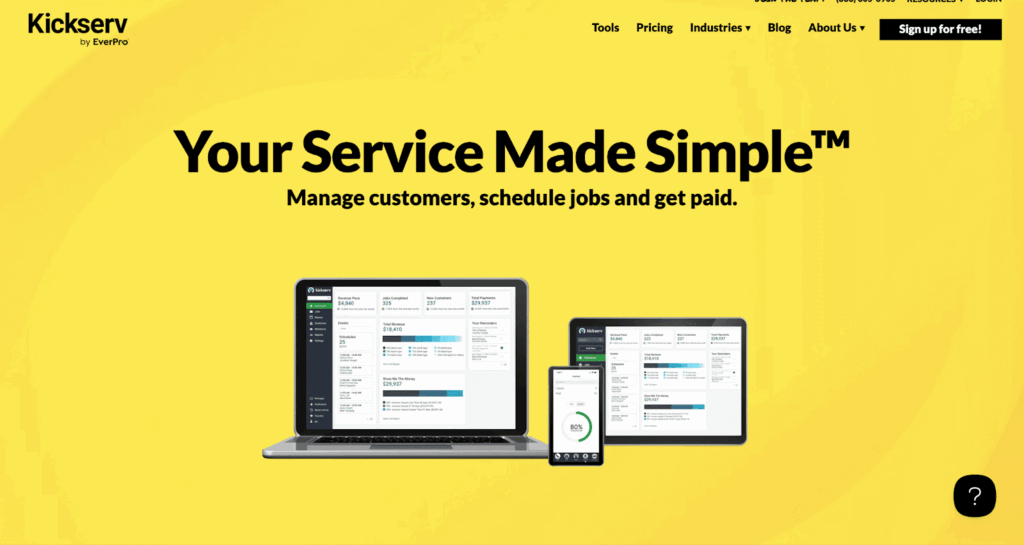
Kickserv is a lightweight scheduling and CRM tool. It supports basic dispatch needs for small plumbing businesses that want simple job tracking and invoicing.
Kickserv’s Key Features
- Job scheduling and basic dispatch tools
- Customer management and invoicing
- Mobile access for technicians
- Entry-level reporting
Kickserv Is Ideal For
Small plumbing businesses looking for simple scheduling, dispatch, and billing in a single tool.
Kickserv’s Pricing
Lower-cost subscription plans with feature-based tiers.
9. Upper
Upper focuses on route optimization rather than full dispatch workflows. Plumbing teams often use it alongside other systems to reduce technician travel time.
Upper’s Key Features
- Route optimization based on location and constraints
- Territory planning for technician coverage
- Manual dispatch support
Upper Is Ideal For
Plumbing teams focused primarily on reducing technician travel time rather than managing full dispatch workflows.
Upper’s Pricing
Subscription pricing based on route volume and usage.
10. FieldPulse
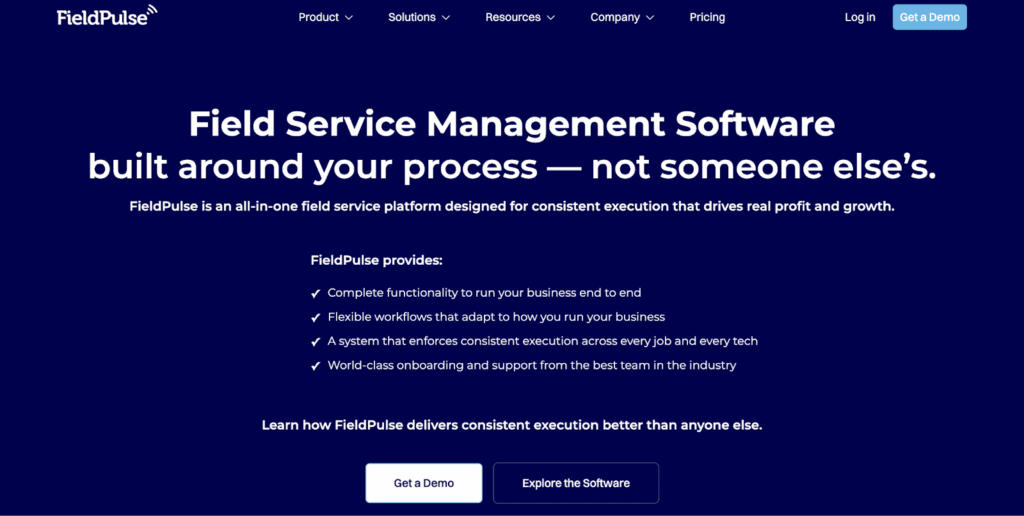
FieldPulse is a mobile-first platform that supports job scheduling and technician updates. It is commonly adopted by small to mid-sized plumbing teams that rely heavily on mobile dispatch.
FieldPulse’s Key Features
- Job scheduling and dispatch
- Mobile-first technician app with job status updates
- Customer and invoice management
- Basic analytics and reporting
FieldPulse Is Ideal For
Small to mid-sized plumbing teams that rely heavily on mobile dispatch and technician self-updates.
FieldPulse’s Pricing
Subscription-based pricing with per-user tiers.
ChEmergency Dispatch: Why Response Time Defines Customer Retention
Emergency plumbing jobs are the highest-stakes test of any dispatch system. A burst pipe, a sewer backup, or a water heater failure demands immediate action — and the dispatch app either accelerates or bottlenecks the response.
59% of customers expect a response within one hour for plumbing emergencies. When that expectation is not met, the consequences are immediate: 53% of customers will call a competitor if same-day service is not available.
What emergency-capable dispatch looks like:
- Automated priority insertion: The system evaluates incoming emergency requests against the current schedule and identifies the nearest qualified technician — without the dispatcher manually scanning a board or calling around.
- Dynamic rerouting: When an emergency is inserted, routes for affected technicians are recalculated automatically, preserving as much of the existing schedule as possible.
- Customer ETA updates: The dispatch app sends real-time notifications to the customer with technician identity, estimated arrival, and live tracking.
- Post-emergency rebalancing: After the emergency is handled, the system redistributes remaining jobs to prevent cascading delays across the team.
Automated dispatch cuts emergency response time nearly in half, from 4.2 hours to 2.1 hours on average. For plumbing businesses where emergencies represent a significant share of revenue and reputation, this capability is not optional — it is foundational.
Scheduling-led tools require dispatchers to manage this process manually. Execution-led platforms like Locus handle the logic, freeing dispatchers to manage exceptions rather than routine reassignment.
Example: How Emergency Job Insertion Should Work
Original schedule:
A dispatcher has six technicians covering three service territories. Two are in residential repair zones, one is finishing a water-heater replacement, one is tied up at a commercial site, and two are handling scheduled maintenance calls.
Emergency request:
At 1:40 p.m., a burst pipe call arrives from a customer who needs same-day service.
Assignment logic:
A strong plumbing dispatch platform checks:
- which technician is nearest,
- whether that technician has the right skill and certification,
- whether tools or parts are available in the vehicle,
- what arrival promise has already been made to other customers,
- whether an alternative technician can cover the displaced appointment with less total disruption.
Route changes:
The emergency is inserted, the chosen technician’s route is re-sequenced, and lower-priority stops are redistributed where possible.
Customer communication:
The emergency customer receives confirmation and ETA. Customers affected by the schedule shift receive updated arrival windows automatically.
Post-event recovery:
After the urgent job is complete, the system rebalances the remaining day to protect utilisation, reduce overtime, and restore schedule adherence.
This is the difference between static scheduling software and true real-time dispatch control.
Route Optimization and GPS Tracking in Plumbing Dispatch
Windshield time — the hours technicians spend driving between jobs — is one of the largest hidden costs in plumbing operations. Every unnecessary mile reduces the number of billable service hours in a day and increases fuel costs.
Plumbing companies using dispatch software see a 19% reduction in windshield time. That translates directly to more jobs completed and lower operating costs per technician.
How effective route optimization works in plumbing dispatch apps:
- Proximity-based job assignment: When a new job enters the queue, the system assigns it to the nearest available technician with the right skills, rather than defaulting to the next name on a list.
- Multi-stop route sequencing: For technicians handling 5–8 jobs per day, the dispatch app sequences stops to minimize total driving distance and time while respecting appointment windows.
- Live traffic adjustments: GPS-integrated platforms recalculate routes in real time based on traffic conditions, road closures, or updated job durations.
- Territory balancing: Jobs are distributed across service zones to prevent one technician from being overloaded while another has gaps in the schedule.
To choose the right route planning software, plumbing companies should evaluate whether the platform handles static route planning alone or supports continuous optimization throughout the day.
The result is measurable: dispatch software helps plumbing technicians complete 48% more jobs per day (4.6 vs. 3.1). When route optimization is layered with real-time GPS tracking, dispatchers gain the visibility needed to make precise assignment decisions that keep the entire team productive.
Benefits of Modern Plumbing Dispatch Software
The shift from manual coordination to software-driven dispatch produces measurable gains across revenue, efficiency, and customer experience. Here is what plumbing businesses report after adopting dedicated dispatch tools:
Revenue Growth Through Efficiency
Plumbing companies that adopt scheduling software see an average 31% revenue increase within the first year. This growth comes from completing more jobs per technician, reducing missed appointments, and converting emergency calls into completed service visits.
Higher Technician Productivity
When dispatchers stop spending time on phone calls and manual updates, technicians receive clearer instructions and faster job assignments. The 48% increase in daily job completion reflects fewer idle gaps, less driving, and better matching between technician skills and job requirements.
Faster Emergency Response
Automated dispatch routing and priority insertion cut average emergency response times from 4.2 hours to 2.1 hours. This directly impacts customer satisfaction and repeat business.
Reduced Driving and Fuel Costs
A 19% reduction in windshield time means less fuel consumed, lower vehicle wear, and more billable hours per day. Over a fleet of 20 technicians, the savings compound rapidly.
Dispatcher Workload Relief
Automation of routine decisions — job assignment, route sequencing, schedule adjustments — shifts dispatchers from reactive firefighting to proactive operations management. This is critical as the U.S. plumber shortage is forecast to hit 550,000 by 2026, making it essential to maximize output from existing teams.
Improved Customer Communication
Automated appointment confirmations, “technician on the way” notifications, and live ETAs raise the customer experience without adding manual steps for the dispatch team.
Buying Checklist, Implementation Notes, and KPI Framework
Practical buying checklist
Before selecting plumbing dispatch software, confirm:
- How emergency calls are prioritised and inserted into active schedules
- Whether technician skills, licences, certifications, and vehicle constraints can be used in assignment logic
- How the system handles job overruns, return trips, and uncertain duration
- Whether customer notifications and ETA updates are automated
- What integrations exist for FSM, CRM, QuickBooks, payments, telephony, and inventory
- Whether the mobile app works reliably with weak connectivity
- How permissions, branch structures, and service territories are configured
- Whether APIs or webhooks are available for custom workflows
- What reporting is available for schedule adherence, overtime, and utilisation
- What onboarding, training, migration, and support costs sit outside licence fees
Common implementation mistakes
- Over-automating without dispatcher override
- Using poor-quality address, territory, or technician-skill data
- Ignoring certification or equipment constraints
- Failing to test emergency insertion before go-live
- Underestimating change management for dispatchers and field teams
- Treating offline mobile support as a nice-to-have instead of a field reality
KPIs worth tracking
- On-time arrival: completed visits arriving within promised window ÷ total visits
- Response time: time from customer request to technician arrival
- Schedule adherence: planned stops completed in the intended sequence or time range
- Technician utilisation: productive service time ÷ total paid time
- Jobs per technician-day: total completed jobs ÷ total technicians working
- Windshield time: total driving time between jobs
- Emergency insertion time: time required to place an urgent call into the live schedule
- Missed appointments: appointments not completed within the promised service commitment
- Overtime: labour time beyond standard shift linked to dispatch inefficiency or demand spikes
Pilot guidance
Run a pilot in one or two territories first. Include emergency calls, routine maintenance, and at least one complex job type. Validate technician mobile workflows, routing accuracy, ETA communication, dispatcher override controls, and reporting before rolling out across the full operation.
ROI inputs to model
A realistic ROI model should include technician count, average daily jobs, travel time, fuel cost, dispatcher hours, overtime, missed appointments, emergency-call volume, SLA penalties, and revenue leakage from delayed or lost service calls.
Why Locus for Plumbing Dispatch at Scale
Most dispatch tools on this list solve one piece of the problem — scheduling, invoicing, or route planning. Locus connects these functions into a unified operational layer designed for plumbing businesses that cannot afford dispatch breakdowns.
What Locus Does That Other Plumbing Dispatch Apps Do Not
- Unified operational control: Planning, dispatch, and live field execution are managed in a single platform — eliminating fragmented tools and manual handoffs between systems.
- AI-powered rescheduling during live service days: When schedules break, Locus does not wait for a dispatcher to intervene. Routes, assignments, and priorities are recalculated automatically based on real-time conditions.
- Enterprise scaling without manual bottlenecks: As you add technicians, territories, or service types, Locus absorbs the complexity. Volumes increase while dispatch remains predictable and controlled.
- Subcontractor and partner fleet management: For plumbing companies using third-party technicians or franchise models, Locus provides dispatch visibility and control across all workforce types.
Specific Capabilities for Plumbing and Home Service Providers
- Automated dispatch planning to assign and optimize service jobs based on capacity, location, and constraints
- Time-slot scheduling that aligns technician availability with customer-preferred service windows
- Real-time visibility into on-ground jobs, technician progress, and execution status
- Dynamic task reassignment when jobs overrun, emergencies arise, or schedules change mid-day
- Configurable workflows to capture service requests and convert them into scheduled jobs
- Workforce planning tools to balance workloads across technicians and service agents
- Advanced routing that accounts for skills, availability, service zones, and job priorities
Together, these capabilities help plumbing teams maintain dispatch control as service demand increases — without proportionally increasing dispatch headcount.
Frequently Asked Questions (FAQs)
1. What should plumbing businesses prioritize when choosing dispatch software?
Plumbing teams should look for real-time schedule control, technician availability management, route optimization, GPS tracking, and the ability to adjust jobs mid-day without rebuilding schedules. Integration with CRM and invoicing tools (such as QuickBooks) is also essential to eliminate duplicate data entry.
2. Is dispatch software only useful for large plumbing companies?
No. Small teams benefit from scheduling and job tracking, while larger or multi-location plumbing businesses need dispatch software that supports live execution and technician balancing. With 46% of plumbing companies now using field service management software, adoption spans all business sizes.
3. Can dispatch software handle emergency or same-day plumbing jobs?
Yes, but not all tools handle this well. Execution-focused platforms allow dispatchers to reprioritize jobs, reassign technicians, and update routes in real time. Automated dispatch cuts emergency response time nearly in half, from 4.2 hours to 2.1 hours.
4. How is dispatch software different from basic scheduling tools?
Scheduling tools plan jobs in advance. Dispatch software manages day-to-day operations, including delays, urgent calls, technician changes, and job overruns. The difference becomes clear during a busy service day when the original plan stops matching reality.
5. Does dispatch software replace CRM or invoicing systems?
Not usually. Dispatch software often integrates with CRM, billing, and field service tools, acting as the operational layer that coordinates daily job execution. Platforms like Jobber and Housecall Pro include built-in invoicing, while execution-led tools like Locus focus on dispatch optimization and connect to existing back-office systems.
6. What is the best plumbing dispatch app for offline use?
FieldPathPro is notable for full offline functionality, allowing technicians to access job details, capture photos, log time, and complete work orders in basements or remote areas without internet connectivity. Data syncs automatically upon reconnection.
7. How does GPS tracking work in plumbing dispatch software?
Apps like Housecall Pro and Contractor+ provide real-time GPS for technician locations, route optimization, and proximity-based job assignment. Dispatchers track progress on live maps and can trigger automated “on my way” updates with ETAs to customers.
8. What pricing can I expect for plumbing dispatch apps?
Pricing varies widely. Entry-level tools like Kickserv offer lower-cost subscription plans. Mid-market platforms like Housecall Pro and Jobber use tiered monthly pricing based on team size and features. Enterprise platforms like Locus and ServiceTitan use custom pricing aligned to operational scale and required capabilities.
9. How much can dispatch software increase plumbing revenue?
Plumbing companies that adopt scheduling software see an average 31% revenue increase within the first year, driven by higher job completion rates, faster emergency response, and reduced wasted driving time.
10. What is the difference between scheduling-led and execution-led plumbing dispatch platforms?
Scheduling-led tools assign jobs at the start of the day and rely on dispatchers to handle changes manually. Execution-led platforms manage dispatch decisions continuously during live operations — automatically reassigning technicians, rebalancing routes, and inserting emergency jobs without manual intervention.


Route Optimization
Dynamic Route Optimization: 2026 Guide for Last-Mile Teams

Sep 23, 2026
Discover effective strategies for dynamic route optimization that enhance travel efficiency. Read the article to streamline your travel solutions today.
Read more
General
Beyond the Feature Checklist: The Enterprise Buyer Guide to Transportation Management System Selection in 2026

Sep 23, 2026
Selecting an enterprise Transportation Management System (TMS) requires moving beyond feature checklists and peer-forum recommendations. A buyer's guide for logistics leaders covering legacy vs. agentic TMS architecture, four critical decision variables, and true Total Cost of Ownership (TCO) calculation in 2026.
Read moreInsights Worth Your Time

















Top Dispatch Software for Plumbing Companies: 2026 Guide